

Would you like to see how the Codenica system works in practice?
Create a free business account and try the Codenica application in your everyday work.
We started with Ewida Audit and Ewida Standard, applications for computer audits and equipment inventory. Today, we are developing the advanced, comprehensive Codenica system, which helps companies work with resources, documents, employees, requests and computer monitoring data. The Codenica application is available as Cloud in Microsoft Azure and as On-Premise software installed in your company's infrastructure.

Codenica began with a simple observation: in many companies, important information was scattered across spreadsheets, paper folders, file directories and email inboxes. It was difficult to answer ordinary questions quickly: what equipment the company has, who uses it, which programs are installed, where a document is kept or what happened to a reported issue. Since 2005, we have been building tools that help companies bring this information together and use it in everyday work.
The first important stage was a set of desktop applications for Windows. Ewida Audit and Ewida Standard were created for computer audits, equipment checks, software analysis and record keeping. They have been used by companies of different sizes that wanted to know what they owned, which software they used and how their equipment changed over time.
Over time, it became clear that inventory alone was not enough. Companies wanted to connect information about equipment and software with documents, employees, messages, requests and tasks. They also needed browser access and the ability to choose whether data should be stored in the cloud or in their own infrastructure. This led to Codenica - developed from the ground up to support a broader way of working than a single computer inventory program.
Codenica is not intended only for IT departments. It can be useful wherever a company has equipment, supplies, documents, employees and matters that need to be kept in order. An owner of a tire business can keep records of computers, phones, printers, vehicles, tools and equipment, assign them to employees, and keep related documents and requests with them. A service company, workshop, office, school or manufacturing plant can build its own resource structure around the way it works every day.
For some companies, equipment records and control will matter most. For others, it will be answering employee questions, handling customer requests or monitoring computers in line with internal policies and applicable regulations. We do not impose one scenario. The system is meant to help each company build the way of working it actually needs.
Codenica Cloud and Codenica On-Premise are two equally valid deployment models for the same system. The everyday work remains shared: you can keep records, handle requests, work with documents, monitor computers and connect information through relationships. The difference lies in where the application runs, where data is stored and who maintains the infrastructure.
Codenica Cloud is available online in the Microsoft Azure cloud. Users sign in through a browser, and the company does not need to buy or maintain its own application server. The service uses availability mechanisms, backups, environment monitoring, redundancy and disaster recovery available in cloud infrastructure. The organization still decides on accounts, roles, permissions and how it works with its own data. See how the Cloud edition works.
Codenica On-Premise is installed on the company's server. The application, PostgreSQL database, files, configuration and monitoring agent communication can remain inside the company network. The administrator decides on the application address, user access, file storage, mail connection and agent endpoint. The edition can run 100% offline, without contact with Codenica servers and without Internet access. The company then decides how its server, network, backups, updates and security are managed. See how the On-Premise edition works.
Data security includes sign-in, user roles, access to specific data, server configuration, communication, backups and the everyday work of administrators. The Codenica system lets you restrict access through RBAC roles, so each person can see and change only the areas they need.
In the Cloud edition, part of the responsibility for physical infrastructure and cloud services lies with Microsoft Azure, while the company remains responsible for its accounts, configuration and data. With On-Premise, the company has full control over where information is stored, but is responsible for its own server, network, file system, administrator accounts, backups and updates. Communication with the application can use HTTPS, while additional safeguards depend on the environment configuration and the organization's policies. Read about system security.
The monitoring agent collects information defined in the monitoring profile. It can detect hardware, components, the operating system, drives, network adapters, monitors, printers, peripherals, USB devices and installed software, including versions, publishers and installation details. The data enters the system as structured results and successive snapshots, which can be used to create or update a computer record.
Monitoring may also include activity, working time, applications in use, Internet, files, data transfers, printing, clipboard contents, USB devices and signals related to security status. The scope depends on the enabled features and administrator settings.
Agent data can be connected with equipment records, employees, locations, documents and requests. In the Cloud edition, Codenica stores it in Microsoft Azure, while in On-Premise agents communicate with the local installation inside the company's network. Details are described on the pages about agent installation and computer monitoring.
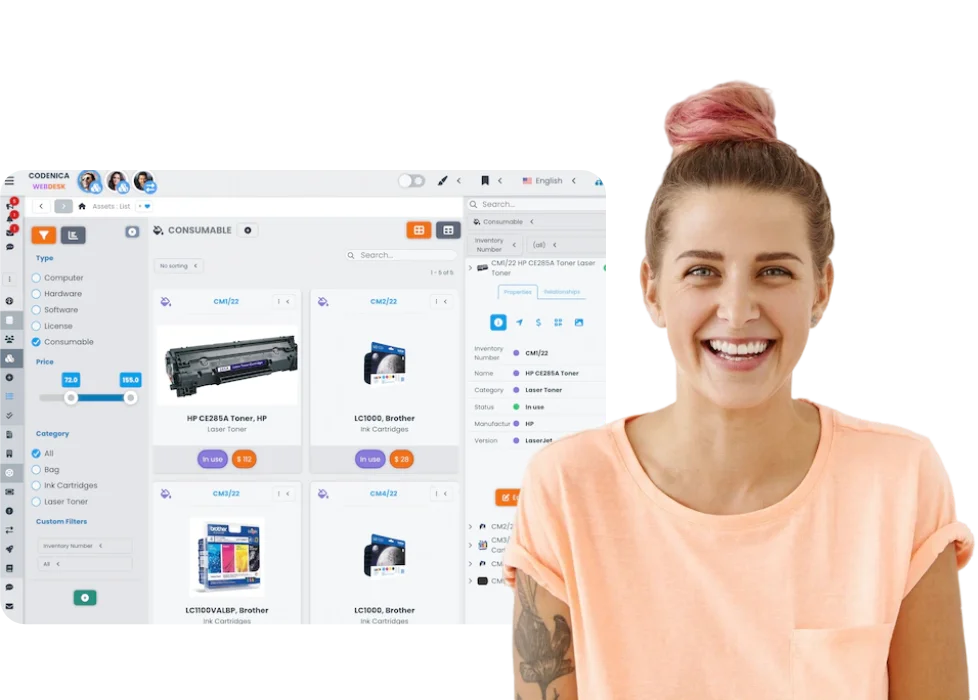
An automated scan cannot replace information that only the company knows from its own work. That is why Codenica lets you add any resources manually: equipment, phones, vehicles, tools, documents, contracts, licenses or custom object types. A computer detected by the agent can be connected to an employee, location, vendor, document and request. Each resource can keep its change history, while views and properties can be adapted to the organization's way of working.
This means that an inventory is more than a table of names. It shows who uses a particular piece of equipment, where it is located, which documents relate to it, when its properties changed and whether there is an open matter connected with it. You can move from a person to their assigned items, from a document to a resource or from a request to the computer involved. See asset management in Codenica.
Codenica also helps when someone needs an answer, repair, access or an explanation. The ticketing system lets you assign a matter to a particular person, add tasks, keep a conversation, record decisions and preserve the full history. If a request concerns a computer, phone, program, document or another resource, it can be connected with the right inventory item.
For a company, this may be a simple help desk for employees, customer support or a more advanced service desk with approvals, changes and tasks. The Client Portal, knowledge base and internal communication help reduce the amount of information circulating outside the system. Instead of searching the inbox every time, the team can return to an earlier request, document or instruction.
We use Microsoft .NET, C#, React and Microsoft Azure, but technology itself is not our goal. It should make the application stable, keep data available when it is needed and allow new features to be developed without disrupting earlier work.
We test new solutions in real situations. We ask how an administrator will find a particular item, how an employee will report a problem, how a manager will check the state of the equipment and how the company will find needed information months later. That way, development covers not only new features, but also relationships between data, change history, permissions, documents and the simplicity of everyday work.
Codenica is the next stage of a journey that began more than 20 years ago. From our experience with Ewida applications, we kept respect for data, durability and the work people do every day. We built a system that can grow with an organization - from simple records and request handling to computer monitoring, audits, broader processes and custom resource models.
Not every company needs the same thing. One will choose Cloud, another On-Premise. One will start with equipment records, another with requests, and another with checking computers and programs. The common goal is to keep information in one place, understand what is happening in the company and make decisions without digging through random spreadsheets, messages and folders.
Would you like to see how the Codenica system works in practice?
Create a free business account and try the Codenica application in your everyday work.
