








Computer Monitoring, Asset Tracking and Help Desk for Small Businesses

The Codenica system gives a small business one place to monitor employee computers, keep an up-to-date equipment inventory, and manage communication with customers and the team. The Plus license lets you review activity, working time, applications, websites, USB devices and installed software, while the monitoring agent automatically collects details about computers and software. You can also record phones, printers, tools, furniture and other equipment, then assign them to employees and locations. When it is time to organize questions, complaints or technical issues, the same system provides a help desk, Client Portal, knowledge base, chat and messages. Codenica Cloud runs in Microsoft Azure without a server to maintain, while Codenica On-Premise is installed inside your company and keeps data, files and configuration in your own infrastructure.
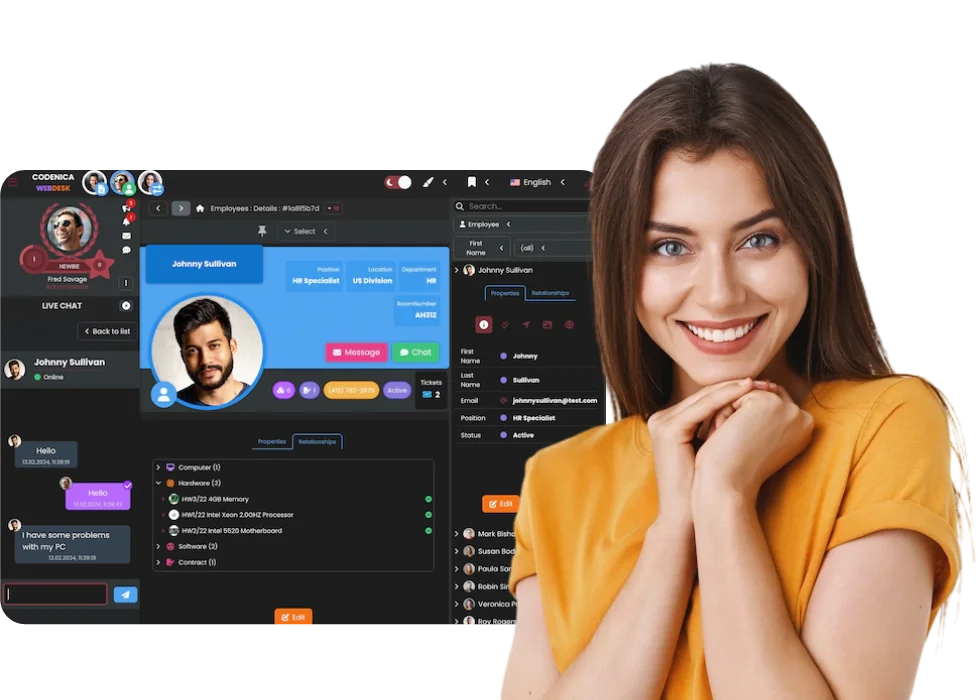

Codenica system for small businesses with computer monitoring, equipment inventory and request handling
Available on Microsoft Marketplace

Computer and work monitoring in a small business

A small business owner often has to look after customers, people, costs and equipment at the same time. There is no time to walk from desk to desk or wait days to learn that a computer was not being used for work, unnecessary software appeared on it, or someone was visiting risky websites. The Codenica application provides a current view of what is happening on company workstations. Computer monitoring, employee monitoring and work monitoring, including remote work monitoring, can be configured to match company rules and explained clearly to the team.

Visibility into what happens on company workstations

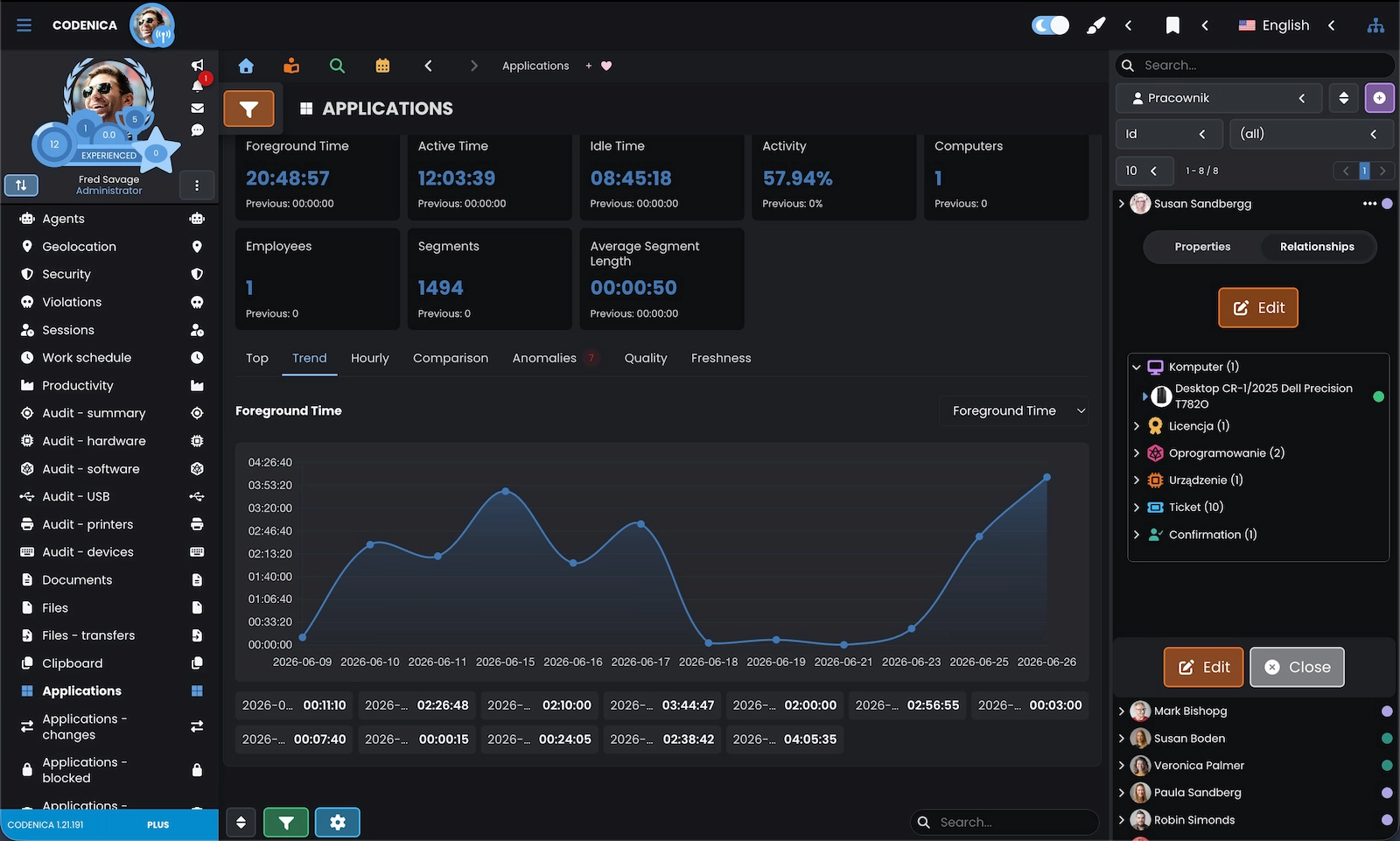
  • Employee computer monitoring shows when a workstation was active, when it was idle, which applications were used and which windows were open. You can see whether work follows the expected rhythm, where long breaks occur regularly and which activities take the most time. This is useful in the office and when part of the team works from home or in the field.
  • Internet monitoring lets you review visited domains and websites, while rules can limit access to personal, distracting or risky addresses. The Codenica system also shows launched applications, software installations, printing and USB device use. It becomes easier to notice situations that waste time, burden a computer or could create a problem with company data.
  • The monitoring agent performs an automated computer inventory. It collects information about hardware, the operating system, processor, memory, disks, monitors, printers, USB devices and installed software. The owner does not need to maintain a separate spreadsheet or ask employees to complete data manually. The inventory is based on what is actually present on company computers.

Equipment, device and asset inventory for small businesses

Computer monitoring shows what is happening on workstations. Inventory helps you organize much more: who uses a phone, where a printer is located, which tools are assigned to an employee, when a software license ends and what the business has at a particular branch. The Codenica software connects automatically collected computer data with the records maintained by the company.

An inventory that goes beyond computers
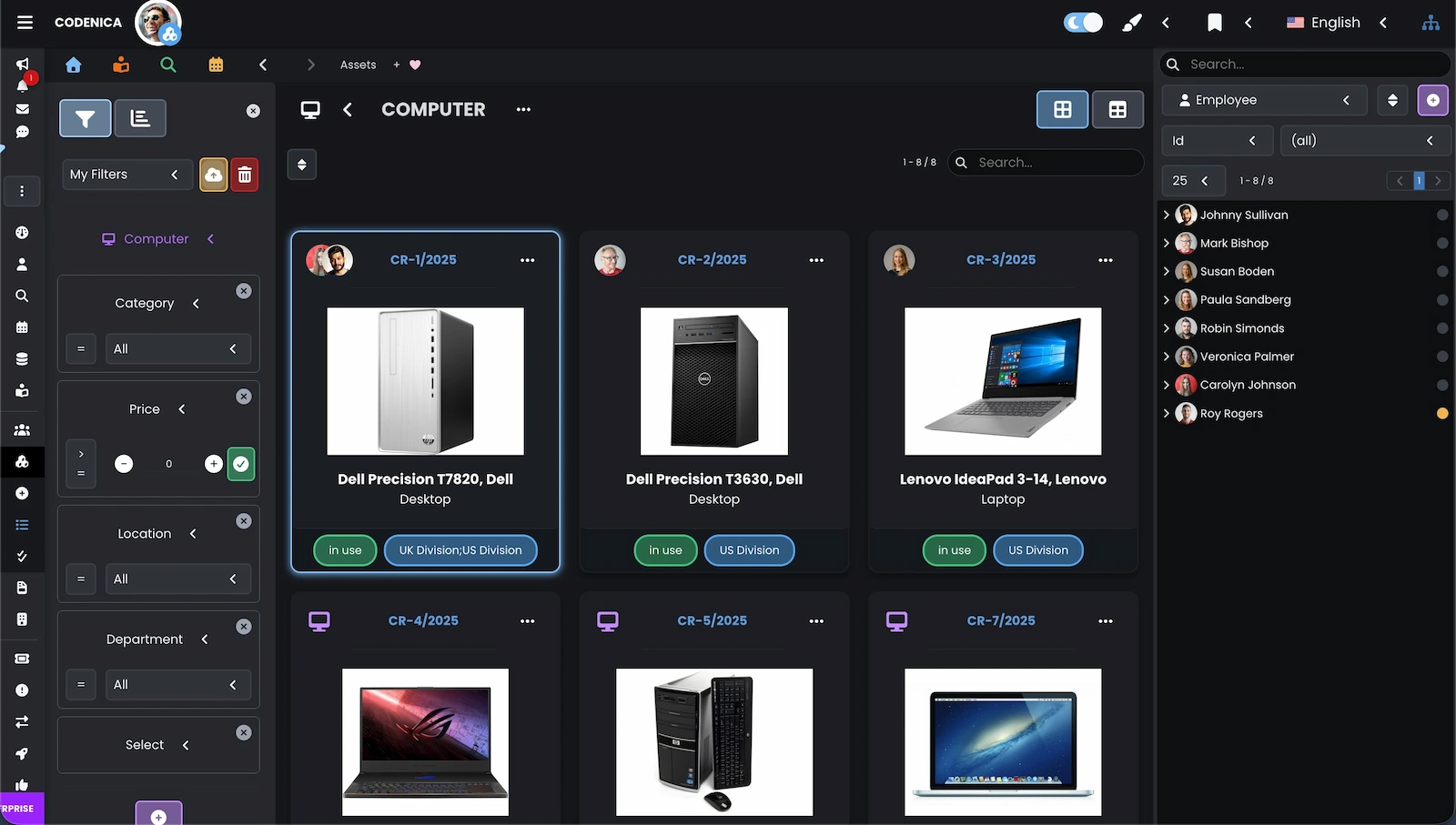
In the Codenica application, you can keep records of computers, monitors, phones, printers, tools, furniture, workstation equipment, documents, software and licenses. Custom models, categories and fields let you describe items exactly as they work in your business. For each asset, you can record the responsible person, location, documents, change history and related requests. The Plus license adds automated computer inventory, so your records do not depend only on an owner's memory or a single Excel spreadsheet.
Screenshot showing equipment and device inventory in the Codenica system.

Cloud and On-Premise - choose where the Codenica system runs

The same Codenica application is available in two current versions. Cloud runs in Microsoft Azure and lets you use the system in a browser without maintaining your own server. You install On-Premise inside your company, on your own infrastructure, when you want to decide where data, files and configuration are kept.

Two ways to run the same system
Cloud is convenient for a business that wants to start quickly with computer monitoring, automated inventory, equipment tracking and later request handling. The application server and Cloud infrastructure are provided through Microsoft Azure. On-Premise runs at an address defined by your company. It can use your own PostgreSQL database, local file storage, a local endpoint for agents, your own SMTP server and local mailboxes to create tickets from email. Monitoring, inventory and request data remain in your company infrastructure. An On-Premise installation can operate 100% offline, with no contact with Codenica servers and no Internet access.

Where does company data stay - in Cloud or on your server?

With computer monitoring and equipment inventory, it matters not only what the system shows, but also where the data goes. Codenica lets you select the model that fits how your business works: Cloud in Microsoft Azure or On-Premise on infrastructure owned by your company.

Cloud convenience or full local control
Codenica Cloud stores application data in Microsoft Azure. It suits a business that does not want to maintain its own application server. Codenica On-Premise lets you keep the database, files, configuration and monitoring data on your own server inside the company. You can use your own network, application address, SMTP server and local email mailboxes. An On-Premise installation can run 100% offline, so computer data does not leave the company. The administrator is then responsible for server security, access, network protection and backups.

Client Portal for a small business as the number of cases grows

After computers and equipment are organized, there comes a point when it is difficult to remember every customer question, employee request and case needing an answer. The Client Portal lets you bring this area into the system without buying another tool just for communication.

One place to contact the company
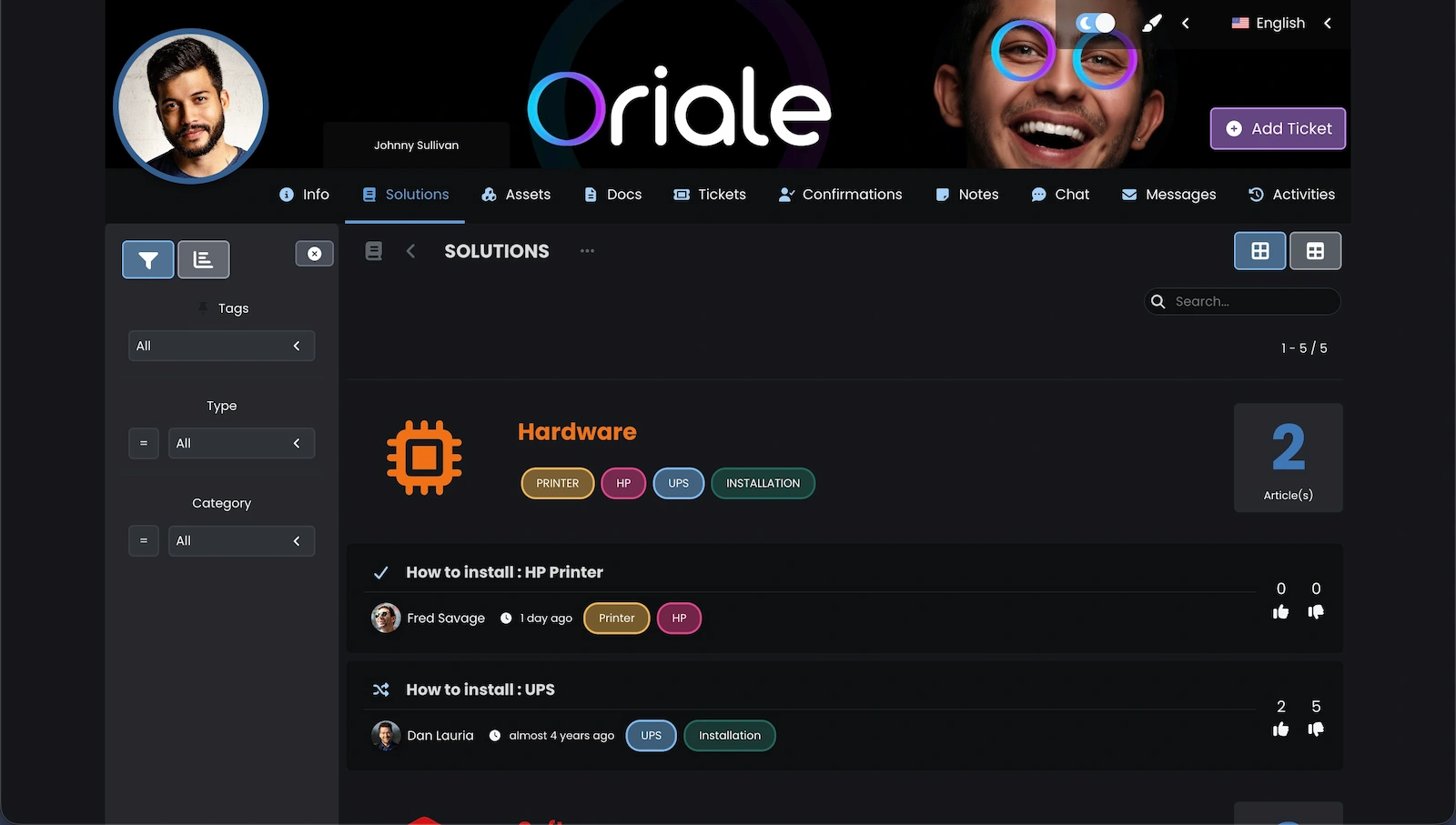
The Client Portal in the Codenica system lets customers and employees report issues, check case status, use the knowledge base, talk to the team in chat and exchange messages. The business keeps communication history with the relevant request instead of searching through several email inboxes. The Client Portal is the part of the Codenica application used by supported users. The Client Panel on the website is a separate place for managing the account, orders, licenses and downloads.
Screenshot showing the Client Portal in the Codenica system.

A license that fits what the business needs today

Not every small business starts with the same needs. One mainly wants to monitor computers and control Internet access, another needs equipment tracking, and another wants to serve customers more effectively. Starter, Plus and Enterprise licenses let you choose the required scope without changing the Codenica application.

Starter, Plus and Enterprise
Starter includes a ticketing system, knowledge base, communication, Client Portal and basic asset records. Plus adds computer and employee monitoring, work monitoring, application and website control, automated inventory and workstation audits. Enterprise extends the application with a full service desk for ITIL problem, change and release management. A business can start with the area that matters most and enable further elements when they are genuinely needed.

License pricing that works for a small business

If your first priority is computer monitoring and automated inventory, the Plus license is the relevant choice. If you want to organize requests, communication and basic asset records first, choose Starter. Codenica pricing lets you compare both scopes and decide whether the application will run in Cloud or as an On-Premise installation.

Monitoring, inventory and help desk in the right order
Plus is for a business that wants to monitor employee computers, review activity, applications, websites and USB devices, and maintain an automated workstation inventory. Starter provides a ticketing system, help desk, request handling, knowledge base, communication and basic asset records. Enterprise is for organizations that want to operate a complete service desk. Cloud simplifies application maintenance, while On-Premise keeps monitoring, inventory and request data in your own infrastructure.

Customer support for small businesses

Customer support does not have to be the first reason to buy a system. But when a business has more calls, email and cases to remember, it is worth connecting communication with data about equipment, users and earlier actions. Then the answer to a customer does not depend only on who happens to remember the situation.

Customer support software as the next part of the system
The Codenica customer support software combines a ticketing system, Client Portal, chat and messages. The team can receive requests, answer questions and check contact history in one place, while a case can be linked to a particular customer, employee, device or other asset. It is not a tool only for an IT department. A small business can use it for customer service, complaints, employee questions and administrative matters when it wants to add order to communication as well as to computers and equipment.

Help desk for small businesses when requests need structure

Monitoring and inventory solve the problem of knowing about computers and equipment. Over time, another issue appears: customer questions, complaints, employee requests and technical faults start getting lost in phone calls and email. The Starter license adds a help desk to the same system where the business already keeps equipment and user information.

Straightforward request handling
The Starter license includes a ticketing system for receiving and handling requests, the Client Portal, knowledge base, chat, messages and basic asset records. When an employee reports a problem with a computer, the case can be linked to the device, user and location. When a customer needs help, the contact history remains with the request. A help desk does not have to be the first reason to introduce the Codenica system. It is a natural next step when the business wants to connect control over equipment with everyday support for people.

Everyone works with current information

In a small business, one outdated detail can hold up several people. The Codenica software updates monitoring, inventory, requests and communication data in real time, so the team sees the current state without manually refreshing pages. The owner can check a computer's current status, equipment assignment and service progress in one system, whether the business uses Cloud or an On-Premise installation.

Background-8c8bf34a-5faf-49dc-90b2-66063e5eeb20

Would you like a clearer view of what is happening in your business?

Create a free company account and see how the Codenica system works in practice.

Codenica anim-smallbusiness
}