





IT Service Desk, ITSM, ITAM and ITIL for IT Departments

An IT department needs one place for requests, hardware and software records, computer monitoring and shared knowledge. The Codenica system brings service desk work together with ITSM, ITAM and ITIL processes, so technical data is available when each case is being handled. Choose the Cloud edition running in Microsoft Azure, or install the On-Premise edition inside your company and keep the system available 100% offline on your own infrastructure.
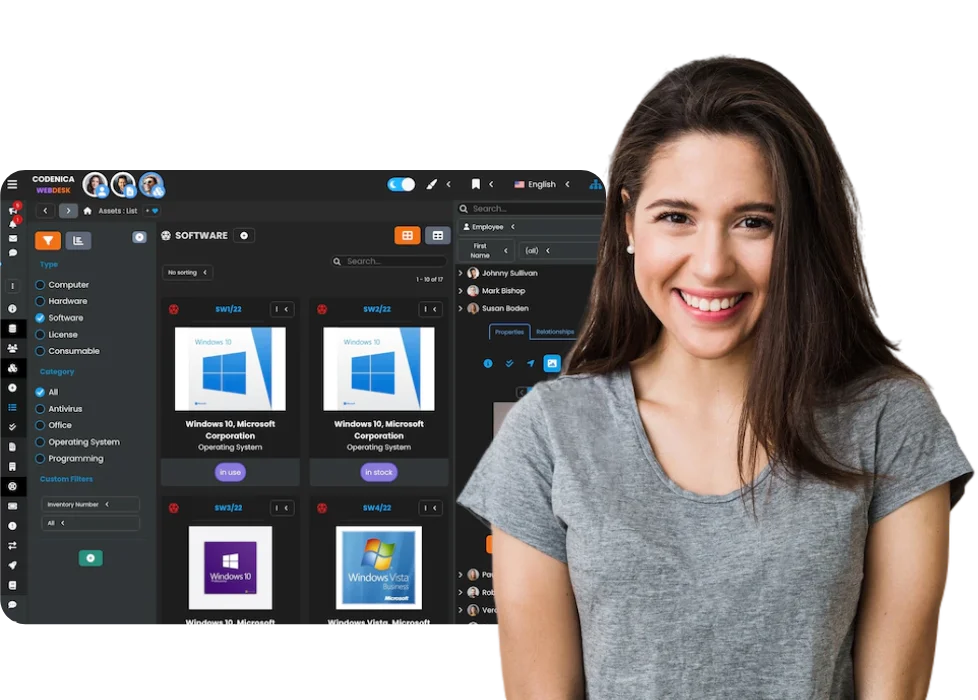

Codenica service desk system with ITSM and ITAM asset records
Available on Microsoft Marketplace

Computer Monitoring and Automated ITAM Inventory

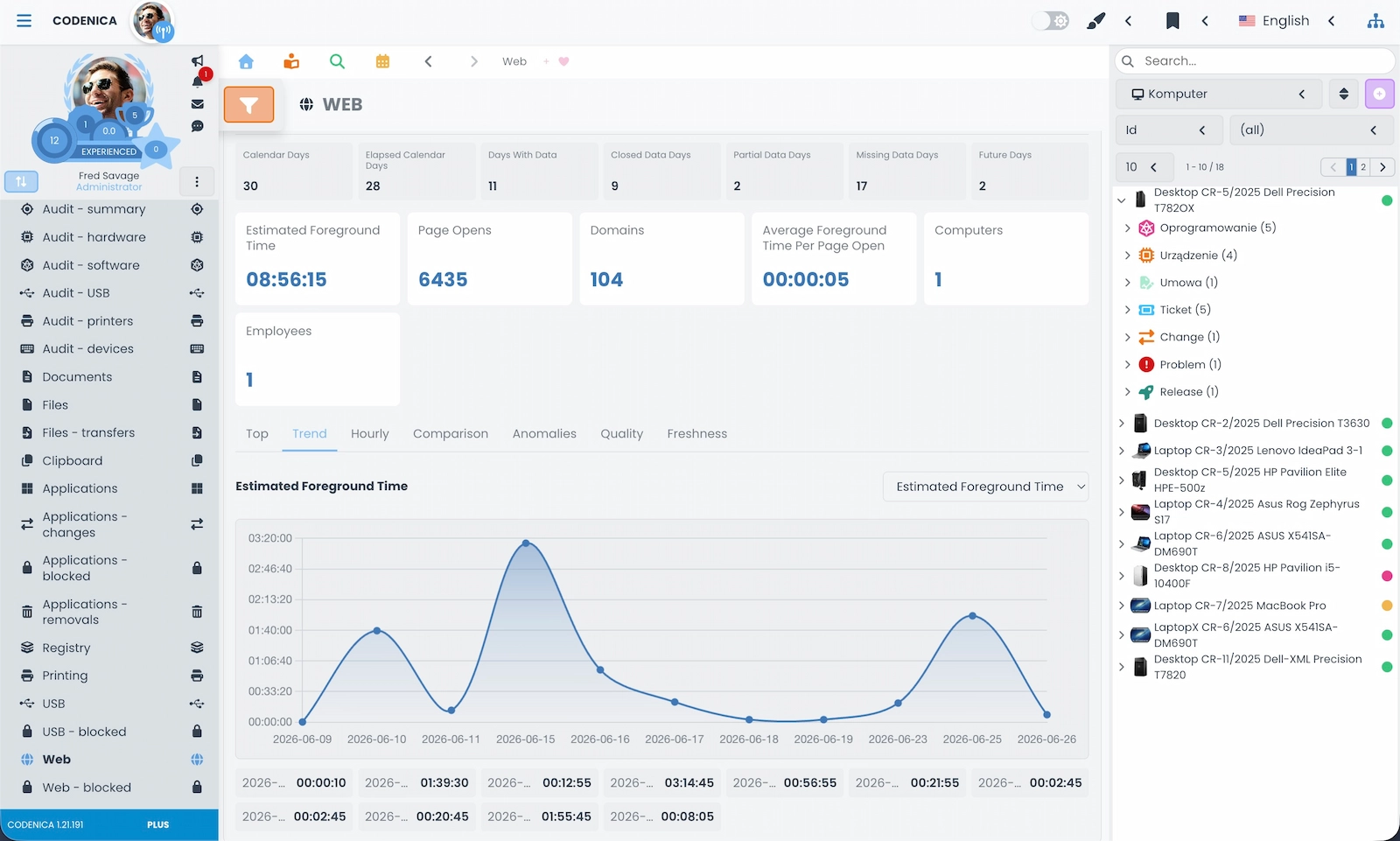
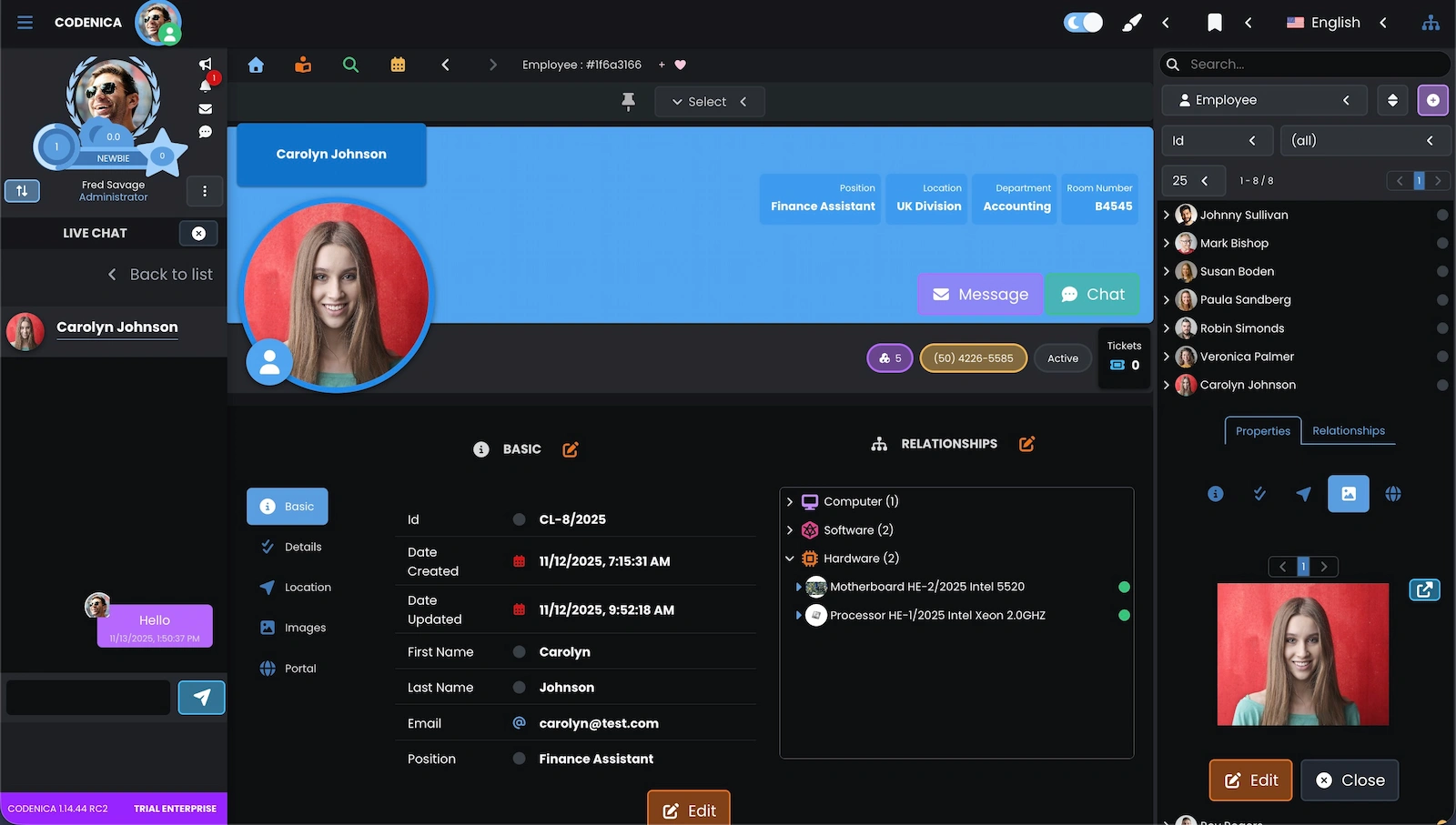
For an IT team, computer monitoring provides the data needed to handle service desk requests, keep ITAM records current, detect software changes, review security and respond faster to technical issues. Codenica Insight Agent scans computers and sends workstation information to the system, so automated inventory can replace manual checks of every device. The team can see computer activity, applications, websites, USB devices, printing, data transfers, security status and current hardware and software audit data.

Computer Data Available with Every Service Desk Request
The Codenica system helps IT teams see more than the problem description in a request. A technician can check which computer is assigned to the user, what software is installed, what condition the hardware is in, whether new USB devices have appeared, whether security issues were detected and which applications and processes were used. Monitoring can also help identify unauthorized installations, block selected programs, restrict websites and control USB storage. Connecting computer monitoring with automated inventory, ITAM records and service desk processes shortens diagnosis and gives the IT team better context for every case. In the On-Premise edition, agent data remains inside the company and is not sent outside its infrastructure.
Screenshot showing computer monitoring, automated ITAM inventory and workstation data in the Codenica system.

ITAM Inventory for Hardware, Software and Devices

IT teams need one consistent inventory that is not limited to a list of computers. The Codenica application lets you record hardware, devices, software and licenses, while also creating your own data models for resources that do not fit a predefined category. This gives ITAM records a structure that matches the real organization, its offices and its teams.

ITAM Records That Match the Way Your Company Works
The Codenica software lets you create your own asset record models instead of working only with predefined hardware types. An IT team can record computers, monitors, servers, software, licenses, peripherals, consumables and infrastructure components, as well as any other company resources. Each item has its own record with a history of changes, assignments, locations and links to users and requests. Automated inventory performed by Codenica Insight Agent adds information about computers, hardware and installed software, while manual records cover anything the agent cannot detect. The Cloud edition stores data in Microsoft Azure. The On-Premise edition stores it on your own server and can run 100% offline.
Screenshot showing ITAM assets in the Codenica system.

Service Desk Ticketing for IT Teams

A service desk gives the IT department one place for work that would otherwise be scattered across emails, conversations and informal arrangements. Every request has a clear status, priority, history and owner. The Codenica system supports requests from employees and external clients, then gives the team a foundation for structured ITSM processes.

Request Handling Within ITSM Processes
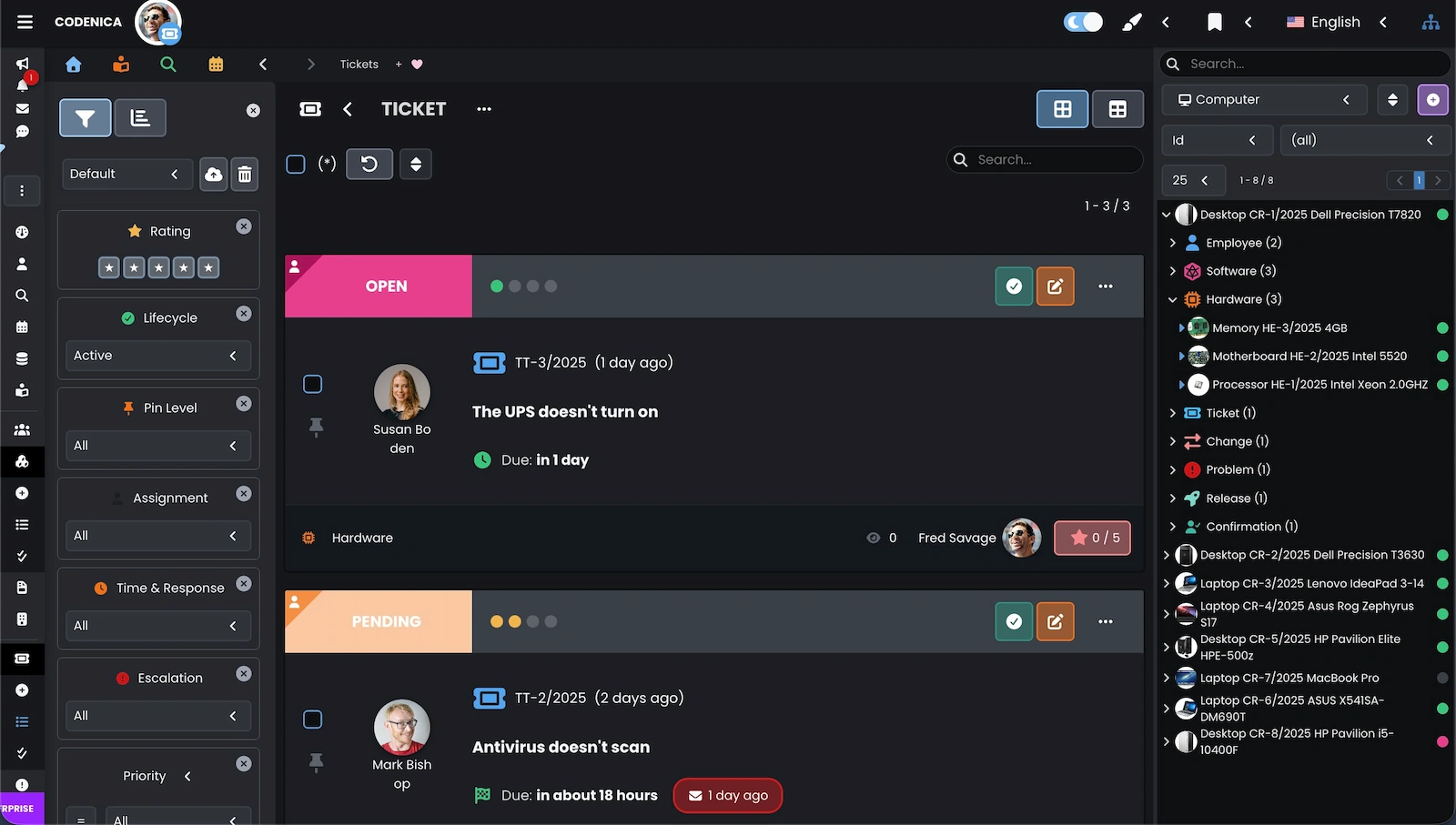
The Codenica application handles service requests through structured ITSM processes. Each request contains the issue, requester, priority, communication history and completed actions. Requests can be categorized and assigned to teams or agents, while email correspondence can be turned into a ticket without copying the message by hand. The Client Portal lets employees and clients submit requests and check their status themselves. The Cloud and On-Premise editions provide the same service desk workflow, with the local edition able to operate inside the company without a connection to Codenica servers or the Internet.
Screenshot showing the Codenica service desk ticketing system for IT requests.

ITIL Change Management in a Service Desk System

Changes to IT infrastructure are unavoidable - updates, configuration work, migrations, new services and system modifications all need to be handled. For an IT team, the important part is not only making a change, but knowing what changes, when it happens, who is responsible and what effect it may have. The Codenica system connects the change with ITAM assets and service desk requests within an agreed ITSM process.

Controlled Changes Based on ITIL Practices
The Codenica change management module, available with the Enterprise license, helps IT teams plan, assess and carry out infrastructure changes in line with ITIL practices. Each change can include its scope, priority, schedule and the people responsible for implementation and approval. The system supports risk assessment, links changes with ITAM assets, service desk requests and problems, and keeps a history of decisions and actions. Cloud stores the process documentation in Microsoft Azure. On-Premise keeps it inside the company and can run 100% offline, giving the IT team a reliable record for ITIL reviews and audits.

ITIL Problem Management in a Service Desk System

For an IT team, the real challenge is not a single incident but the underlying problem that keeps producing similar incidents. Repeated failures and requests that return every few days or weeks reduce the stability of the environment. Problem management in the Codenica system helps the team move from reacting to symptoms to working on the cause within ITSM and ITIL processes.

More Stable Services Through Root Cause Analysis
The Codenica problem management module, available with the Enterprise license, supports the identification, analysis and documentation of root causes behind incidents that affect IT services. A problem can be linked with multiple service desk requests, ITAM assets, changes and incident history, giving the team the context it needs. The system supports trend analysis, impact assessment and corrective and preventive actions based on ITIL practices. Cloud stores the process data in Microsoft Azure. On-Premise keeps the analysis inside the company and can work without an Internet connection, so the IT team can reduce recurring incidents instead of handling the same requests again.

ITIL Release Management in a Service Desk System

In an IT environment, risk comes not only from the change itself but also from the way it is released. Releases carried out without a shared plan, clear checks or a reliable history can lead to outages and service disruption. Release management in the Codenica system organizes the stages of a deployment within the service desk and keeps the decisions visible.

Controlled Deployments Aligned with ITIL
The Codenica release management module, available with the Enterprise license, supports the planning, coordination and delivery of releases based on approved changes and the actual state of the IT environment. A release can be linked with changes, problems, requests and ITAM assets, giving the team a complete technical context. The system supports scheduling, risk assessment, scope control and documentation of the work according to ITIL practices. The Cloud edition stores the information in Microsoft Azure, while the On-Premise edition keeps the process in your own infrastructure and can run 100% offline. The IT team can assess the effect of a deployment and return to the history of earlier releases.

Knowledge Base for Service Desk and IT Teams

Recurring issues are part of IT work, but solving each one from the beginning is not necessary. The Codenica knowledge base turns the team's experience into organized documentation that helps users find answers and gives service desk agents reliable material during request handling.

Knowledge Available Within ITSM Processes
The Codenica application supports articles, instructions, procedures, FAQs and ready-to-use solutions linked directly with requests, problems, changes and releases. Content can be shared with employees and clients through the Client Portal or kept for the internal IT team. Users can solve common issues themselves, while the service desk gains one operational source of knowledge. The knowledge base supports ITSM and ITIL processes in both Cloud and On-Premise. In a local installation, documentation can remain on the company's infrastructure and stay available 100% offline.

Client Portal in a Service Desk System

A well-organized Client Portal guides users to the right process and keeps communication connected with the work of the IT team. In the Codenica system, it is part of the application and is linked with requests, ITAM assets and the knowledge base.

One Place for ITSM Requests and Communication
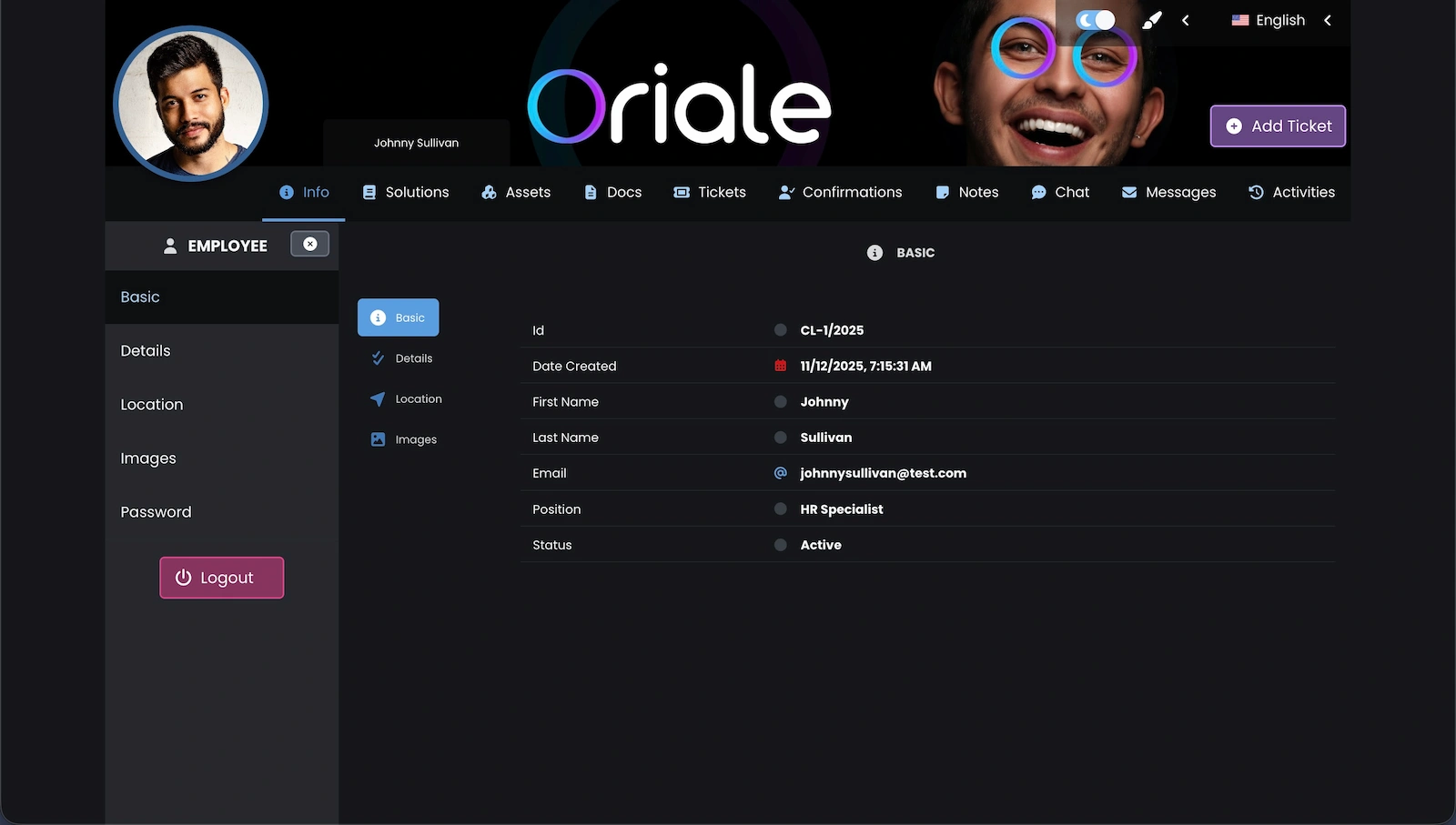
The Client Portal in the Codenica application lets employees and clients create and track service desk requests, use the knowledge base, communicate through chat and messaging, and view the ITAM assets and documents shared with them. Because the Client Portal is connected with the request system and IT inventory, the IT team receives more context at the start of each case. It is available in both editions. In On-Premise, users access it through the company's installation and the data remains on its infrastructure, including when the system is used without the Internet. The Client Portal is different from the Client Panel on codenica.com, which is used for orders, license configuration, installation downloads and company account management.
Screenshot showing the Client Portal in the Codenica service desk system.

Business Messaging in a Service Desk System

Not every case needs an immediate reply or a real-time conversation. Asynchronous messaging lets the service desk work methodically while keeping the full context and history of the case.

Communication Without an Uncontrolled Email Trail
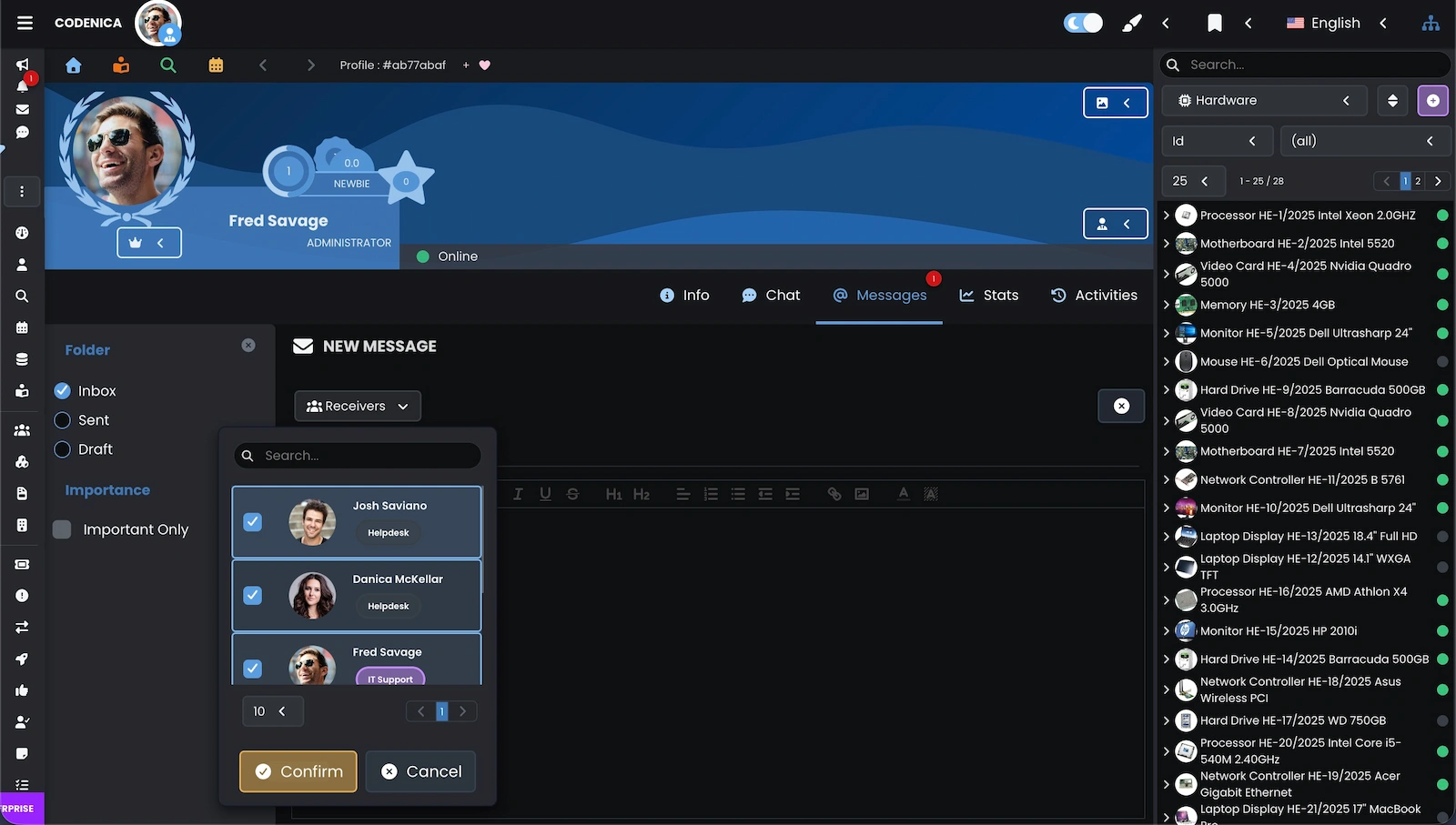
The messaging system in the Codenica application supports organized, asynchronous communication between the IT team and employees or clients. Messages can be linked with users, service desk requests and ITAM assets, so the technical context stays with the conversation. Files, screenshots and documents can be attached to make the issue easier to understand and diagnose. The feature is available in Cloud and On-Premise. In a local installation, conversations remain inside the company and do not require a connection to Codenica servers.
Screenshot showing business messaging in the Codenica service desk application.

Business Chat and Customer Service Chat for IT

Not every case needs a full request. A quick conversation can clarify an issue, answer a question or provide immediate assistance before the service desk workflow is started.

Fast Contact Within the ITSM Service Process
Chat in the Codenica system gives the IT team a direct real-time channel for employees and clients while keeping the context of the user, their ITAM assets and earlier requests. The service desk can answer a simple question, make an initial diagnosis or confirm details without a long email exchange. If the case needs further work, the conversation can be turned into a service desk request without losing its content or history. Chat is available in Cloud and On-Premise, and the local edition can keep conversations inside the company without Internet access.
Screenshot showing business chat and customer service chat in the Codenica service desk system.
Background-2739d1ce-7ab9-4ccf-ad44-c9845db19dee

Want to Run an IT Service Desk?

See how the Codenica system brings service desk work, ITAM records and computer monitoring together.

Codenica anim-it
}