

Free and Licensed Software Versions for Businesses

Our applications are available in free versions so you can easily test their capabilities. We offer Codenica ITSM + ITAM as a SaaS platform with a 30-day trial, as well as classic Windows On-Premise applications (installed locally at your company) — Ewida Audit and Ewida Standard — in free editions for up to 10 computers. Codenica PC Audit Scanner is completely free and lets you scan any number of computers.

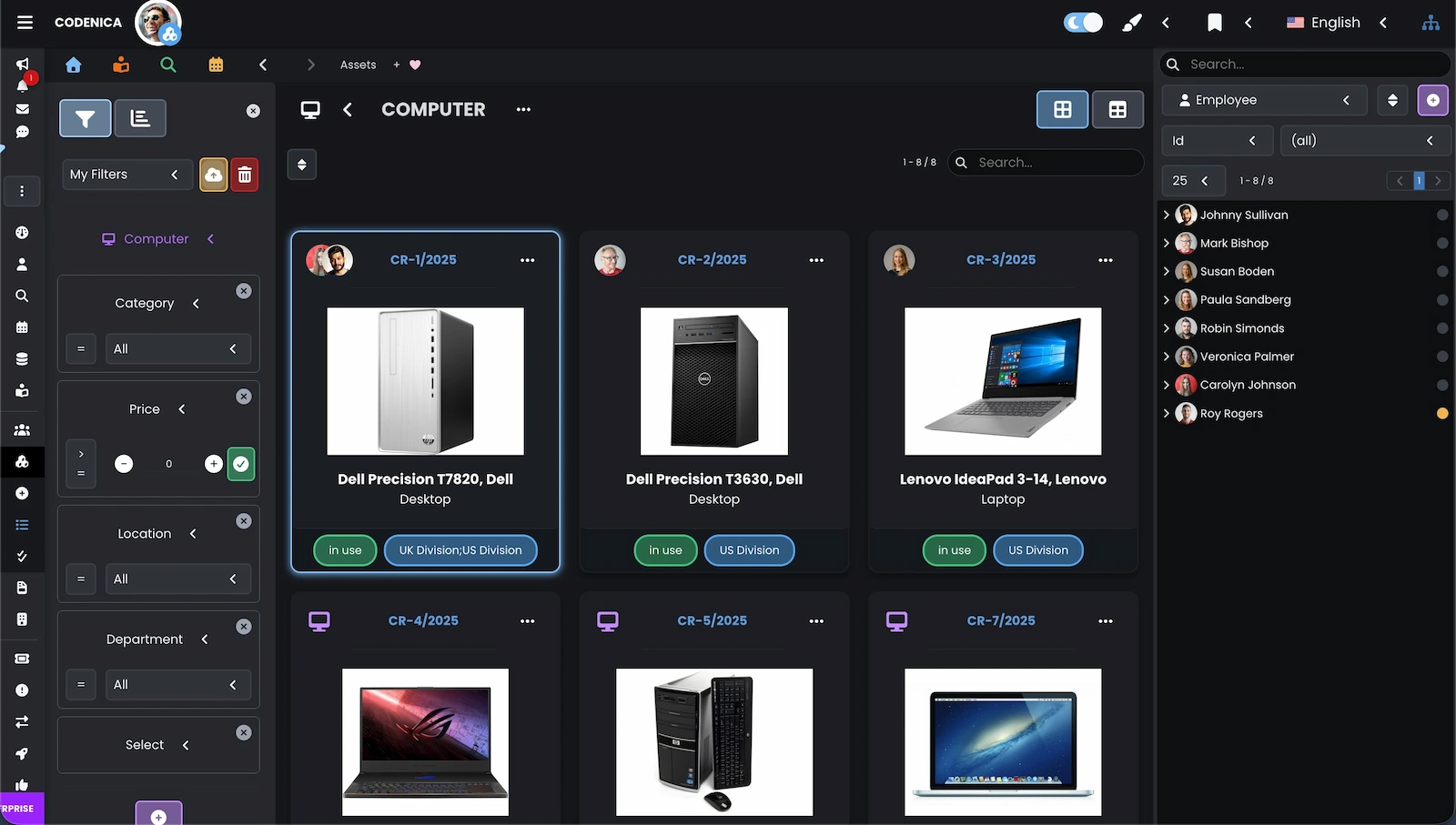
Codenica ITSM + ITAM

Codenica ITSM + ITAM is a web-based SaaS application for modern asset management (inventory and tracking) and ticket handling — both inside your organization and for external customers. The product is designed in line with ITIL guidelines. The built-in ticketing system is unlimited and requires no additional fees. The system also includes a client portal where users can see assigned assets (e.g., computers and licenses), create new requests, and track their status. You also get a knowledge base, a company chat, and internal messaging. With the Enterprise license, Codenica ITSM + ITAM becomes a full Service Desk with change, problem, and release management.

When Should You Choose Codenica ITSM + ITAM?

  • When you want modern asset inventory for any type of assets (IT, equipment, products, etc.), split across multiple companies or branches, with visibility rules for specific users.
  • When you want to work from any device (phone, tablet, computer) and anywhere, while relying on Microsoft Azure security (you can also connect your own database).
  • When you want to easily turn emails from customers or employees into requests (tickets) and provide professional support whether you are a solo business or a large enterprise.

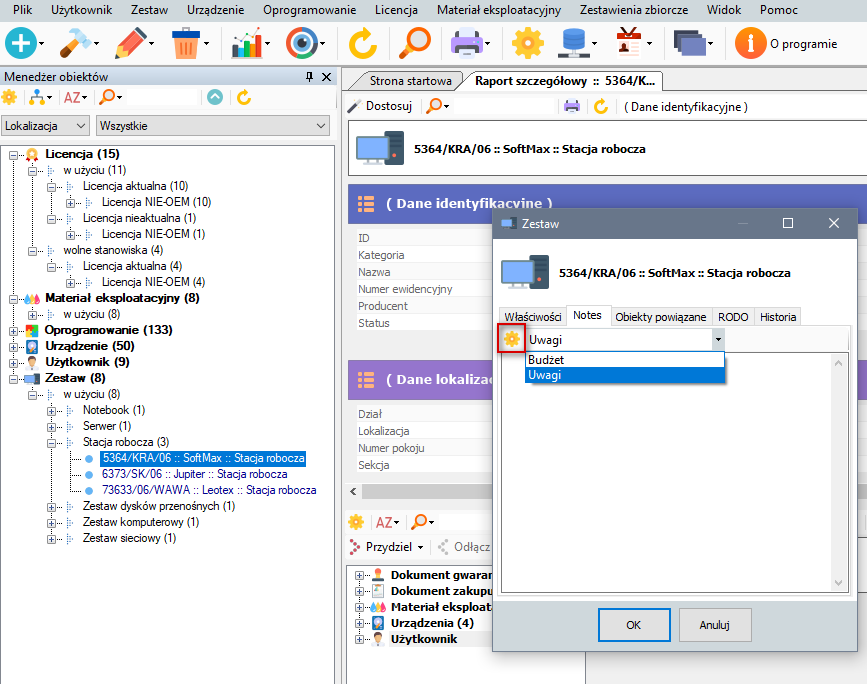
Ewida Standard

Ewida Standard is a classic Windows On-Premise application for computer and software inventory. It runs locally in your company and lets you maintain a detailed asset database: computers, devices, licenses, warranties, change history, assignments to users, and locations. Ewida Standard is a good fit when you want full control of your data in a local environment and prefer a familiar desktop workflow. The application works with Ewida Audit (importing audit results) and can also be part of a broader ecosystem together with Codenica ITSM + ITAM.

When Should You Choose Ewida Standard?

  • When you want to keep IT hardware and software inventory in a desktop model, with data stored locally (On-Premise) and without relying on a web browser.
  • When you need a practical tool for tracking licenses, warranties, and asset history: user assignments, location changes, upgrades, repairs, and costs related to hardware and software.
  • When you want to start with a free edition for up to 10 computers and later upgrade to a licensed version without changing tools or losing data.

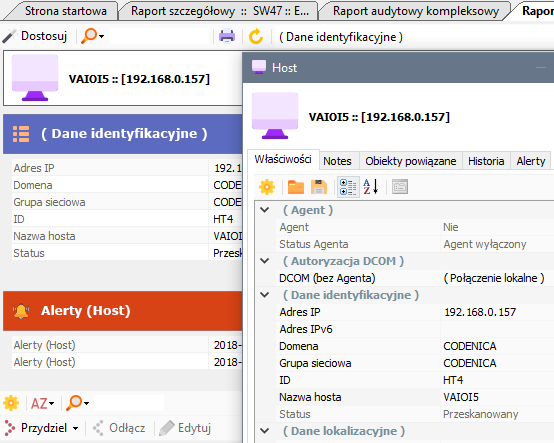
Ewida Audit

Ewida Audit is a Windows On-Premise (locally installed) application for IT audits and software audits in a company. It lets you build a database of scanned computers (hosts) within a single audit and run scans repeatedly. During an audit, Ewida Audit collects system data (including WMI, Registry, and file scanning) and processes it into clear sets of computers, devices, and detected software. Audit results can be used in summaries and reports, and can be connected with Ewida Standard (full inventory and asset history in an SQL database) or with Codenica ITSM + ITAM to automatically feed a modern web-based inventory with scan data.

When Should You Choose Ewida Audit?

  • When you want to run computer audits quickly and repeat scans regularly to detect hardware and software changes and keep an up-to-date view of your environment.
  • When you need structured audit results (computer sets, devices, software) and computer monitoring features that help analyze application usage and changes in your IT environment.
  • When you want a smooth path from auditing to full inventory: export data to Ewida Standard (SQL) or import it into Codenica ITSM + ITAM to link computers and detected software with further asset management and ITSM processes.

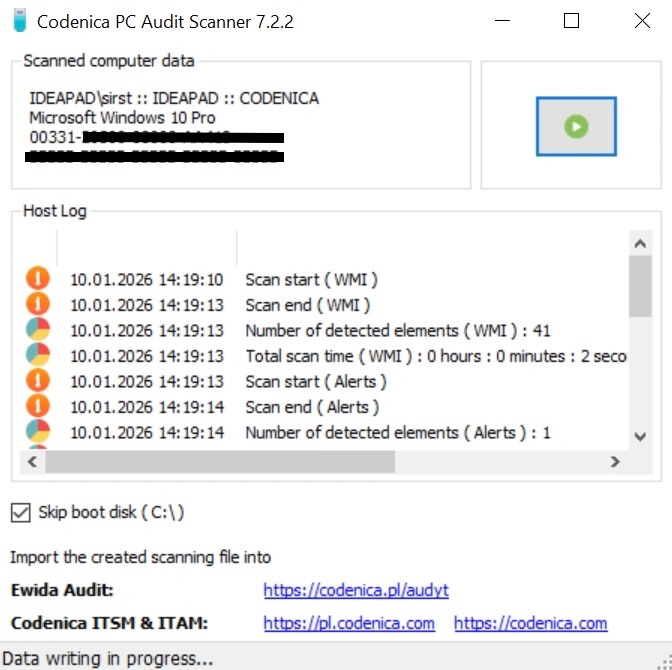
Codenica PC Audit Scanner

Codenica PC Audit Scanner is a small, free, portable desktop app for quick computer scanning in a company. You can copy it to a USB drive, run it on a selected computer, click Start, and after the scan a result file is saved in a subfolder. You can then load the collected files into Ewida Audit or directly into Codenica ITSM + ITAM. This makes it easy to audit many workstations without installing agents and without a permanent connection to the system, and later automate the import into your chosen tool.

When Should You Choose Codenica PC Audit Scanner?

  • When you want to scan computers quickly without installing any additional components — you run the app locally, scan, and the result file is saved automatically to a subfolder.
  • When you need a simple offline workflow: you scan computers one by one (e.g., from a USB drive), then collect the files and import them into Ewida Audit or Codenica ITSM + ITAM.
  • When you want to use Codenica ITSM + ITAM for audits without Ewida Audit — you scan computers with PC Audit Scanner, then after uploading the files the system automatically converts results into computers, devices, and software, ready for further inventory work and processing.
Background-8067da65-e07c-44b7-8fcc-1191f1d9c70b
Codenica anim-download

Like our software?

Create a free company account today

}