









Codenica On-Premise - All Data Stored Only Within Your Company

Run the Codenica system on your own server and keep 100% of your data inside your company. The Codenica application includes computer monitoring, hardware and software inventory, ticket handling, and a Client Portal. The On-Premise version runs 100% offline, without connecting to Codenica servers or requiring Internet access.


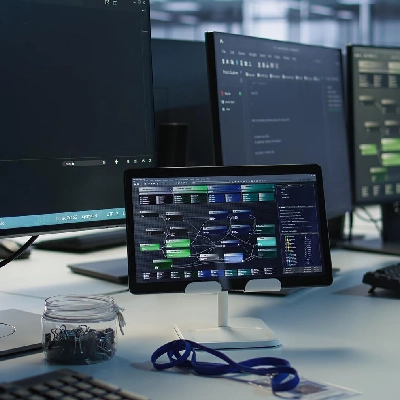
Codenica On-Premise application running inside a company's infrastructure
Available on Microsoft Marketplace

On-Premise means that the Codenica application runs inside your company

Use the Codenica system in your own infrastructure and decide where its data, files, and configuration are stored.

The Codenica system stays in your infrastructure

The Codenica application runs on a server owned by your company. The PostgreSQL database, files, configuration, and agent communication stay inside your company network. You decide the application address, how users access it, and where the data is stored. From the Client Panel, you download the installation package for your server architecture and the license.json file. You can download update packages in advance and deliver them to a closed network according to your company's procedures. If you do not want to maintain your own server, you can choose the Codenica Cloud version. The On-Premise version gives you the same product in an on-premises deployment model.

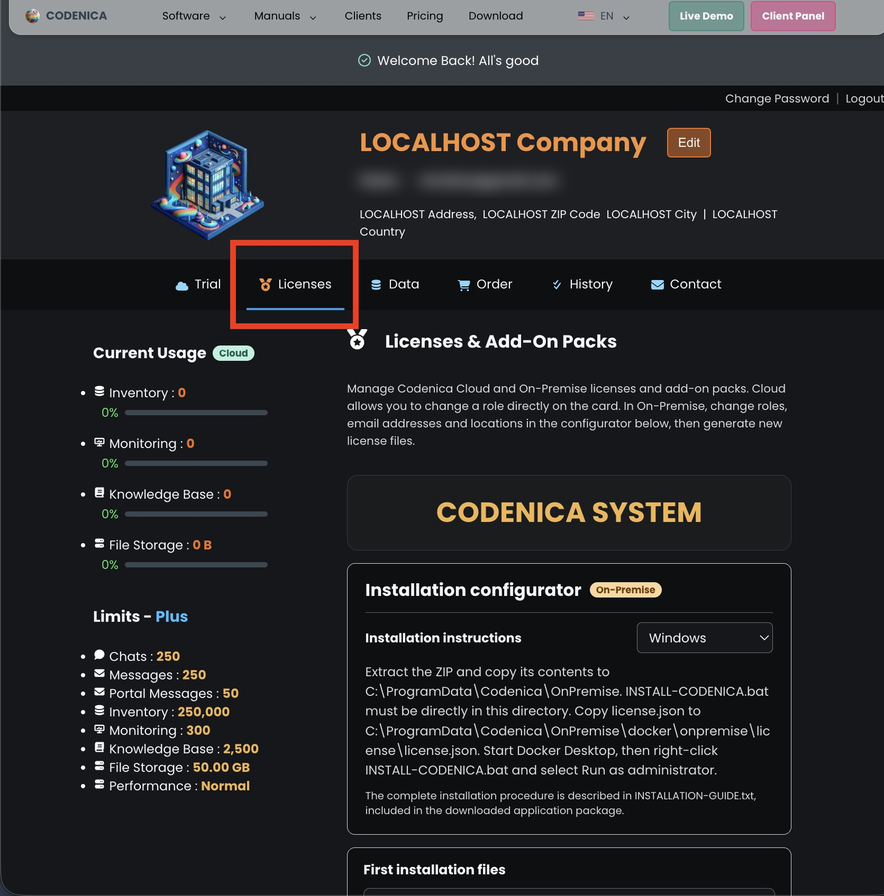
Codenica application - Client Panel.

Any number of application instances within your existing licenses

You can create one installation or several installations at locations owned by your company. Run the Codenica system at headquarters, or split your licenses between headquarters and branch offices.

One company, multiple locations

The number of licenses you own determines how many locations can run the Codenica application. You can use them in one installation or divide them between several locations within your company.

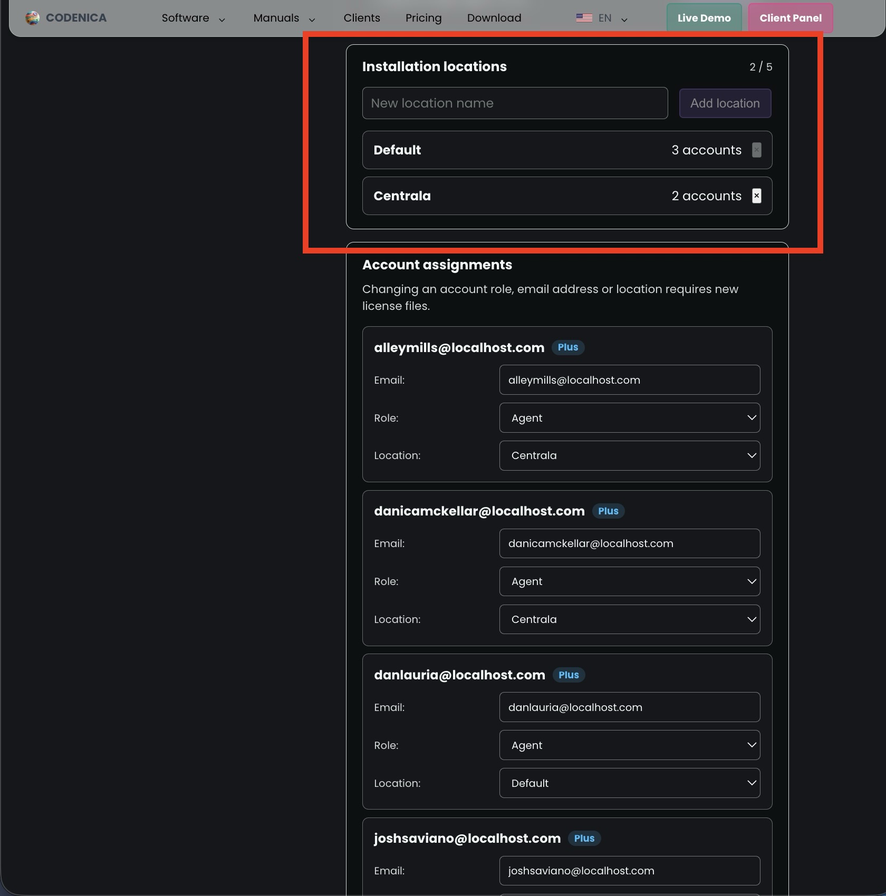
For example, a company with 10 licenses can install the Codenica system at its headquarters and assign 5 user accounts there, then run a second installation at a branch office and use the remaining 5 accounts there.

In the installation configurator in the Client Panel, you create locations, assign licenses to them, and download separate license files for each installation. Every change to this allocation requires new license files to be generated and loaded into the relevant applications.

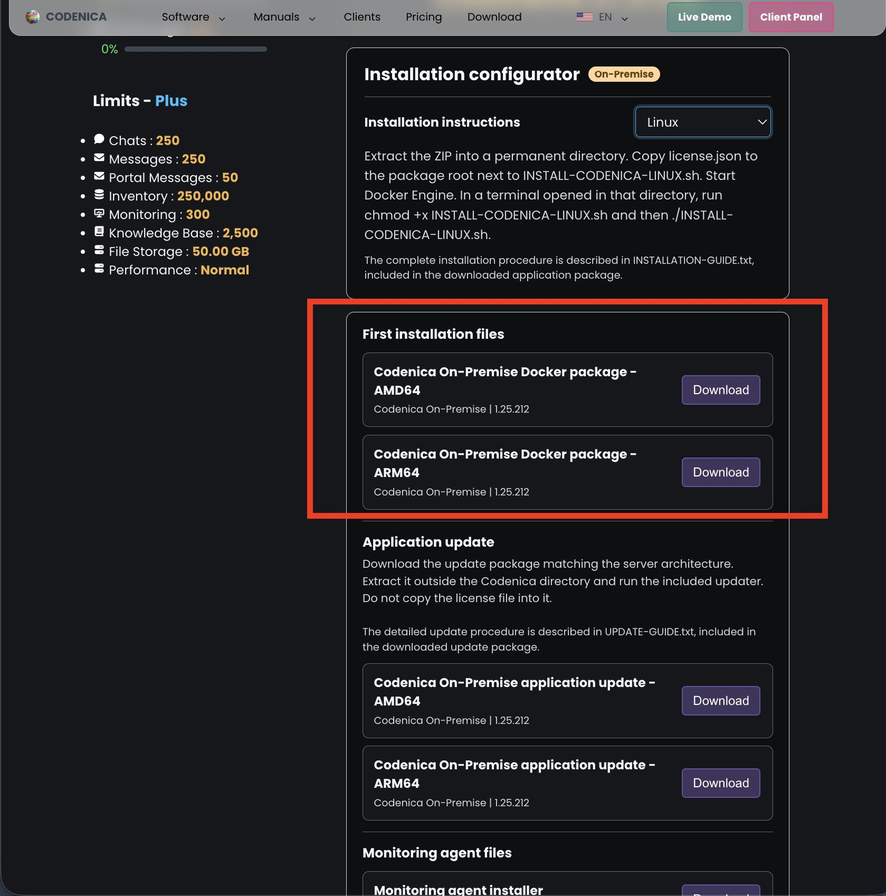
Client Panel with location, license, and installation-file configuration.

Install the Codenica system with Docker on Linux, Windows, and macOS

Docker provides the environment in which the Codenica application and PostgreSQL can run together on your server. It simplifies installation, startup, and later system updates.

Background-DockerPackage-box-1
A package for your server architecture
From the Client Panel, download a package for the amd64 or arm64 architecture together with the license.json file. amd64 is used by x86_64 hosts, while arm64 is used by aarch64 hosts, including Apple Silicon Macs and Windows on ARM systems. The installer checks that the package matches the server.
Background-DockerPackage-box-2
The application and PostgreSQL
A standard installation starts two containers: one for the Codenica application and one for PostgreSQL. You do not need to install anything else. The application is available on HTTP port 5150 by default. PostgreSQL is used only for internal communication between the containers, and port 5432 is not published.
Background-DockerPackage-box-3
A local installation repository
The installation directory contains configuration, secrets, files, backups, logs, certificates, and service definitions. Treat it as part of the complete environment, not as an ordinary application folder - it is the local, company-owned repository used to run the system.

How to install the Codenica system on Windows, macOS, and Linux

Each operating system has its own installation path and automation script. Choose your environment, install the required Docker software, and download the Codenica package for your processor architecture from the Client Panel.

Background-InstallationSystems-box-1
Windows 10/11
On Windows, install Docker Desktop to manage the Docker Engine. Place the Codenica package in C:\ProgramData\Codenica\OnPremise and run INSTALL-CODENICA.bat as an administrator. The installer completes the installation automatically.
Background-InstallationSystems-box-2
Apple macOS
On a Mac, install Docker Desktop for easier management of the Docker environment. The Codenica system runs on both Intel and Apple Silicon Macs when you use the package for the correct architecture. Start the installation with Install-Codenica.command.
Background-InstallationSystems-box-3
Linux
On Linux, you need Docker Engine and Docker Compose v2. Run INSTALL-CODENICA-LINUX.sh. The installer can create a systemd service and configure UFW or firewalld when those tools are available on the system.

After installation, adapt the Codenica system to your network

If you want to monitor computers, set the application address, database connection, and agent service address before installing the monitoring agents.

Three settings that matter for the deployment

  • Application address: by default, use http://codenica.local:5150 or http://IPHost:5150. Within your network, you can use a LAN address, local DNS, or a reverse proxy.
  • PostgreSQL server: you can use the database started with the Codenica package or specify your own PostgreSQL server in the application settings. After saving the change, stop and restart the application.
  • Agent address: the agent connects to the address configured for the local installation. If you change it after installing the agents, they may need to be configured again.
Illustration of a local Codenica administration environment.

100% offline - the Codenica application runs only inside your company network

The On-Premise version is suitable for companies that need to keep their data inside their own infrastructure, including environments without Internet access.

Your data stays inside your company

The Codenica On-Premise system is designed to run 100% offline - without connecting to Codenica servers or requiring Internet access during everyday work. Download the installation package, license, and updates in advance, then deliver them to the closed network according to your company's procedure. The monitoring agent connects to the local agent service address. When the application and network are configured locally, monitoring data stays inside your company infrastructure. You can also use your own SMTP server and convert incoming emails into tickets.

Illustration of local work by Codenica users and administrators.

Easy updates for the Codenica system

Follow a clear order: back up the database first, then run the ready-made update script to replace the current application version with the new one.

Background-Updates-box-1
Back up before updating
Before every update, create a backup of the PostgreSQL database. If you use an external PostgreSQL server, create the backup in your own environment and verify that it can be restored.
Background-Updates-box-2
The update package
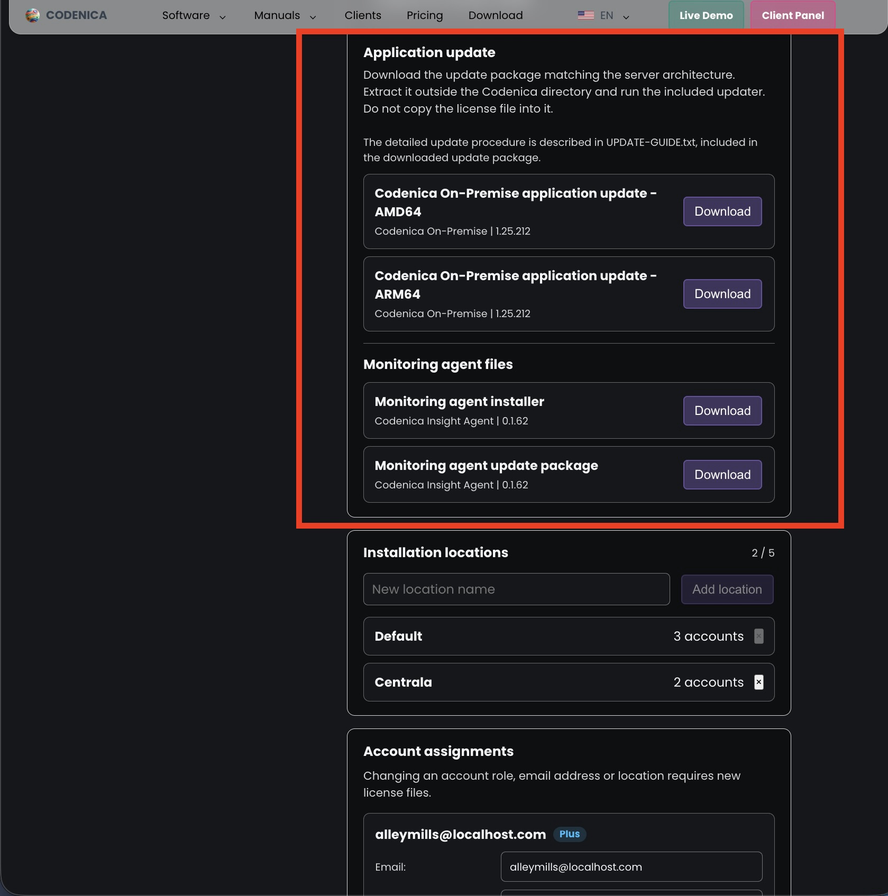
From the Client Panel, download the package for the correct architecture, extract it outside the current installation directory, and run the appropriate script. No other manual steps are required. The process is automated.
Background-Updates-box-3
Without changing your data
The updater refreshes the application container and the local monitoring-agent update files, while leaving the database, license, addresses, secrets, certificates, files, and settings in place. If a database migration has already been applied, reverting it requires restoring a backup.

Who is the On-Premise version for?

The On-Premise version is for companies that want to maintain the Codenica system themselves and keep their data within their own infrastructure.

Background-DeploymentMethods-box-1
Companies that keep data in their own infrastructure
Choose this version when company policy requires the database, files, configuration, and monitoring data to stay on your own server or inside a private network.
Background-DeploymentMethods-box-2
Companies that work without Internet access
The On-Premise version is suitable for environments isolated from the Internet. After installation, the Codenica system runs entirely locally without external connections.

Frequently asked questions

Background-be029b39-f527-49b8-8574-f95edfffca9d

Want to learn more about Codenica On-Premise?

Create a free business account today.

Codenica On-Premise application
}