









Codenica Cloud - an Application Available Online in the Microsoft Azure Cloud

The Codenica Cloud system runs in Microsoft Azure and is the second edition of the Codenica application, alongside On-Premise. You do not need to maintain a server for this installation. From one place you can monitor computers, audit hardware and software, keep asset records, handle tickets and communicate with users. Log in through a browser wherever you work.
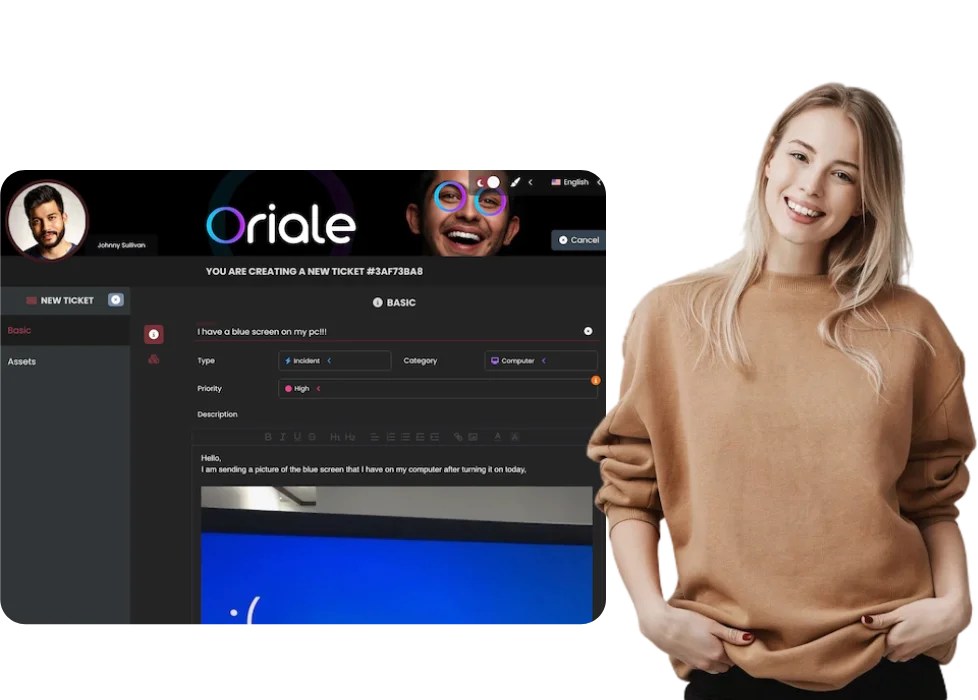

Codenica Cloud system for computer monitoring, ticket handling and asset management
Available on Microsoft Marketplace

Computer monitoring in the Codenica Cloud system

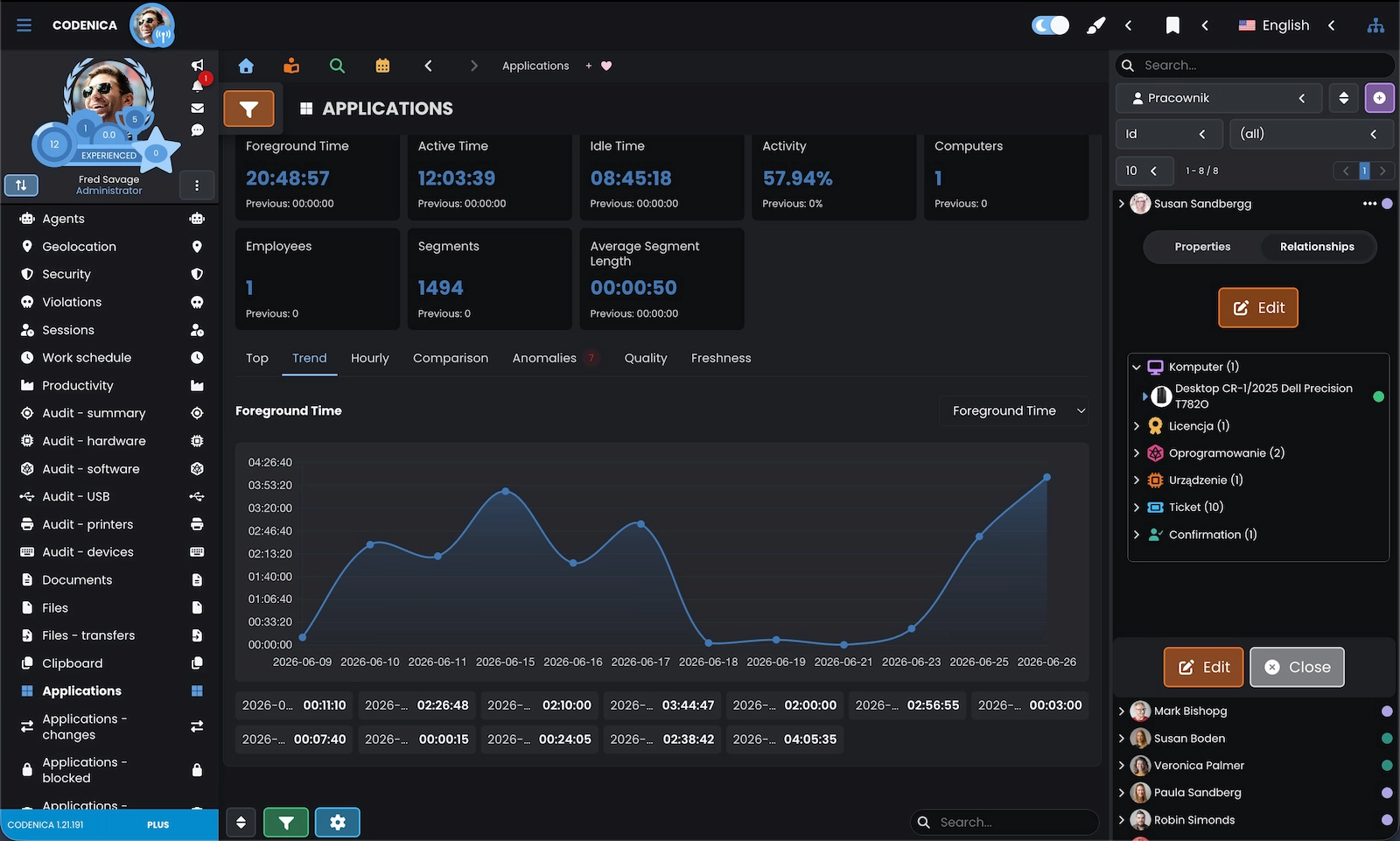
Computer data, tickets and asset records come together in one environment. From the Codenica Cloud application you can review workstation activity, applications in use, visited websites, USB devices, security status and hardware and software audit results.

Computer data when you need it
In the Codenica Cloud application, a technician sees workstation information in the same place where tickets and assets are handled. They can check hardware, software, activity, security, USB devices and recent changes before asking the user for more details. Combining computer monitoring with ticket management and ITAM makes diagnosis, ongoing audits and ticket handling easier.
Screenshot of computer monitoring in the Codenica Cloud application.

The Codenica Cloud system grows with your business

You do not have to buy a server in advance or plan its expansion every time your needs change. As users, tickets or data grow, the cloud infrastructure handles the extra load without moving the system to new hardware.

More users without expanding your own server
With the Cloud edition, increasing users, tickets or assets does not require a new server or a redesign of your local environment. Your company configures the system and works with the data, while the cloud infrastructure is maintained by the service provider. Your team can adjust its way of working without planning another hardware investment.

Cloud edition without your own server infrastructure

A server means more than buying hardware. It needs space, power, backups, updates and administrator time. The Codenica Cloud system moves these responsibilities out of your server room.

Fewer tasks for your IT team
With the Codenica Cloud application, you do not maintain servers, storage systems, standby environments or the infrastructure they require. You do not have to plan hardware upgrades years ahead or cover the energy, cooling and repair costs of your own environment. Service costs are easier to plan, and your IT team has more time for tickets, users and process improvements.

Access to the Codenica Cloud system from different locations

The Cloud edition is not tied to one office server. Authorized users can work from different locations, and IT does not have to provide access to local infrastructure for everyone working remotely or at a branch.

Continuity in Microsoft Azure
The Codenica Cloud system uses redundancy, load balancing and failover mechanisms available in cloud infrastructure. If one part of the environment needs replacing or stops working, other resources can take over. This reduces the risk that a single server failure will cut the company off from tickets, asset records and communication.

Remote administration of the Codenica Cloud system

System administration does not have to happen from the office or from a computer connected to the company network. The Cloud edition works well for organizations with branches, remote teams and staff supporting several locations.

Administration from anywhere
The Codenica Cloud application lets authorized administrators manage users, roles, permissions, organizational structure, assets and system settings through a browser. You can respond to incidents, change permissions and update asset records without connecting to a local server or the company VPN. This makes work across branches easier and shortens response times.

Data backups in the Cloud edition

A failure, user error or unexpected event can put data at risk wherever the system runs. In the Cloud edition, backups are part of the service and do not require manual work from your company.

Automated backups as part of the service
The Codenica Cloud system regularly backs up data stored in the application, including tickets, assets, users, communication and configuration. Your IT team does not have to build a separate procedure for the application server or remember to run backups manually. If a problem occurs, data recovery follows the service recovery process.

A quick response when the service has a problem

When one system handles tickets, assets and communication, its availability affects everyday work. The Cloud model moves infrastructure operations into the service layer, so your local IT team does not have to diagnose every server problem on its own.

Fewer interruptions
The Codenica Cloud application uses environment monitoring, redundancy and disaster recovery procedures. These mechanisms limit the impact of infrastructure problems on users and IT teams. Compared with an installation on a single local server, it is easier to keep access to tickets, assets and the Client Portal when one part of the environment has a problem.

Codenica Cloud system running costs

With your own infrastructure, the license is only part of the cost. You also pay for servers, power, cooling, space, backups and the time needed to maintain them. The Cloud edition lets you use the system without building that infrastructure inside your company.

Lower server and server-room costs
Using the Codenica Cloud system limits the costs associated with local infrastructure: hardware purchases, replacements, power, cooling and server-room maintenance. You do not need to keep extra capacity for future growth. It is easier to plan the service cost and use resources for user support, automation and team development.

Teamwork in one application

The team works with the same tickets, comments, assignments and data, wherever people are working. There is no need to send local copies around or decide which version is current.

Work together without scattered information
The Codenica Cloud application brings tickets, assets and documentation into one environment. Authorized users can see activity history, comments, assignments and the knowledge base, so they can continue work without reconstructing context from emails or conversations. Information stays in the system and is available to the whole team, not just the person who picked up the issue first.
Background-02f8e68d-6a74-4dd2-b5d5-33b1eb79f5a3

Want to see the Codenica Cloud system in action?

Create a free business account and start using the Cloud edition.

Codenica anim-cloud
}