
What is a ticket?
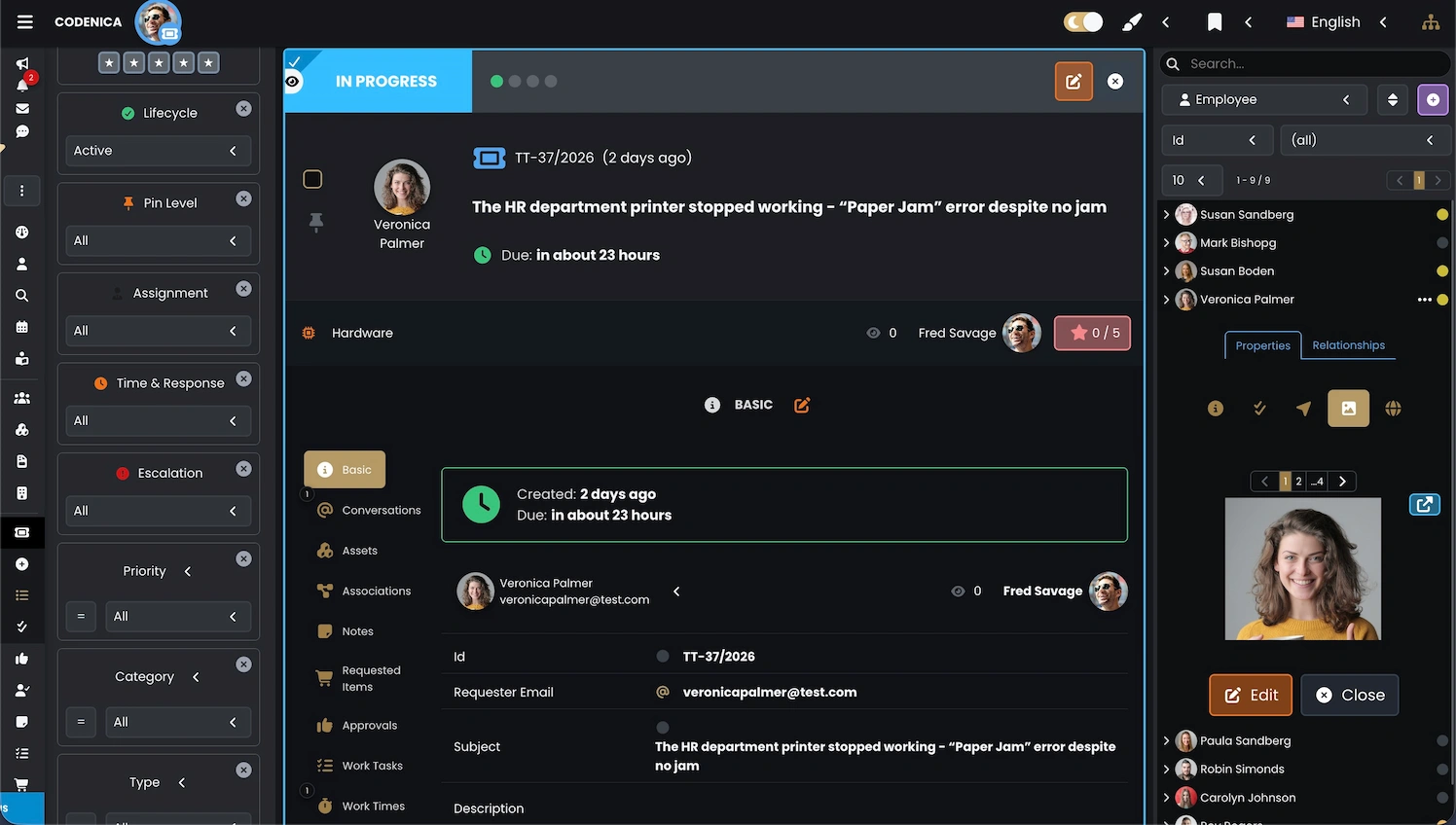
A ticket is the fundamental unit of work in any ticketing system. It represents a single request, issue, or incident reported by an end user or customer. Modern ticketing systems treat a ticket as a structured record containing all information needed to manage and resolve the request. A ticket stores communication history, assigned agents, attachments, linked assets, and every action taken throughout its lifecycle.
A ticket is not just a message - it is a complete workflow.
- A clear subject and description provided by the requester.
- Linked IT assets and documentation such as invoices, warranties, or software licenses.
- Related tickets or follow-up requests.
- Internal notes, approval steps, and purchase requests.
- Email conversations between the requester and support team.
- Work tasks with assigned agents.
- Logged time spent on each task.
- Approvals required to continue or complete the work.
- Priorities, categories, resolutions, assignees, and watchers.
Why do companies use email-to-ticket automation?
Email is still the most natural communication channel for employees and customers. Many users do not log in to the client portal regularly, but everyone knows how to send an email. A ticketing system that automatically converts incoming emails into service tickets reduces workload for the IT department, improves response times, and keeps communication organized. Every message is stored inside the ticket, preventing lost emails and fragmented communication. Searching through thousands of emails becomes unnecessary - all relevant information is stored within the ticket record. This is one of the biggest advantages of professional helpdesk platforms: a complete service history is preserved in one structured place, even for long-running conversations.
How does email-to-ticket creation work?
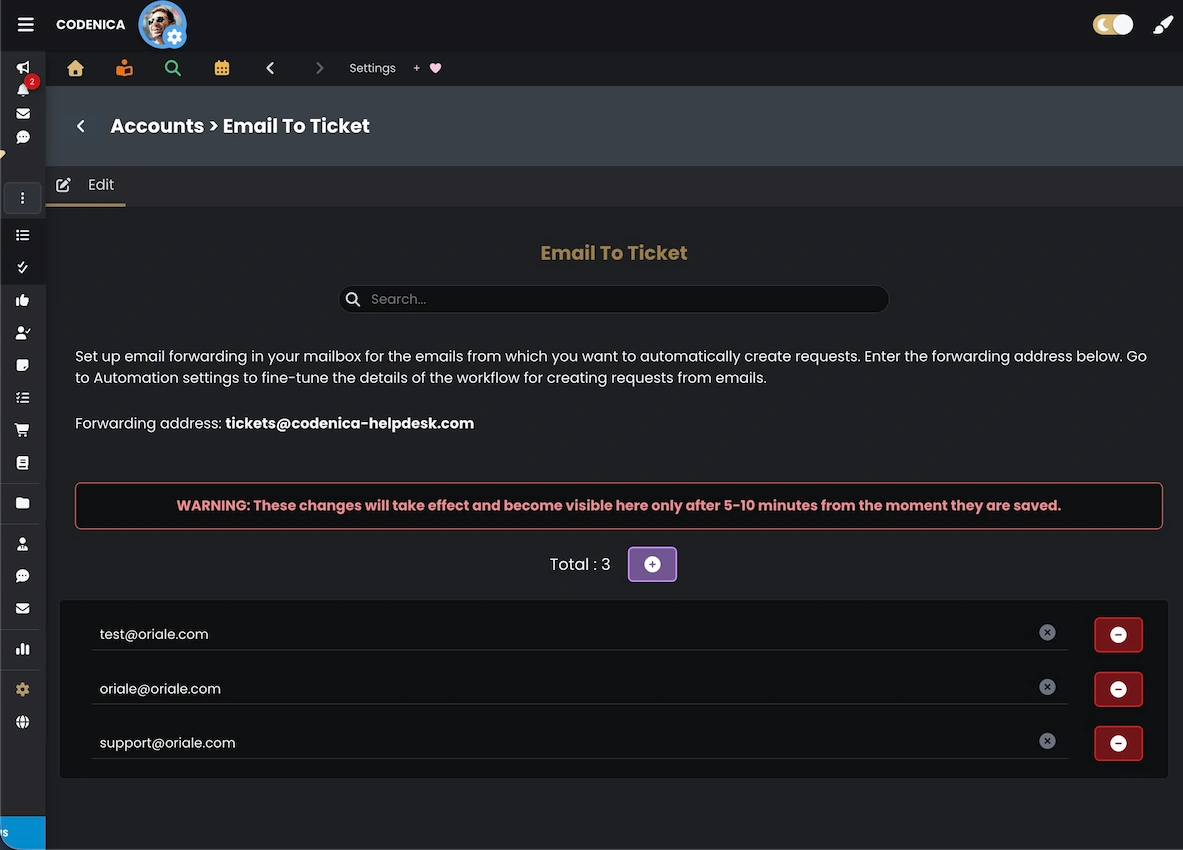
Email-to-ticket automation works by forwarding your company mailbox to a dedicated address provided by Codenica. When an email arrives, the ticketing engine analyzes the sender, subject, and message body, then automatically generates a new ticket. In most cases, it is enough to set up a simple forwarding rule in your mailbox - for example, forwarding support ( @ ) yourcompany.com to tickets ( @ ) codenica-helpdesk.com. Replies are also handled automatically: any message sent by the requester is appended to the existing ticket as part of the email conversation thread.
Creating a ticket from an email in Codenica
To start using email-to-ticket automation in Codenica, go to Settings → Email To Ticket. Here you can add the company email addresses that will forward incoming messages to the Codenica inbox: tickets ( @ ) codenica-helpdesk.com. After adding your addresses, simply configure forwarding rules in your email provider. From that moment on, every incoming message will generate a new ticket.
What happens when the client replies?
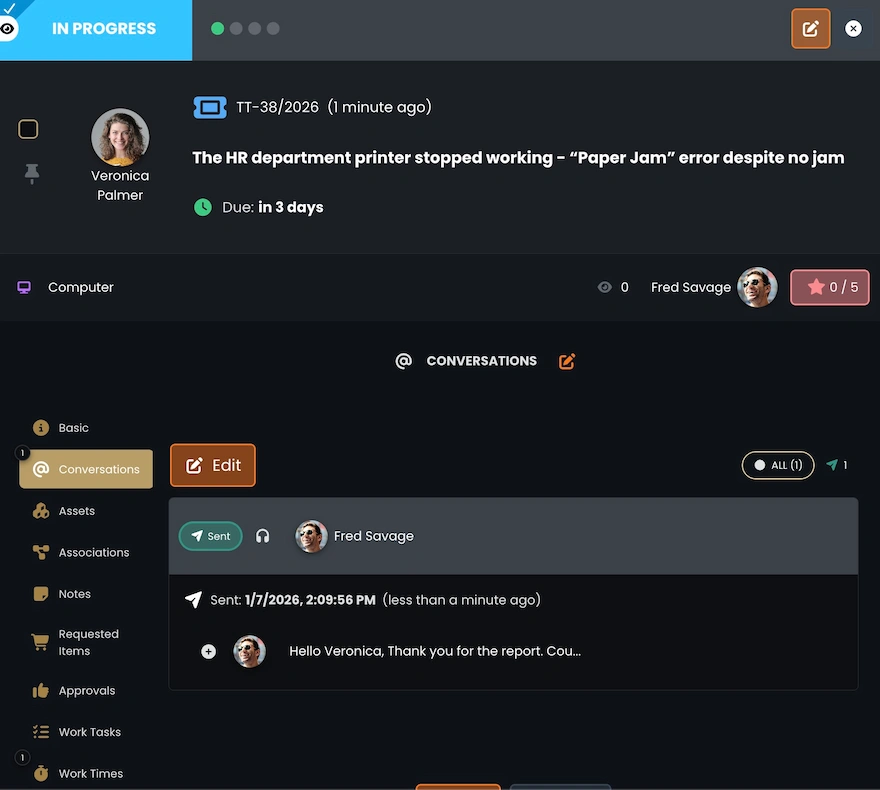
When a requester replies to a message that originally created the ticket, Codenica automatically detects the correct conversation thread and attaches the reply to the existing ticket. All messages appear in the Conversations panel, ensuring the entire communication history stays in one place. Long email exchanges remain fully organized and accessible to every support agent.
Email communication from inside a ticket
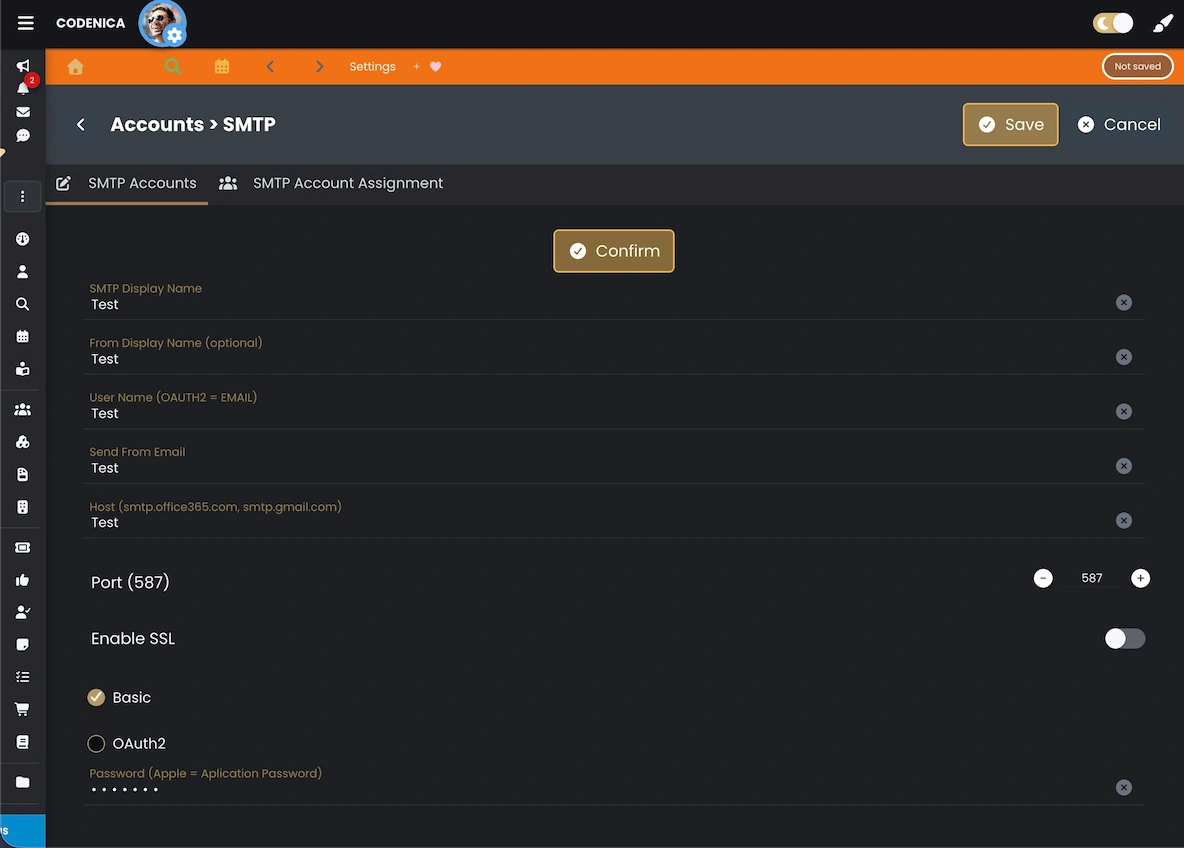
To send replies directly from a ticket using your company email address, you need to configure your SMTP server. Each message written inside the Conversations section will then be stored inside the ticket and sent externally to the requester. When the requester replies, their message will automatically be imported back into the same ticket. This enables natural two-way communication integrated with the ticketing system.
What happens if you don’t configure SMTP?
If SMTP is not configured, Codenica will still send outgoing messages, but they will be delivered from the default address DoNotReply ( @ ) codenica.com. Requesters will not be able to reply in a way that updates the ticket. Messages will be visible inside the system, but the communication will not be two-way. Configuring your company SMTP server ensures proper two-way communication and full ticket tracking.