






Employee computer monitoring, work time tracking, application usage, internet activity and security control

Codenica helps monitor employee computers across your organization - from work time, productivity, applications and websites to computer audits, software audits, USB control, data transfers, printing and endpoint security. A small business owner, an IT department and a large enterprise can all gain a clearer view of what happens on company computers, detect problems, reduce risk and manage daily work more effectively.

A clear view of activity on company computers

Computer monitoring in Codenica shows much more than whether a device is turned on. The system can collect information about user activity, applications, websites, documents, files, printing, USB devices, data transfers, hardware configuration, installed software and security status. This turns employee computer monitoring into a practical business and IT management tool, not just a technical event log. A small business can check whether computers are used for work and whether risky activity is taking place, while a larger organization can analyze activity, compliance, security and workstation usage at scale.

Activity and work time

  • The system records computer activity, work time, idle periods, keyboard and mouse activity, and the first and last activity of the day. Work time tracking helps evaluate how a workstation is actually used.
  • Codenica shows which applications are used, which websites are opened, which programs are most active and which domains dominate the user’s workday.
  • Computer audits include hardware, operating system, software, USB devices, printers, peripheral devices and security areas such as Defender, firewall, BitLocker, TPM, Secure Boot and Windows Update.

Work time tracking and employee productivity monitoring

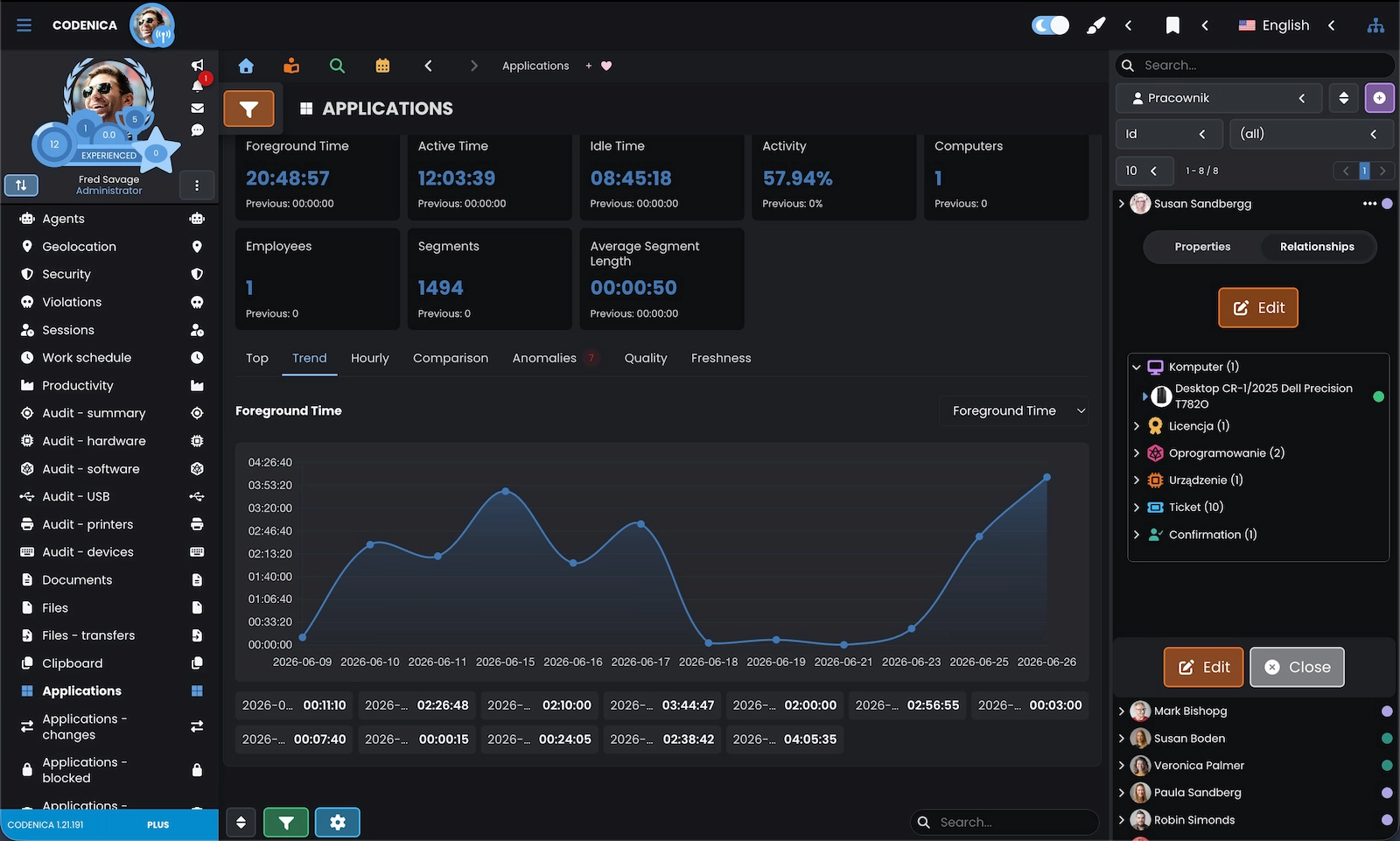
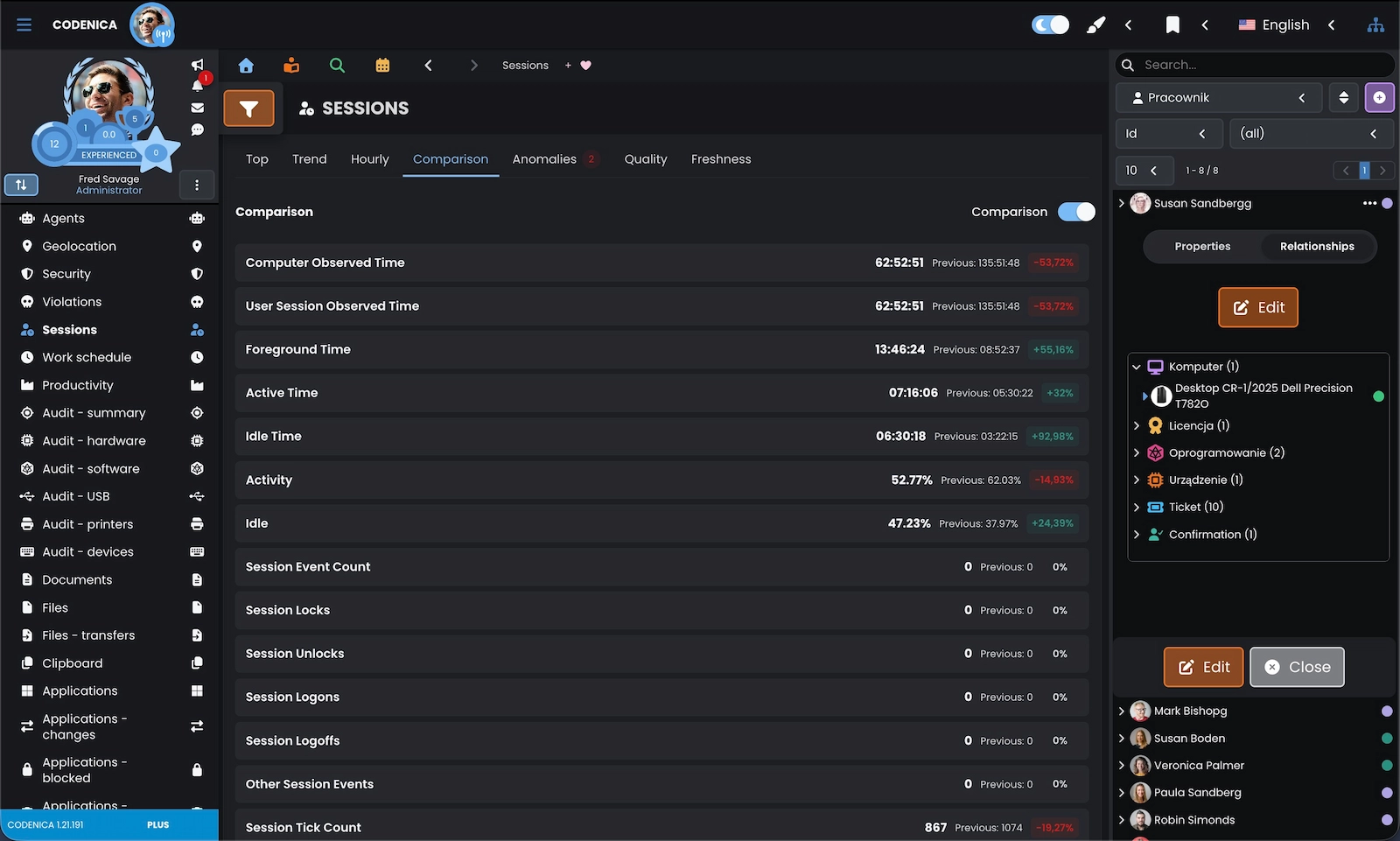
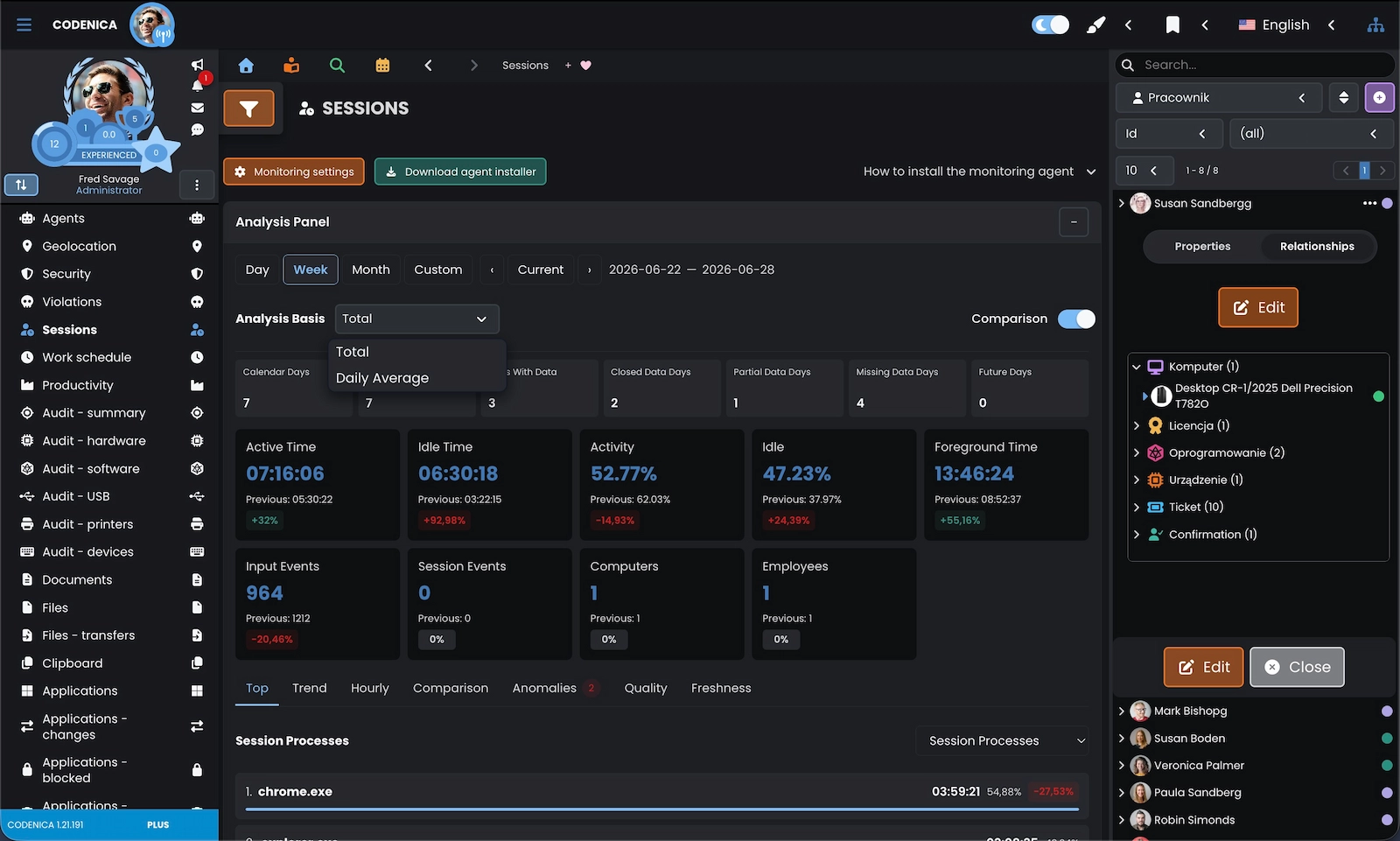
Work time tracking in Codenica helps you understand when a computer was used, how much time the user spent actively working, how long the device remained idle and whether activity occurred outside the defined work schedule. The system can classify applications, domains and documents as productive, neutral, unproductive or unknown. This gives a business owner, manager or IT team concrete data for analyzing work patterns, workload and process organization instead of relying only on declarations or assumptions.

Work monitoring without guesswork

  • Work time monitoring can show first and last activity, time within the work schedule, activity before hours, after hours and on weekends, break time, overtime, late starts and early finishes.
  • Productivity monitoring analyzes time spent in applications, domains and documents. It counts productive, neutral, unproductive and unknown activity and shows the dominant work category.
  • Activity, idle time, focus switching, applications and domains help assess whether a workstation is being used effectively and where time may be lost.

Application monitoring, application blocking and software installation control

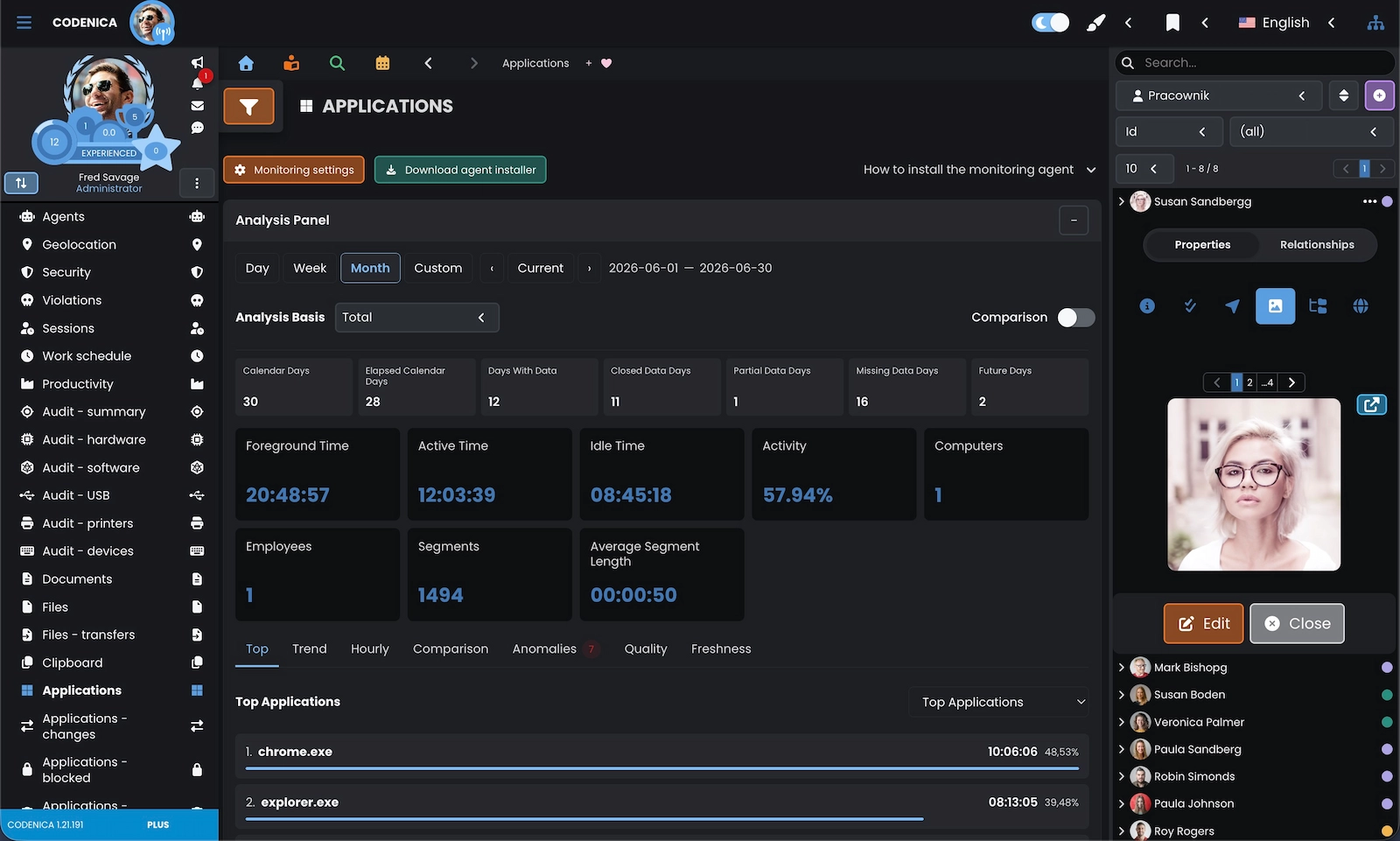
Application monitoring in Codenica shows which programs are launched on a computer, how long they remain in the foreground, which applications are used most often and which windows were recently active. The system also supports application blocking rules and software control rules. This allows organizations to restrict unwanted programs, detect installation attempts, block selected software installations or start an automatic removal process for unauthorized software.

Application usage

  • Codenica records foreground application time, launch counts, stop events, process events, keyboard and mouse activity, and recent window titles.
  • Rules can block selected applications or application families. The system records user attempts, the matched rule, process name, executable path and the result of the process termination attempt.
  • Software audits and software change monitoring detect installations, updates, uninstallations, version changes, blocked installations and automatic removal actions for unauthorized software.

Internet usage monitoring and website blocking at work

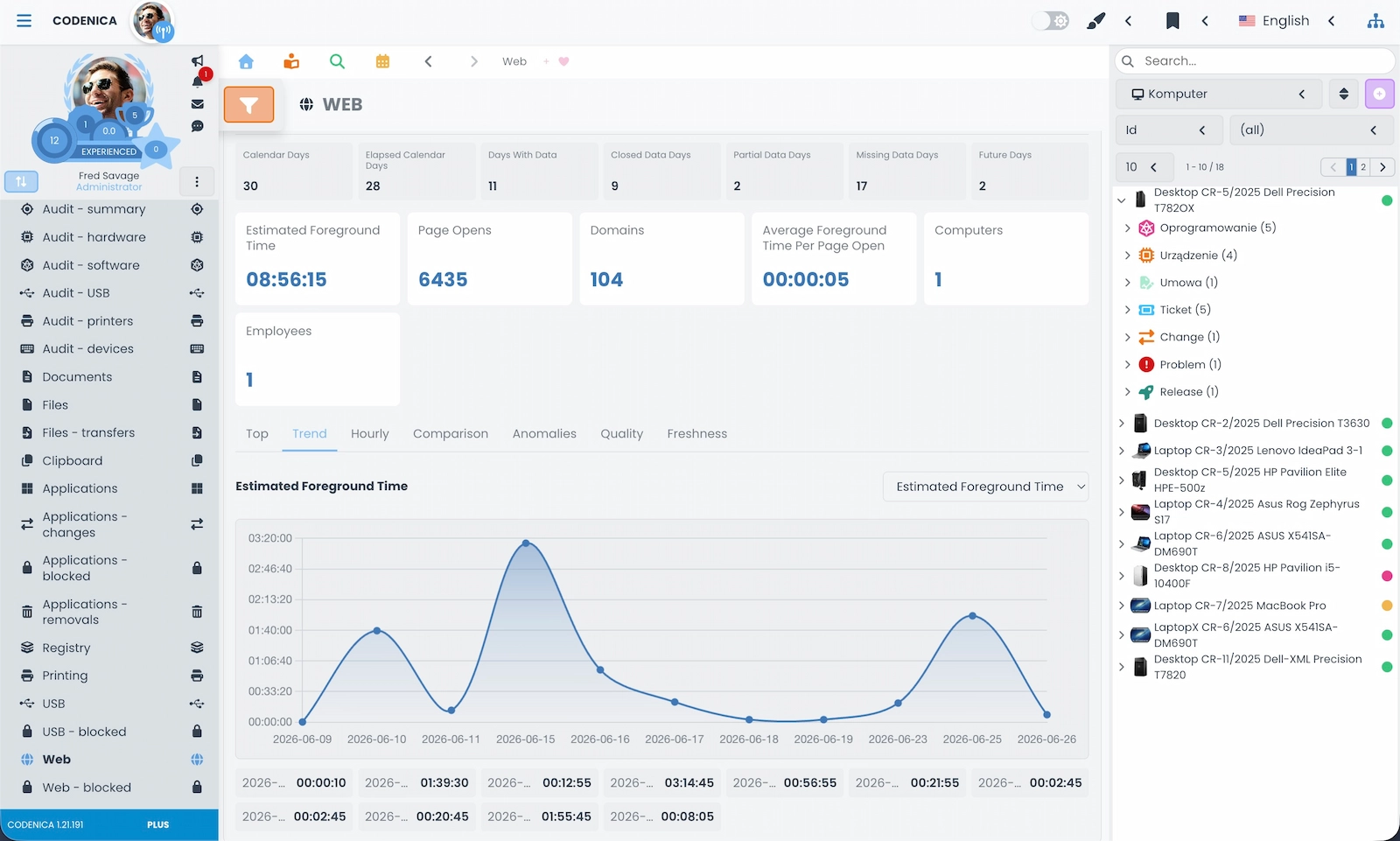
Internet usage monitoring helps you see which domains and websites are opened on employee computers, which browsers are used and which websites consume the most time. Codenica can record domains, page titles, browsers, estimated foreground time and recently opened addresses. Web blocking rules can also close disallowed tabs or react to a domain, URL or page title.

Web activity monitoring and web rules
Internet monitoring in the workplace is useful wherever company computers should be used for work, customer service, sales, accounting, warehouse operations or production processes. In a small business, it can quickly show whether working time is being spent on private websites. In a larger organization, it can support security policies, limit access to risky domains and help analyze policy violations. Codenica records attempts to open blocked websites, blocking counts, actions performed by the system, the last domain, URL, page title, browser and rule that was triggered.

USB monitoring, USB storage blocking and device control

USB monitoring in Codenica helps control removable drives, USB storage devices and connected hardware. The system records connections, disconnections, detected devices, device IDs, serial numbers, volume labels, drive letters, drive types, file systems and capacity. In addition to USB monitoring, Codenica supports USB storage blocking policies - from monitor-only mode to blocking all devices except approved ones. This is an important part of company data protection.

Background-UsbMonitoring-box-1
USB device monitoring
Codenica records USB events such as connection, disconnection and device detection. Administrators can see the drive name, volume label, device ID, serial number, format, drive type, detection source and device status. This makes it easier to understand which removable devices appear on company computers.
Background-UsbMonitoring-box-2
USB blocking and allowlists
USB policies can block unauthorized storage devices, allow selected devices, recognize allowlisted devices, record blocking attempts, access repair actions and policy decisions. This means USB blocking can be applied carefully, with exceptions for trusted devices and rules that match the organization’s needs.

File activity, data transfer, clipboard and print monitoring

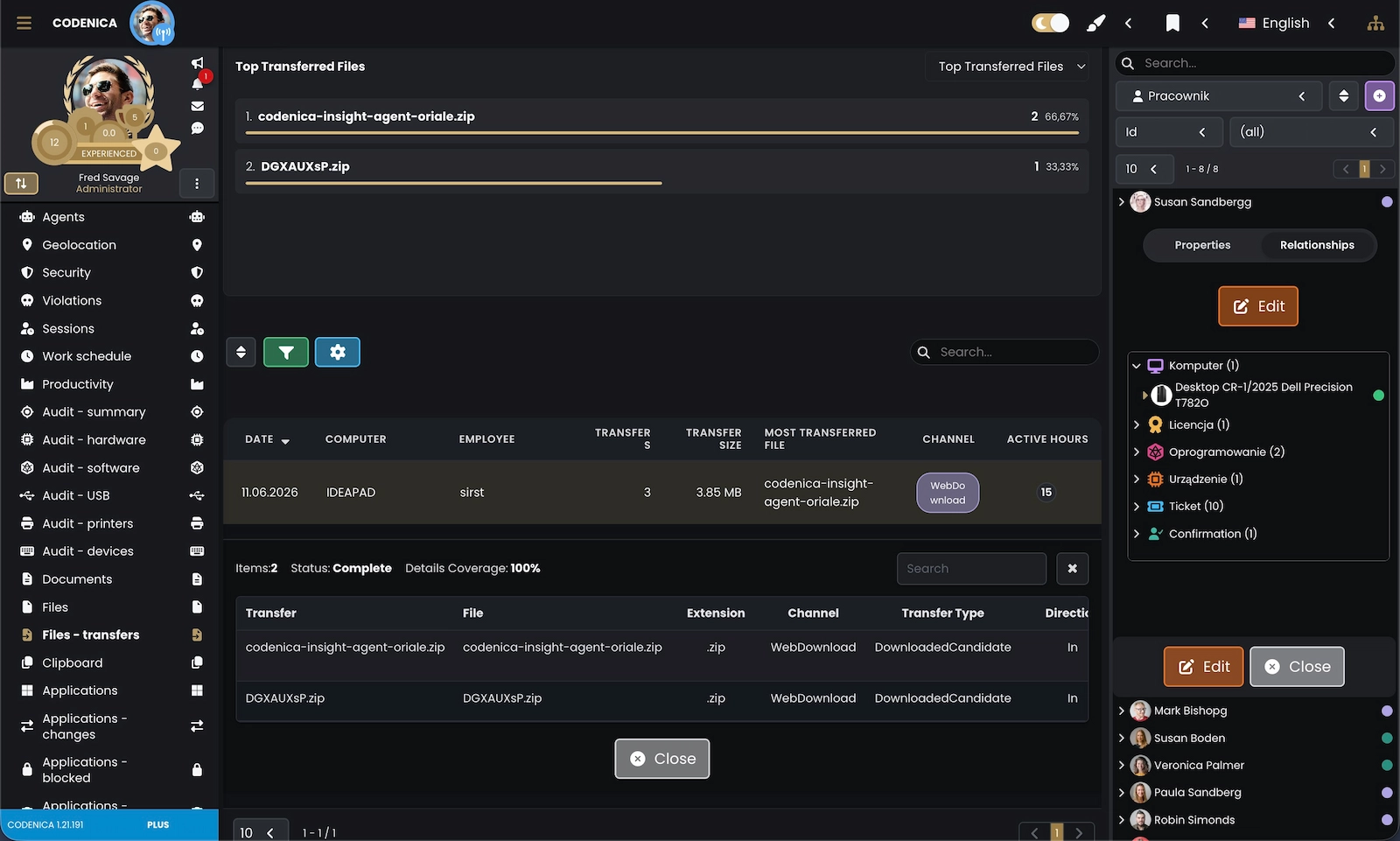
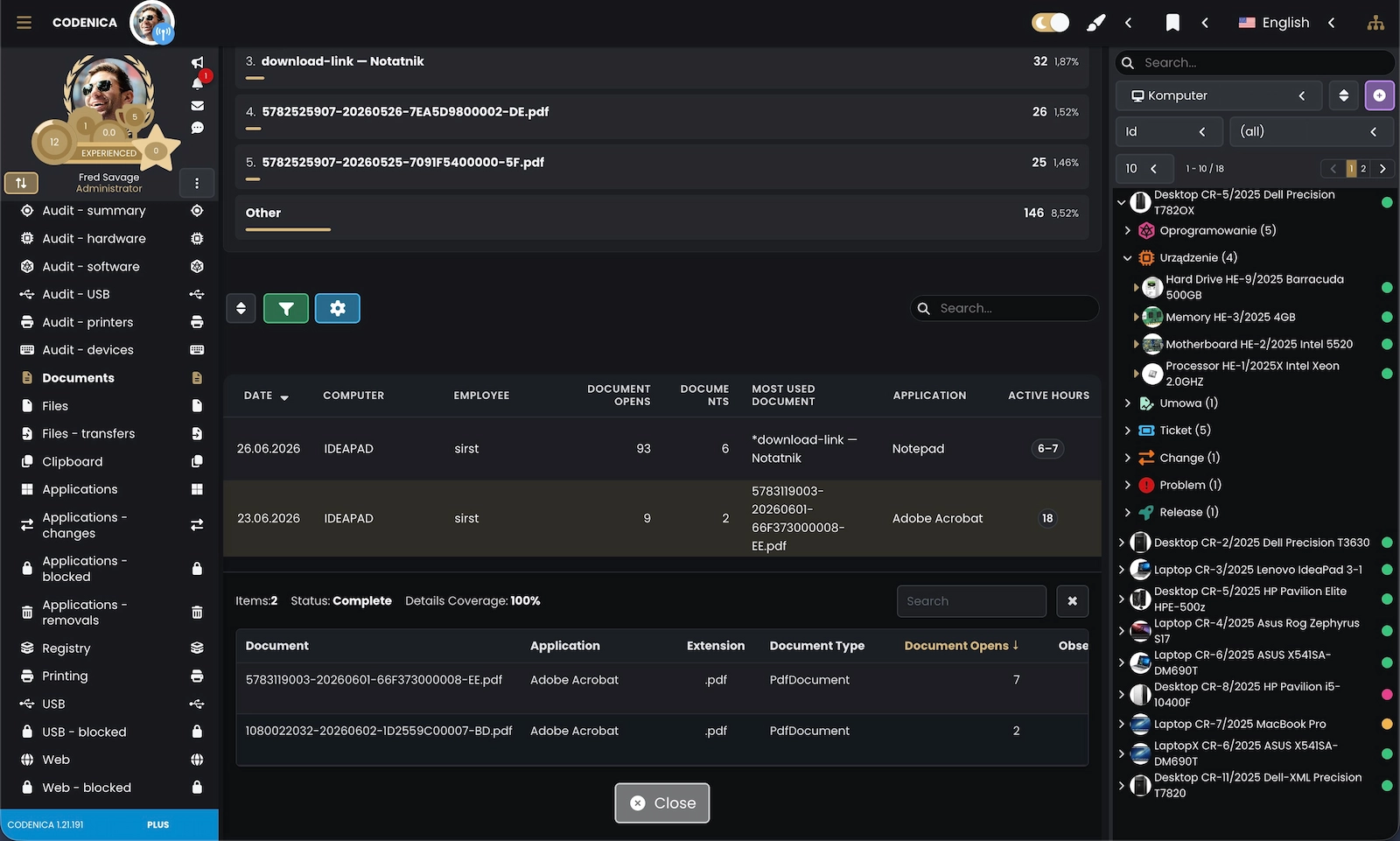
Data protection does not stop at application blocking and USB control. Codenica can monitor file activity, folder changes, data transfers, clipboard activity and printing. The system can show which files were created, changed, deleted or renamed, whether data was moved through USB, web, email, clipboard or printing, and which documents were sent to printers. This helps detect risky behavior, investigate incidents and reduce uncontrolled data movement.

Background-DataTransferSecurity-box-1
File activity monitoring
File monitoring includes file creation, modification, deletion, renaming, extensions, folders, paths and sizes. It helps identify where the highest file activity occurs on a computer and which file types are modified most often.
Background-DataTransferSecurity-box-2
Data transfer monitoring
The system can identify transfer direction, channel, source, destination, domain, application, printer, USB device, email and large file transfers. This helps analyze whether data is leaving a computer and which channel is being used.
Background-DataTransferSecurity-box-3
Clipboard and print monitoring
Clipboard monitoring shows copied text, files, images and other data types. Print monitoring records print jobs, printers, documents, page counts, job size, PDF printers and recent messages. This helps control document printing and unusual copy operations.

Computer audit, hardware inventory and software audit

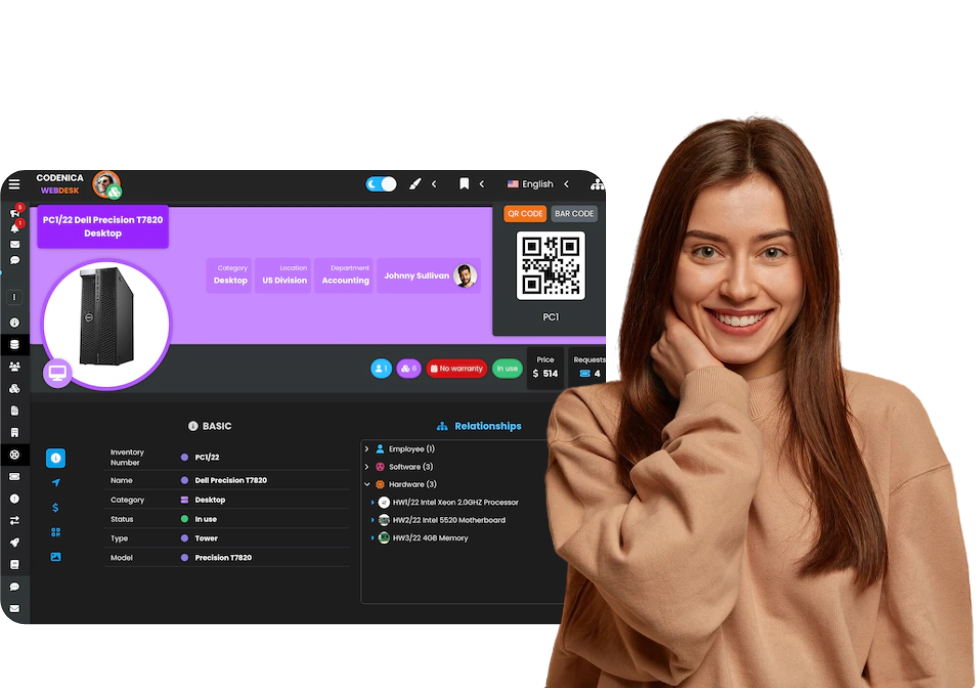
Computer audit in Codenica collects current information about hardware, operating systems, disks, memory, processors, monitors, network adapters, input devices, printers, USB devices, peripherals and installed software. Audit data can be connected with asset records in Codenica, so a computer is no longer an anonymous workstation but part of IT management, ticket handling and cost control.

Hardware audit

  • The system collects data about the computer, manufacturer, model, serial number, operating system, architecture, processor, memory, disks, partitions, network adapters, monitors and other hardware components.
  • Software audit shows installed applications, versions, publishers, installation dates, installation locations, registry entries, hidden entries, system components and uninstall commands.
  • Codenica can audit local, network, shared, PDF and virtual printers, ports, drivers, USB devices, Bluetooth devices, cameras, monitors, keyboards, mice and other peripherals.

Endpoint security monitoring for company computers

Endpoint security monitoring in Codenica helps evaluate the basic protection status of company computers. The system can collect information about Windows Defender, firewall, BitLocker, Secure Boot, TPM and Windows Update. It can also record policy violations, application blocks, website blocks, USB blocks, unauthorized software installation attempts and other events that require attention. As a result, administrators receive not only a list of computers but also clear signals showing which workstations may require action.

Security visibility in one place

  • Codenica can show whether Defender, firewall, BitLocker, Secure Boot, TPM and Windows Update are enabled, disabled or unknown on a monitored computer.
  • Policy violation records can include the policy area, violation type, severity, rule, action, last event details and the result of the system action.
  • Endpoint security monitoring combines technical security data with application control, internet monitoring, USB control, software installation control, file transfer monitoring and user activity.

Monitoring profiles for different computers, departments and locations

Not every company and not every department needs the same monitoring level. Codenica lets you create monitoring profiles and assign them to agents, computers, machine fingerprints, locations, departments or asset types. With priorities and active validity periods, you can monitor office workstations, warehouse computers, sales teams, accounting, service teams, technical departments and remote employee computers in different ways.

Rules adapted to your organization
A monitoring profile defines which features are enabled: activity, browser insight, document insight, USB, printing, files, transfers, clipboard, registry, processes, website blocking, application blocking, software installation blocking and USB storage blocking. You can run in monitor-only mode or enable stricter rules, such as blocking applications, closing websites, blocking USB devices or automatically removing unauthorized software.
Screenshot showing monitoring profiles and assignments.

Computer monitoring for small businesses and large organizations

Employee monitoring and company computer monitoring are useful for both small businesses and large organizations. A tire shop owner with 30 employees may want to know whether computers are used for work, whether staff spend hours on private websites, whether anyone copies data to USB devices and what software has been installed. A large corporation may need monitoring profiles, reports, audits, security controls and links to assets, departments, locations and help desk processes. Codenica brings these needs together in one system.

Background-BusinessUseCases-box-1
Small and mid-sized business
In a small business, employee computer monitoring helps quickly detect wasted time, unnecessary software, private internet use, USB storage usage, document printing and hardware issues. You do not need a large IT department to gain a clearer picture of what is happening on company computers.
Background-BusinessUseCases-box-2
Large organization
In larger organizations, computer monitoring supports IT departments, service desk teams, security teams and asset management. Monitoring profiles, hardware audits, software audits, USB control, application control, internet usage monitoring, file monitoring and print monitoring help maintain order across hundreds or thousands of workstations.

Codenica Insight Agent and monitoring data freshness

Monitoring data is collected by Codenica Insight Agent installed on the computer. The agent synchronizes information with Codenica, receives configuration, executes commands, reports status and records operational logs. This allows an administrator to check when a computer was last seen, whether the agent is running correctly, whether errors occurred, which commands were executed and whether daily monitoring data was aggregated correctly.

Agent, synchronization and diagnostics

  • Agent status includes the installation ID, host name, Windows user, agent version, last synchronization, last accepted checkpoint, IP address and any reported errors.
  • Backend commands can send instructions to the agent, such as configuration update, restart, stop or other service actions, and their status is recorded.
  • Agent logs show informational events, warnings, errors, synchronization events, sending queues, received commands, completed commands and failed commands.

Frequently Asked Questions

Background-76d1551d-2b13-4e63-9ed1-a4c2ee5a1359
Codenica anim-monitoring

Want to see what is happening on your company computers?

Create a free company account and explore Codenica

}