

Introduction to bulk editing in the ticketing system
Bulk editing is one of the key features in modern ticketing systems that improves the efficiency of help desk and service desk teams. It allows agents to update multiple tickets at once without opening each ticket individually. In practice, this enables fast modifications of priorities, statuses, categories, assignments, SLA fields, and other essential properties. In organizations receiving dozens or hundreds of tickets monthly, bulk editing helps maintain order and consistent workflows.
Why bulk editing tickets is important?
During daily operations, many tickets require similar updates: priority changes, reassignments, category adjustments, or SLA updates. Editing every ticket separately is time-consuming and increases the possibility of mistakes. For this reason, the Codenica ticketing system provides a bulk editing mechanism that allows agents to update large volumes of tickets in a single action. This supports queue reorganization, SLA tracking, and prioritization without unnecessary manual work.
How bulk editing works in Codenica?
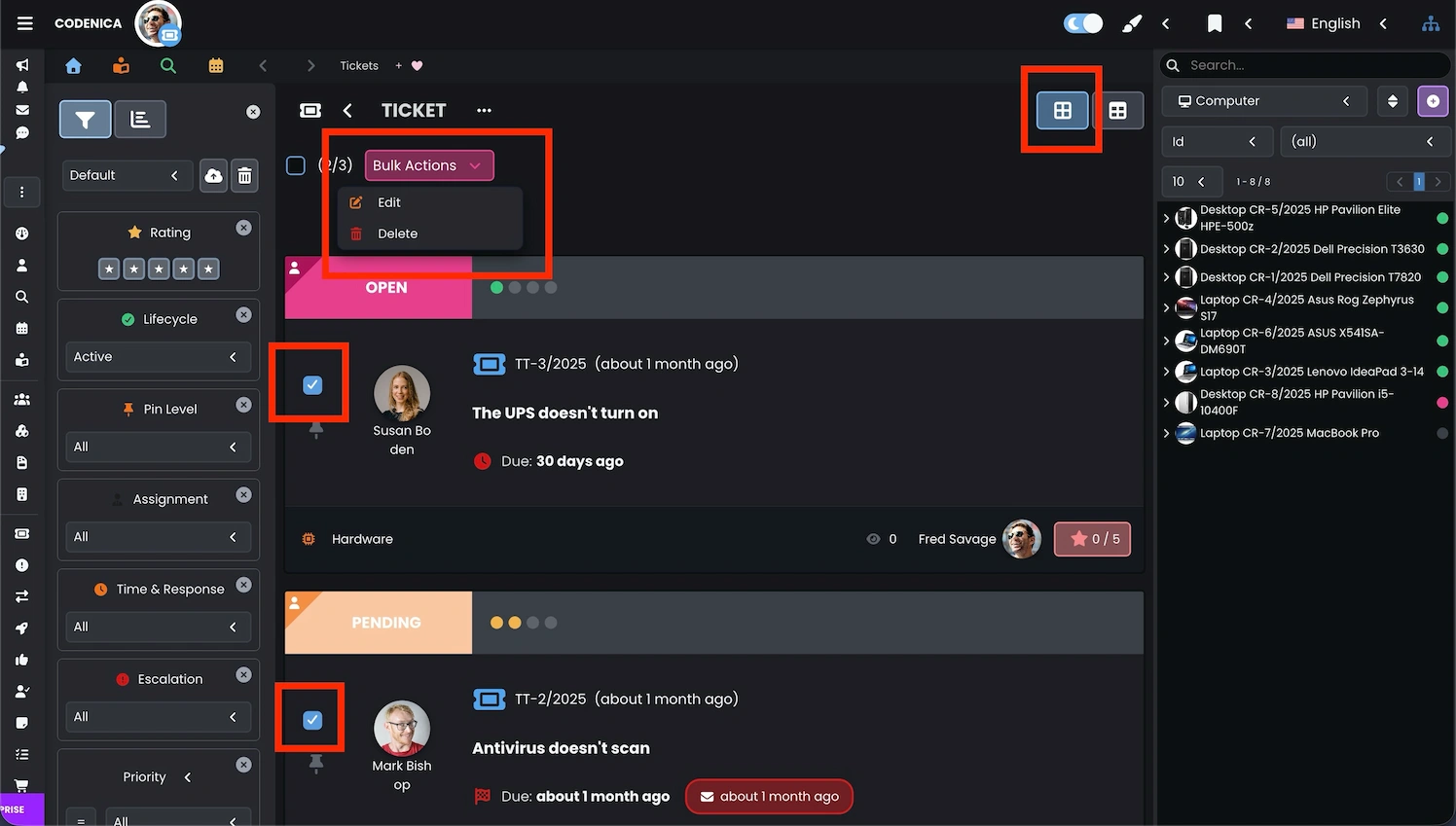
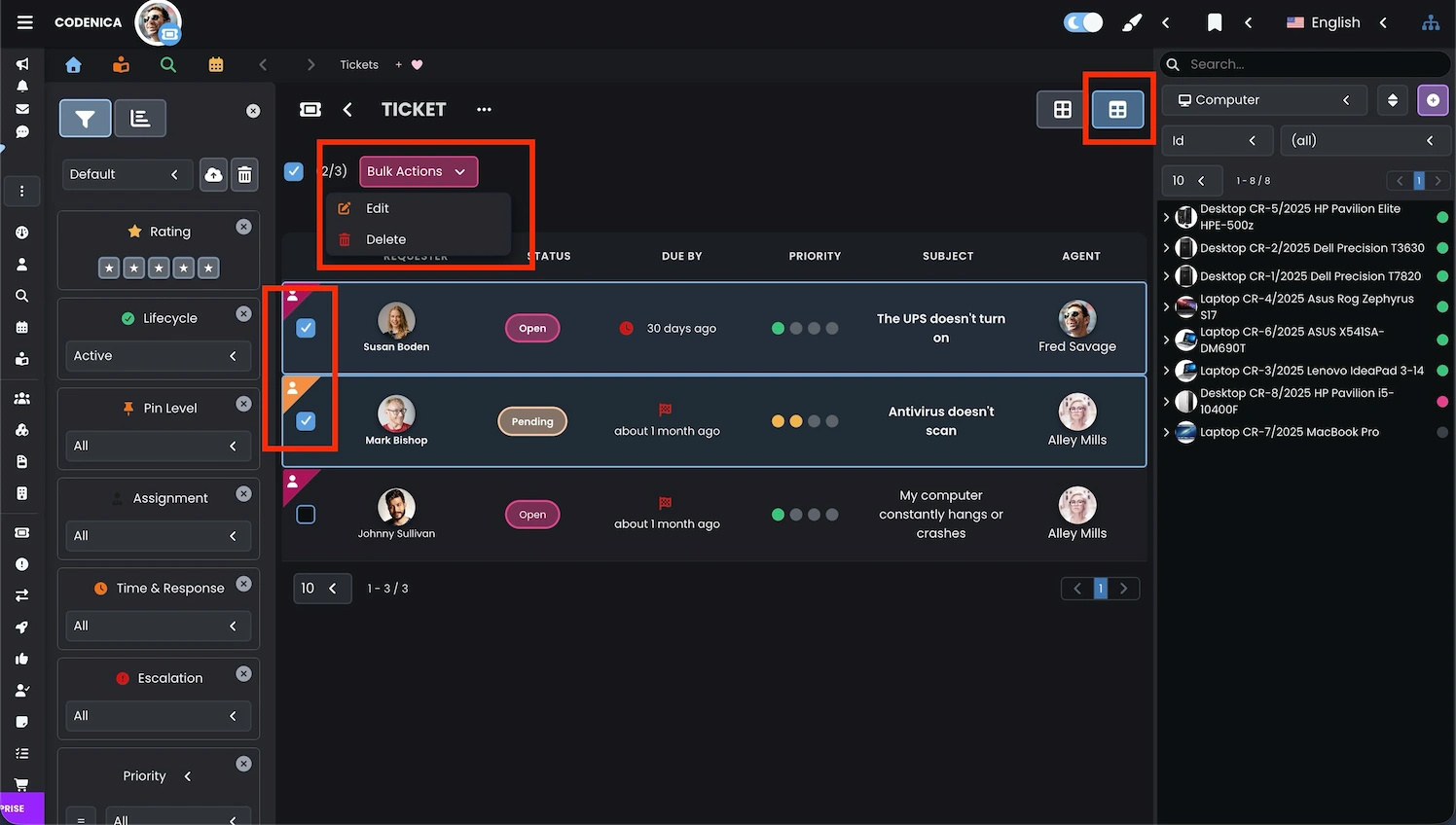
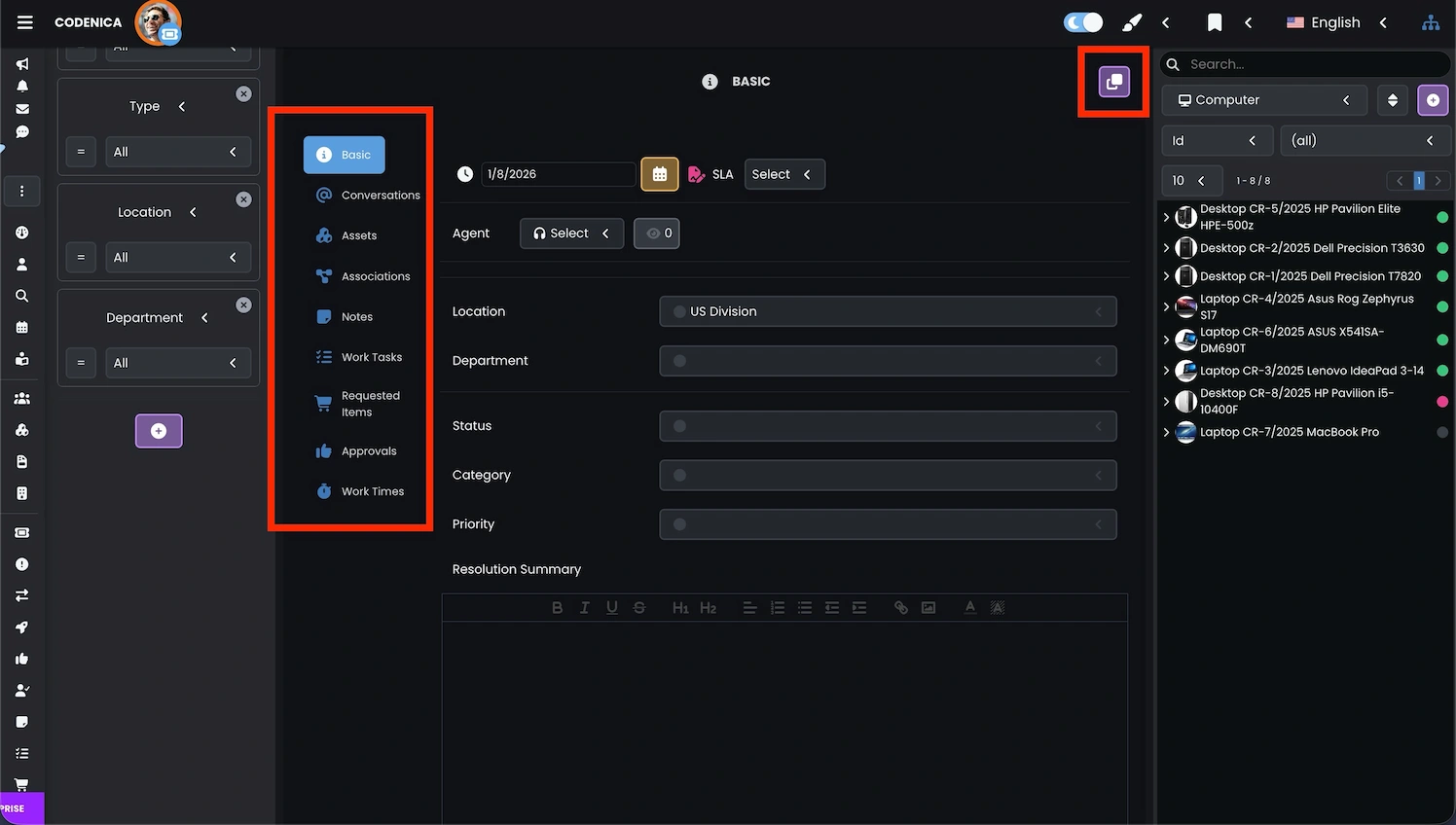
The bulk editing workflow is designed to be simple and intuitive. Agents select any number of tickets from the ticket list, open the Bulk Actions menu, choose Edit, and then apply the desired changes to all selected tickets. The system supports editing of status, priority, category, assigned agents, tags, and SLA parameters. If a field appears empty in the bulk edit form, it means the selected tickets contain different values for this property, and the agent may now unify them. This workflow is ideal for queue restructuring, incident triage, and enforcing new service desk procedures.
Bulk assigning relations and ticket properties
Codenica also allows bulk assignment of relations to multiple tickets, including connections with assets, documents, tasks, or other tickets. This is especially useful when several tickets refer to the same device, department, or problem. The Assets and Associations panels make it easy to attach relevant information without editing tickets individually. Bulk relation management accelerates categorization, improves traceability, and supports structured workflows within service desk teams.
Summary
Bulk editing in the Codenica ticketing system helps manage multiple tickets more efficiently. It supports faster updates, cleaner queues, consistent SLA handling, and structured ticket assignments. Organizations working with higher ticket volumes can use bulk editing to keep daily operations organized and predictable.