

Introduction to Bulk IT Asset Management
Bulk editing supports efficient IT asset management and daily inventory work. It allows administrators to update shared properties of multiple devices, licenses, documents, customers, or employees without opening each record separately. In organizations where the number of assets reaches hundreds or thousands, this feature becomes essential for keeping data accurate and organized. Bulk editing saves time, reduces repetitive work, and helps maintain consistent asset records across the company.
Why is bulk editing important in IT asset management?
In practice, many devices, licenses, and related users require regular updates – such as changes in location, owner, department, status, tags, or configuration details. Updating dozens of records manually increases the risk of errors and wastes time. Bulk editing allows administrators to apply changes to many items at once, keeping inventory data consistent while reducing administrative effort.

Bulk IT Asset Management in Codenica
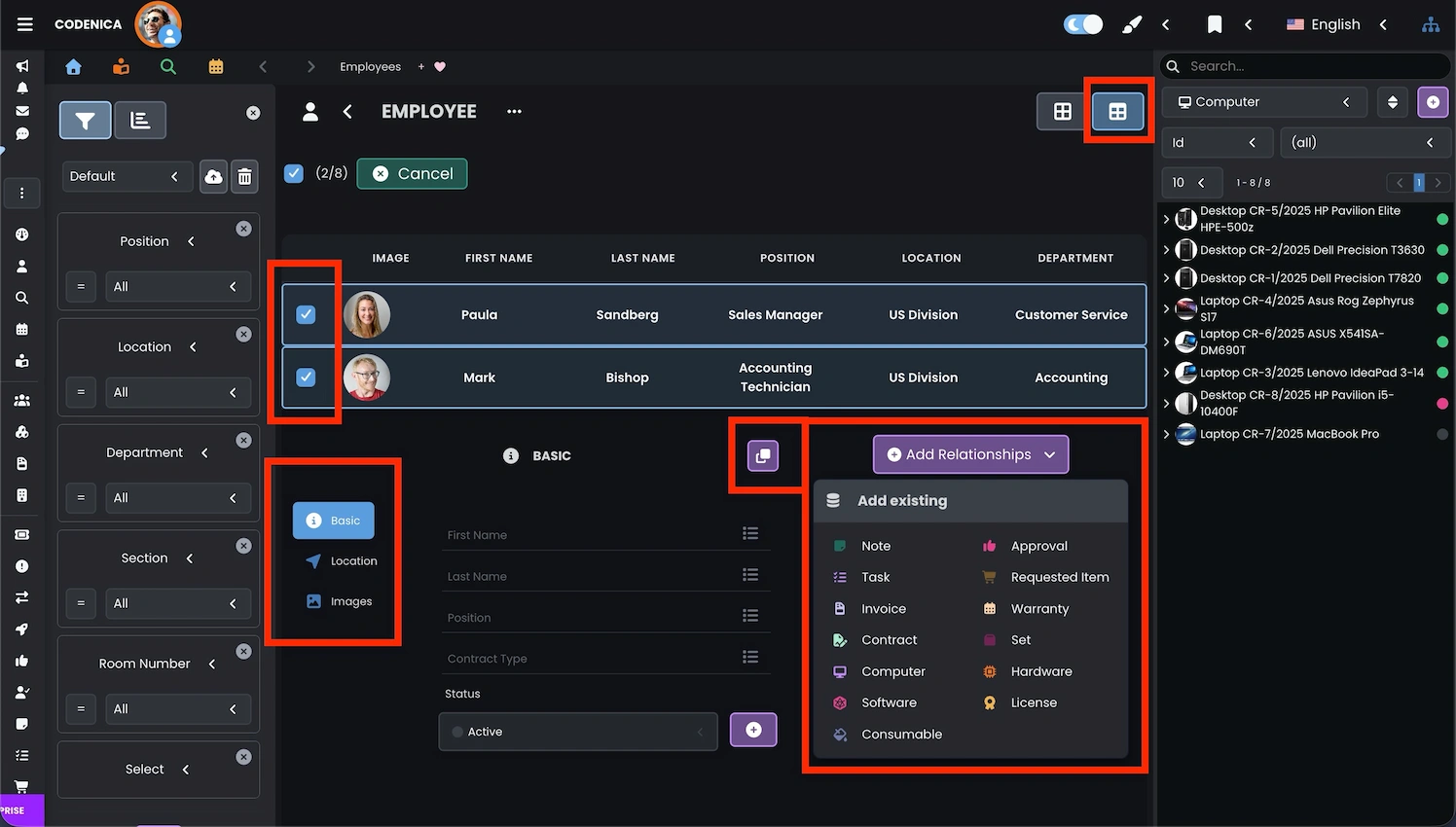
Bulk editing works in a simple and intuitive way: the administrator selects the desired items, opens the Bulk Actions menu, chooses Edit, and then applies changes that will update all selected assets. The system supports editing most fields related to IT asset management, including location, linked items, related documents, asset categories, and asset types. This feature also enables assigning tags, updating statuses, and adding relationships in bulk. When editing multiple items, only shared values are displayed. If a field shows a value, it means all selected items share it. If the field is blank, the selected items contain different values and can now be unified.
Bulk Relationship Management in Codenica
Codenica provides bulk editing through a consistent interface used across all item types. Administrators can modify hardware, software, licenses, documents, customers, and employees while clearly seeing which properties will be changed. The system also supports adding relationships in bulk using the Add Relation panel. Administrators can configure which objects can be linked and how those links affect statuses or field values.
By default, an Employee can be linked to:
- a computer
- a device
- software
- a license
- a consumable item
- a note
- a task
- a purchase request
- an approval
- an invoice
- a warranty
- a contract
When does bulk editing not work?
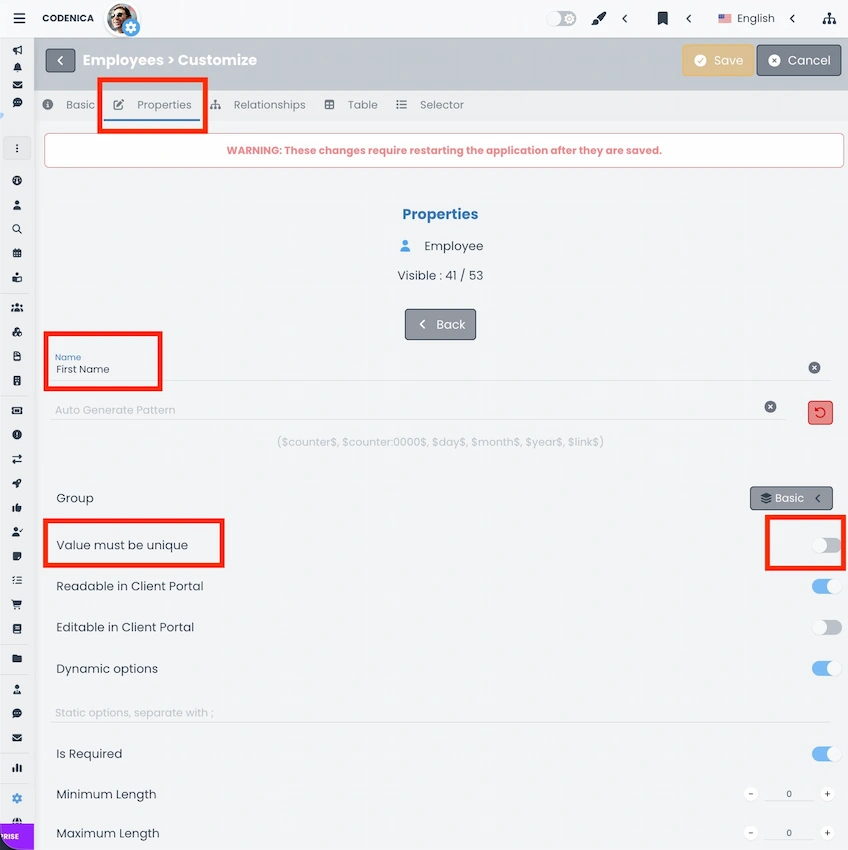
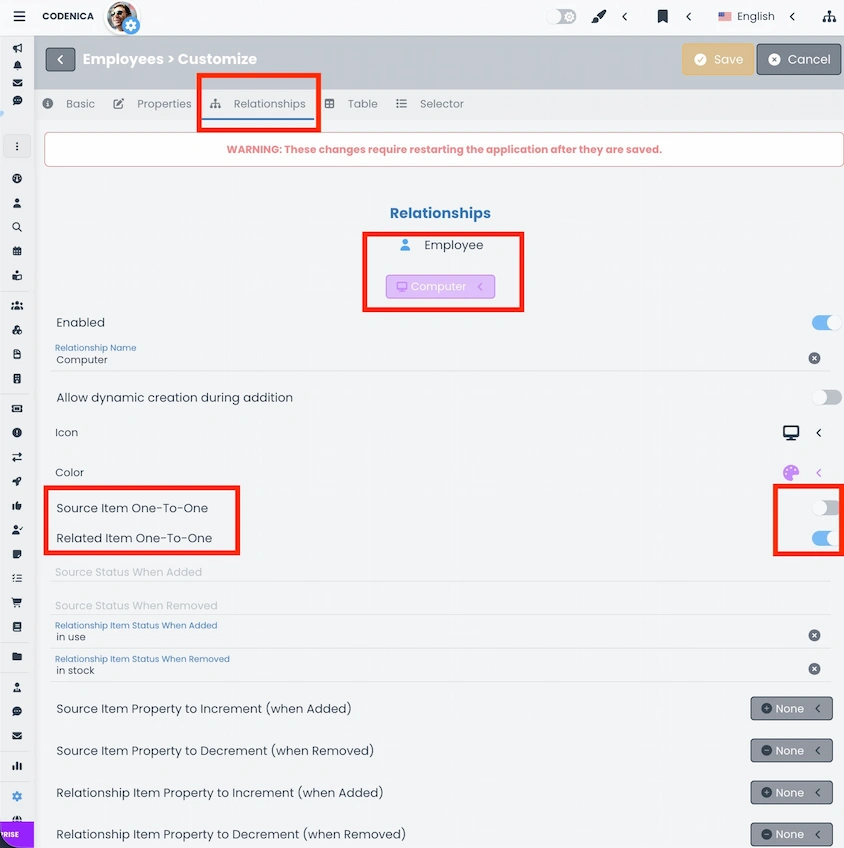
Codenica is highly configurable, and some settings may limit bulk editing. If a property is configured to require unique values, it will not be available in bulk mode, because the system cannot assign the same value to multiple objects. Bulk editing can also be limited by relation settings. If a relation is configured as one-to-one on both sides, it cannot be created for multiple items at once. These mechanisms protect data consistency and depend on system configuration. Before starting bulk editing, it is worth checking whether selected properties or relations have restrictions that prevent updating many records simultaneously.
Summary
Bulk editing in Codenica helps teams update multiple asset records quickly and consistently. It reduces manual work and lowers the risk of errors. The feature works well in both small environments and larger IT structures where keeping data accurate is important for daily operations.