

What Is IT Service Management (ITSM)?
ITSM, or IT Service Management, is the way an organization plans, delivers, and supports its IT services, from planning and launch through day to day user support, changes, and continued improvement. It is not the name of one program, and it is not simply another term for technical support. ITSM describes the complete way an organization works with a service used by its people.
In practice, a company needs to decide how a user reports a problem, who receives the ticket, how priority is determined, who makes decisions, and how information returns to the person waiting for help. The same approach can organize an access request, equipment purchase, workstation setup, configuration change, or recurring issue. Each action then has context, an owner, and a history.
Codenica software allows an organization to keep these elements in one environment. Tickets can be linked with tasks, assets, documents, users, and communication, and the team can later review how the work was handled. The Codenica system does not force one way of working on a company. It gives the company tools to build its own clear and consistent ITSM processes.
What Is IT Asset Management (ITAM)?
ITAM, or IT Asset Management, is the management of technology assets throughout their entire period of use. An asset may be a computer, phone, printer, network device, software product, licence, or document related to company equipment. The important question is not only whether an item was once added to the inventory. It is also where the item is located, who is responsible for it, what its status is, which documents are linked to it, and what has changed over time.
An inventory maintained by the company shows the state recorded by the organization. Automated inventory makes it possible to compare that record with information actually collected from computers and other supported workstations. The system can gather details about components, operating systems, drives, printers, USB devices, and installed software. This makes it easier to spot a missing device, an outdated description, or a program that was not included in the company inventory.
Computer monitoring adds another layer of information. Depending on the configuration and the purpose defined by the company, it can provide data about workstation activity, applications in use, websites, files, printing, transfers, USB devices, and selected signals related to security. Monitoring does not replace an asset inventory. It shows what is happening on a workstation, while ITAM organizes information about the asset itself, its responsibility, and its history.
The Codenica application connects these areas. It can maintain the asset inventory, compare it with automatically collected data, and link a computer with its user, location, documents, and tickets. When monitoring covers employees, the company should define its purpose and scope in advance, inform the people concerned, and follow its own procedures and applicable regulations.
What Are Help Desk And Service Desk, And How Do They Differ?
The terms Help Desk and Service Desk often appear together, but they do not mean exactly the same thing. A Help Desk is usually the first point of contact. It deals with day to day problems such as a failed login, a printer, a computer, an application, or network access. If the issue cannot be solved immediately, the Help Desk passes the ticket to the right person.
A Service Desk has a broader role. It covers not only help after an incident, but also requests, changes, approvals, information, the knowledge base, and problems that keep recurring in an organization. Instead of treating every contact as an isolated event, it connects the contact with the service, the relevant rules, and the people responsible for that service.
In many companies, the Help Desk is part of the Service Desk, so the boundary between the terms is not always strict. The Codenica system supports both kinds of work, from a simple user ticket to a process that requires tasks, approvals, related assets, communication, and a complete activity history.
What Is a Ticketing System?
A ticketing system turns a user's problem, question, or request into a structured ticket. From that point, it is clear what the contact concerns, who submitted it, who is handling it, and what stage the work has reached. Replies, attachments, and decisions related to the work stay with the same ticket.
A good ticket is more than a number assigned to an email. It can include a category, priority, location, related computer or other asset, tasks for specific people, time spent, and documents. If the problem returns several months later, the team does not have to reconstruct the history from memory or search through many mailboxes.
In the Codenica application, tickets can be created from email or through the client portal. Correspondence is kept with the right ticket, and the person waiting for help can check its status and progress. This approach is useful beyond an IT department. The same way of working can support employees, customers, locations, equipment, and internal requests.
What Groups Of Information Does A Ticket Contain?
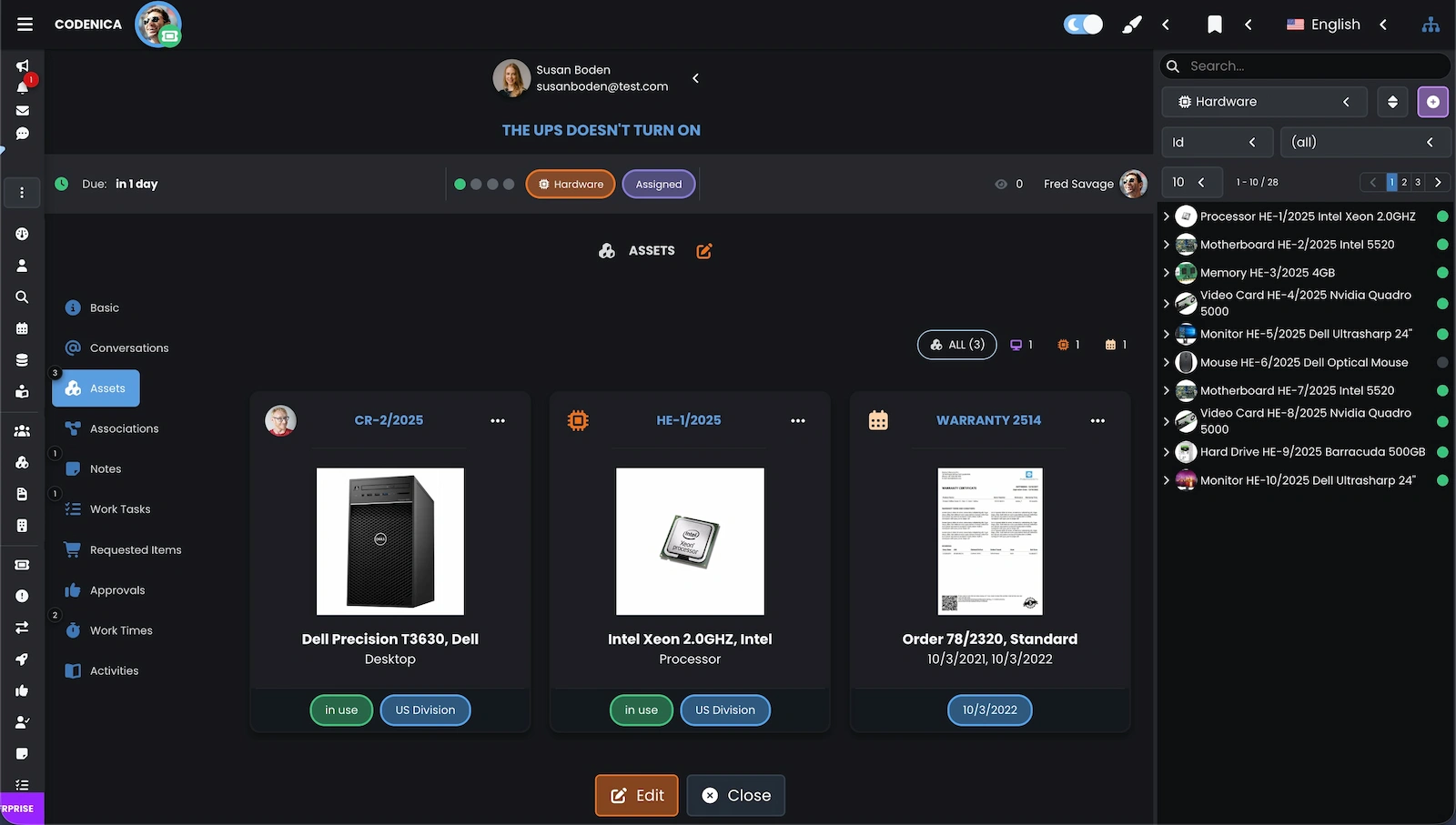
In the Codenica system, a ticket is divided into functional groups. Each group organizes a different type of information, so the problem description, communication, tasks, related assets, and activity history remain with the same ticket.
- Basics: contain the status, priority, category, requester, ticket owner, watchers, and location.
- Conversations: store correspondence with the requester. Replies can be sent by email, and further messages from the user are added to the right ticket.
- Assets: allow the ticket to be linked with a computer, device, software product, licence, or document such as a warranty, invoice, or contract.
- Relationships: show items connected with the ticket, such as other tickets, changes, problems, or releases.
- Notes: are used for private information visible to agents or public information also visible to the requester.
- Tasks: allow a larger ticket to be divided into smaller actions, assigned to specific people, and tracked.
- Requirements: make it possible to define items that need to be purchased or ordered to complete the ticket, such as equipment or a licence.
- Approvals: are used to create approval cards that must be accepted by designated users, for example for a purchase or a change.
- Work Hours: allow the team to record time spent on specific tasks and stages of the work.
- Activities: contain the history of changes, operations, and actions performed within the ticket.
What Is The Client Portal?
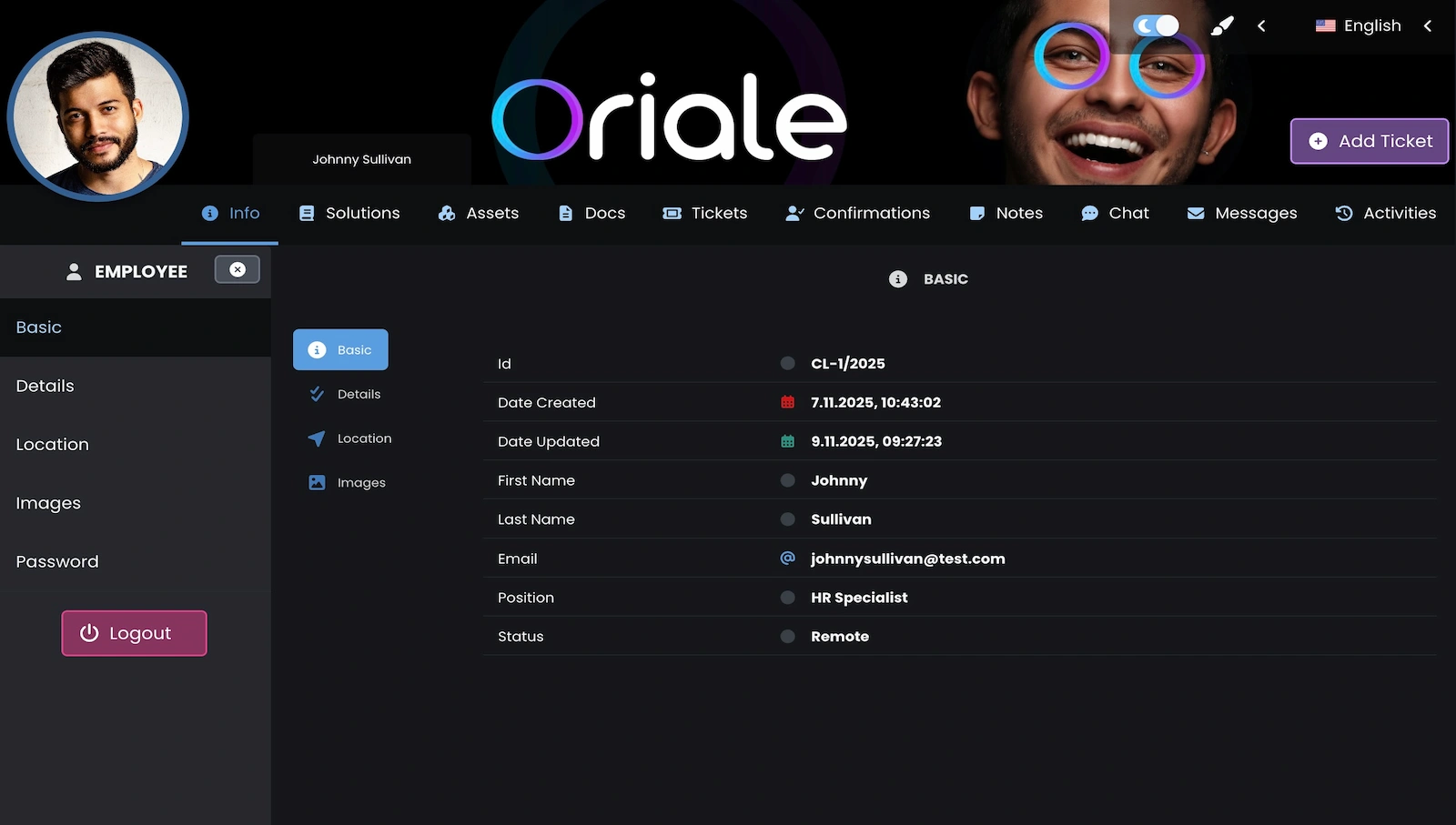
A Client Portal is a browser based place for contacting a company or support team. It can serve the organization's employees, external customers, or both groups, depending on who receives an account and which information the company makes available after sign in.
Through the portal, a user can create a ticket, describe a problem, add an attachment, reply to a message, and check the status of the work. Depending on permissions, the user can also see earlier tickets, assigned assets, documents, knowledge base articles, and other information prepared for the account. There is no need to remember which employee should receive the email or ask separately whether someone has started working on it.
For the team, the portal means more structured tickets and less information scattered across private mailboxes. For the person submitting the ticket, it is a clear place to return to the correspondence and see what happens next. The Codenica program can connect the portal with the knowledge base, communication, and ticketing system so that several work channels do not create several separate histories.
What Is A Knowledge Base?
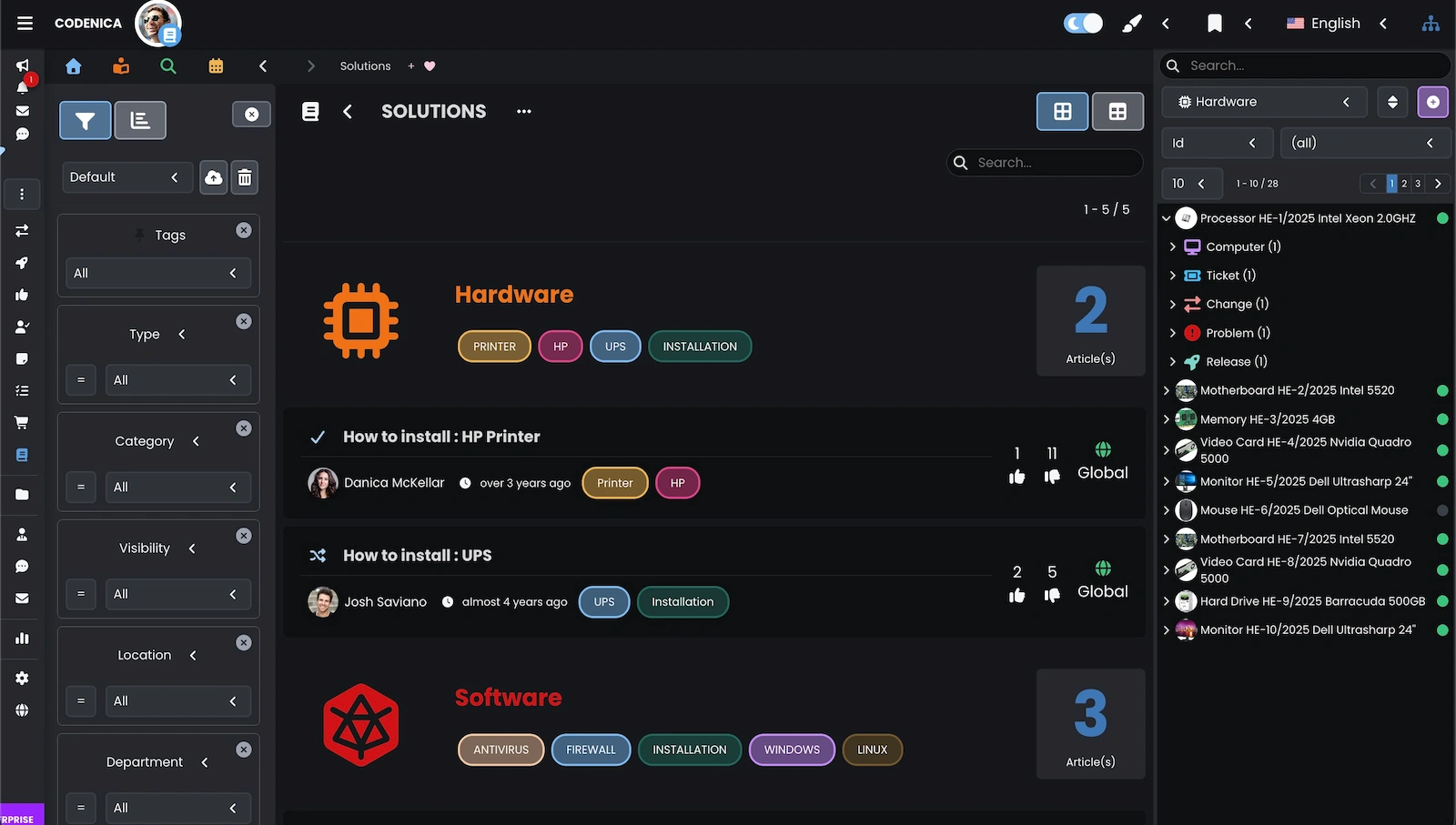
A Knowledge Base is an organized collection of articles, instructions, answers, and procedures that people can use when a specific question or problem appears. Good content does more than describe a topic. It explains what to do, what to expect, and when the matter should be passed to the responsible person.
A knowledge base can contain information intended only for employees or materials shared with customers through the portal. Its articles should be searchable, assigned to the right audience, and reviewed regularly. This gives users a chance to find an answer on their own, while the team does not have to write the same instruction from the beginning every time.
In the Codenica system, articles can support ticket handling and the company's daily work. Over time, the knowledge base becomes a record of the organization's practical knowledge. It helps onboard new people, maintain a consistent way of working, and return to a solution that worked for an earlier problem. Its value does not come from the number of articles alone, but from whether they answer real needs and remain current.
What Is ITIL?
ITIL (Information Technology Infrastructure Library) is a set of practices that helps organizations structure IT service management. It is not a program, a ready made application, or a certificate that can be replaced by buying a particular tool. ITIL organizes work with incidents, requests, problems, changes, releases, and continual service improvement.
What matters more than naming a process is whether the company actually works according to clear rules. It should know how tickets are received, who makes decisions, how a change is communicated, and where information needed in similar situations is recorded. Codenica software can support this work through tickets, tasks, approvals, relationships, a knowledge base, and an activity history, but no program provides ITIL compliance on its own. The organization is responsible for its processes and for applying them properly.
What Is On-Premise?
On-Premise, also known as an on premises deployment, is a model in which the application runs in the infrastructure of the company using the software. The Codenica system can run on the client's server or in an environment controlled by the client.
With an On-Premise installation, the database, files, and application configuration remain in the company's environment. The administrator can specify the company's own PostgreSQL server, a local file store, an application address available on the company network, and the endpoint through which monitoring agents communicate. With the right configuration, the program can run 100% offline, meaning without contacting servers operated by the Codenica company and without Internet access. External email, OAuth sign in, and an Internet based update source are optional integrations, not requirements for the system's basic operation.
This model gives the company substantial control over where data is stored, how the network is configured, and how the environment is protected. That control also means responsibility for the client. The company must provide a suitable server and operating system, maintain network availability, manage user permissions, protect access, manage certificates, and monitor its own infrastructure. It should also have a procedure for a server failure, database damage, or loss of access to files.
Backups cannot be left out. The owner of the On-Premise installation decides how often they are created, how long they are kept, and where additional copies are stored. A backup should include not only the PostgreSQL database, but also local files and the required configuration. Periodic restore testing is just as important. Knowing that a copy was created does not by itself mean that a working system can be recovered after a failure.
The company is also responsible for planning updates, maintenance windows, and service recovery after a failure. The Codenica company provides the software, but a local installation does not automatically take over responsibility for the server, network, environment security, or backups. If an organization does not want to maintain this infrastructure itself, the Cloud version is operationally simpler because it does not require the company to build and run its own application server.