

Introduction to Data Import in IT Asset Management
Effective IT asset management requires fast and reliable entry of data into a central IT inventory. Data import is a key element of modern IT inventory processes, as it eliminates manual data entry, reduces the risk of errors, and significantly shortens the time required to start working with the system. Codenica supports multiple import methods, enabling rapid acquisition of detailed information about computers, devices, licenses, users, and software. In practice, organizations often store data across multiple sources, and consolidating them without proper automation is difficult. That is why the system supports imports from XML, JSON, and CSV files, integration with the Codenica PC Audit Scanner, and full migration from desktop applications such as Ewida Standard (also known as Codenica Inventory) and Ewida Audit (also known as Codenica Audit). Importing employees from Azure Entra ID is also available, further streamlining the maintenance of an up-to-date user inventory. All of these methods share one goal: enabling a reliable and complete IT inventory while ensuring data consistency and accuracy. Data import is also a foundation for further ITAM and ITSM processes, such as audits, assignments, license management, reporting, and analysis.
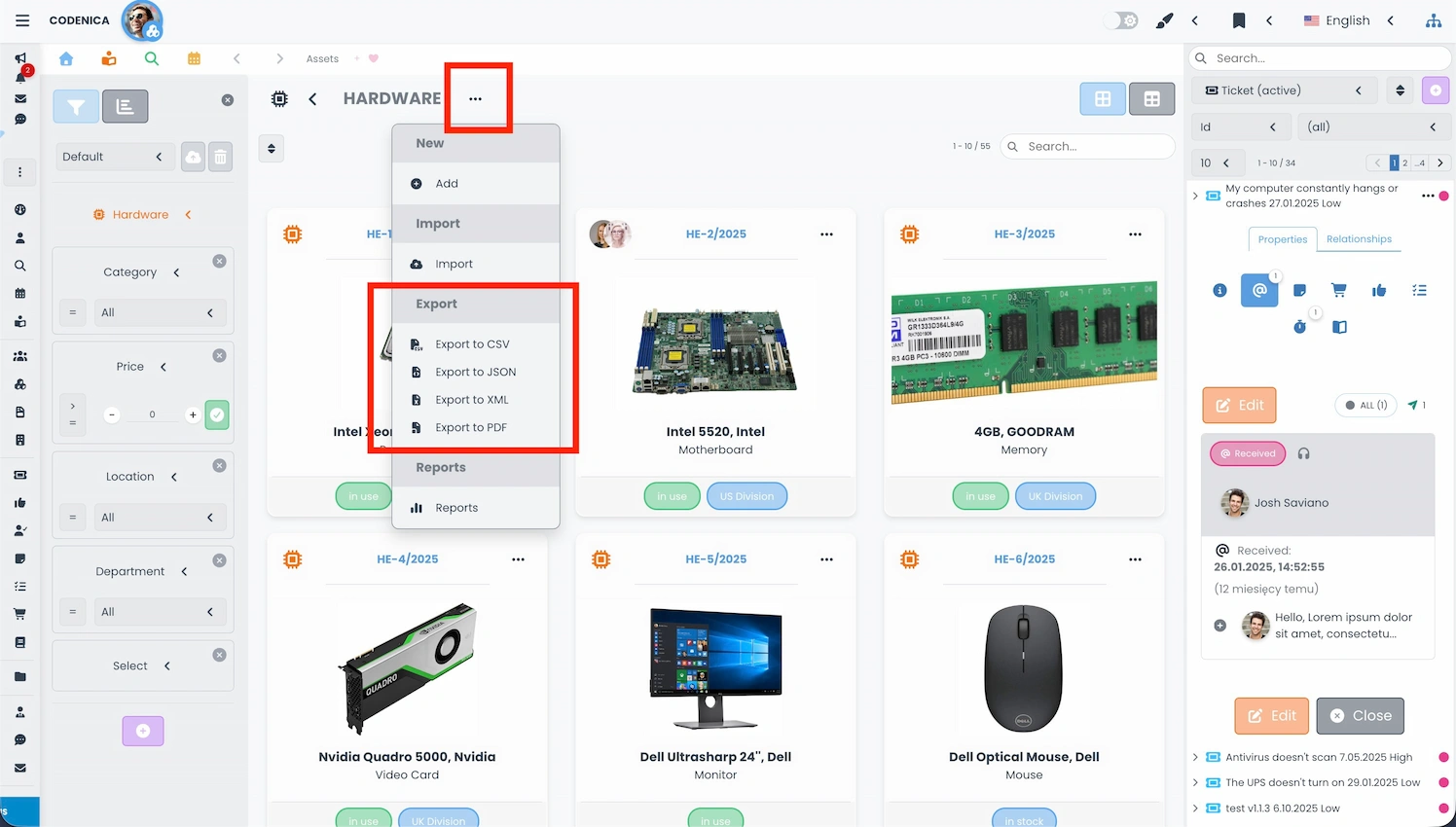
If you are just starting to prepare export files from another data source and are not familiar with the file structure, the best approach is to first generate an export file from Codenica and review the structure of the selected format. This can be done from the menu of any list.
Important Import Settings
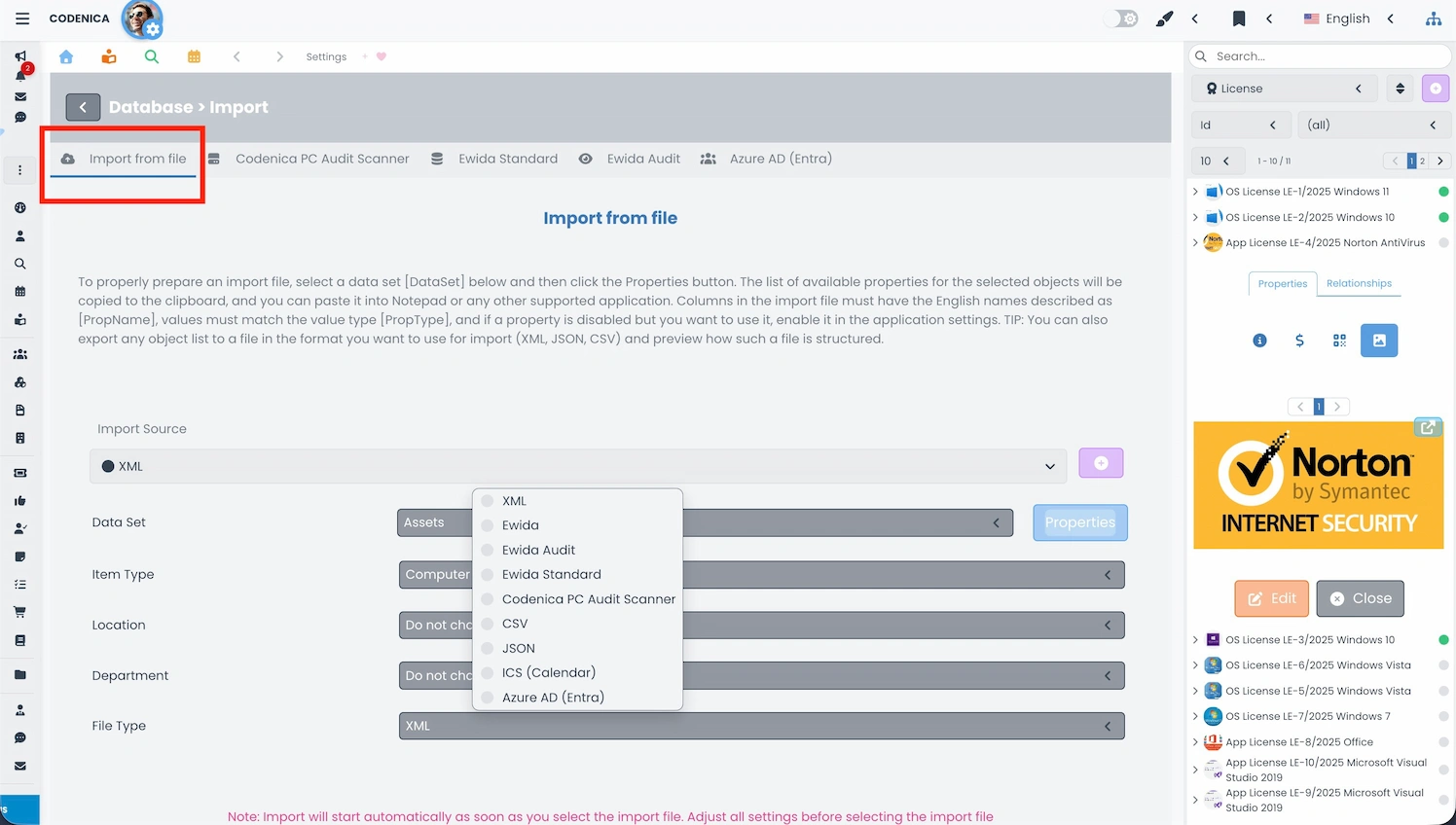
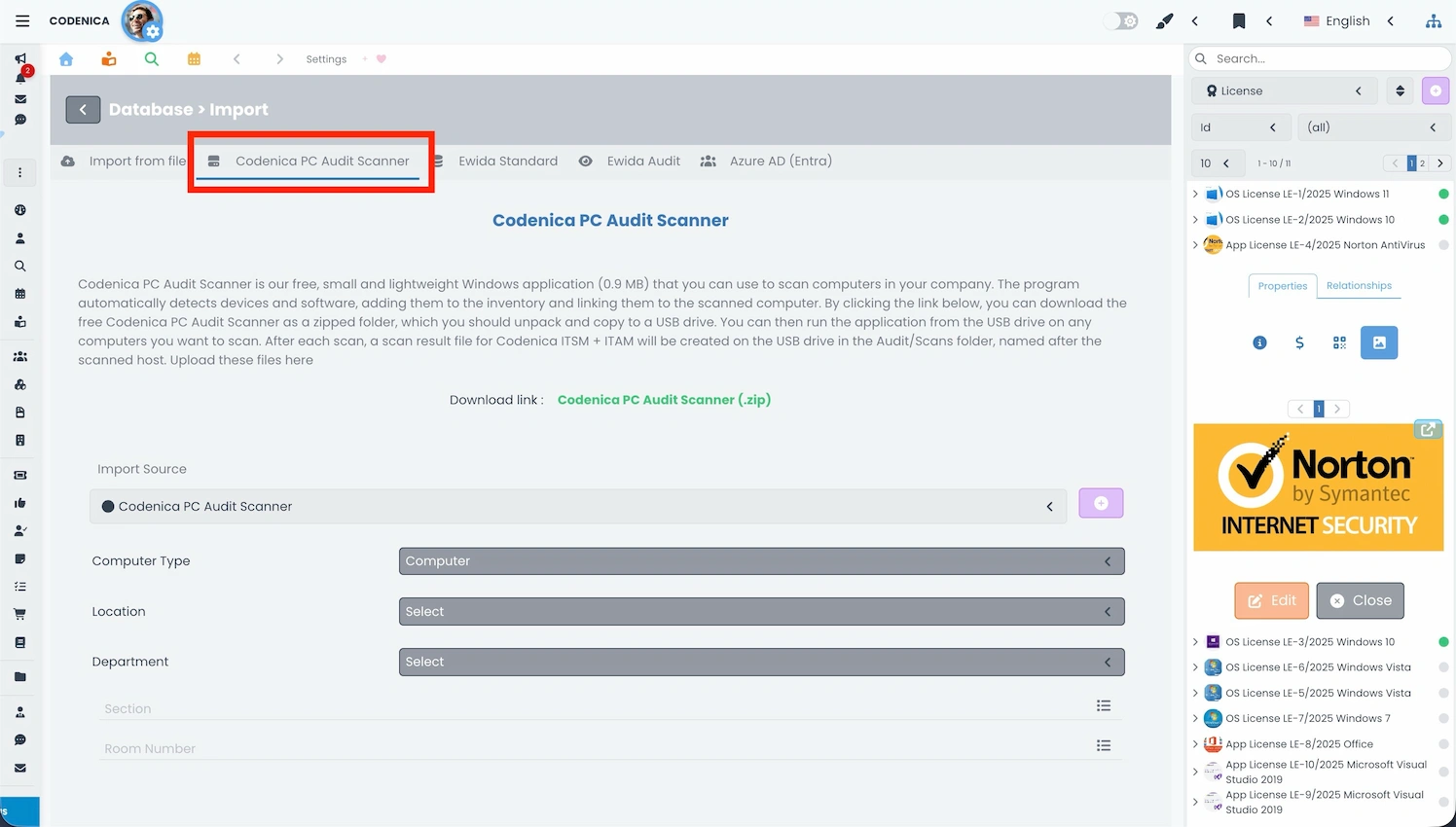
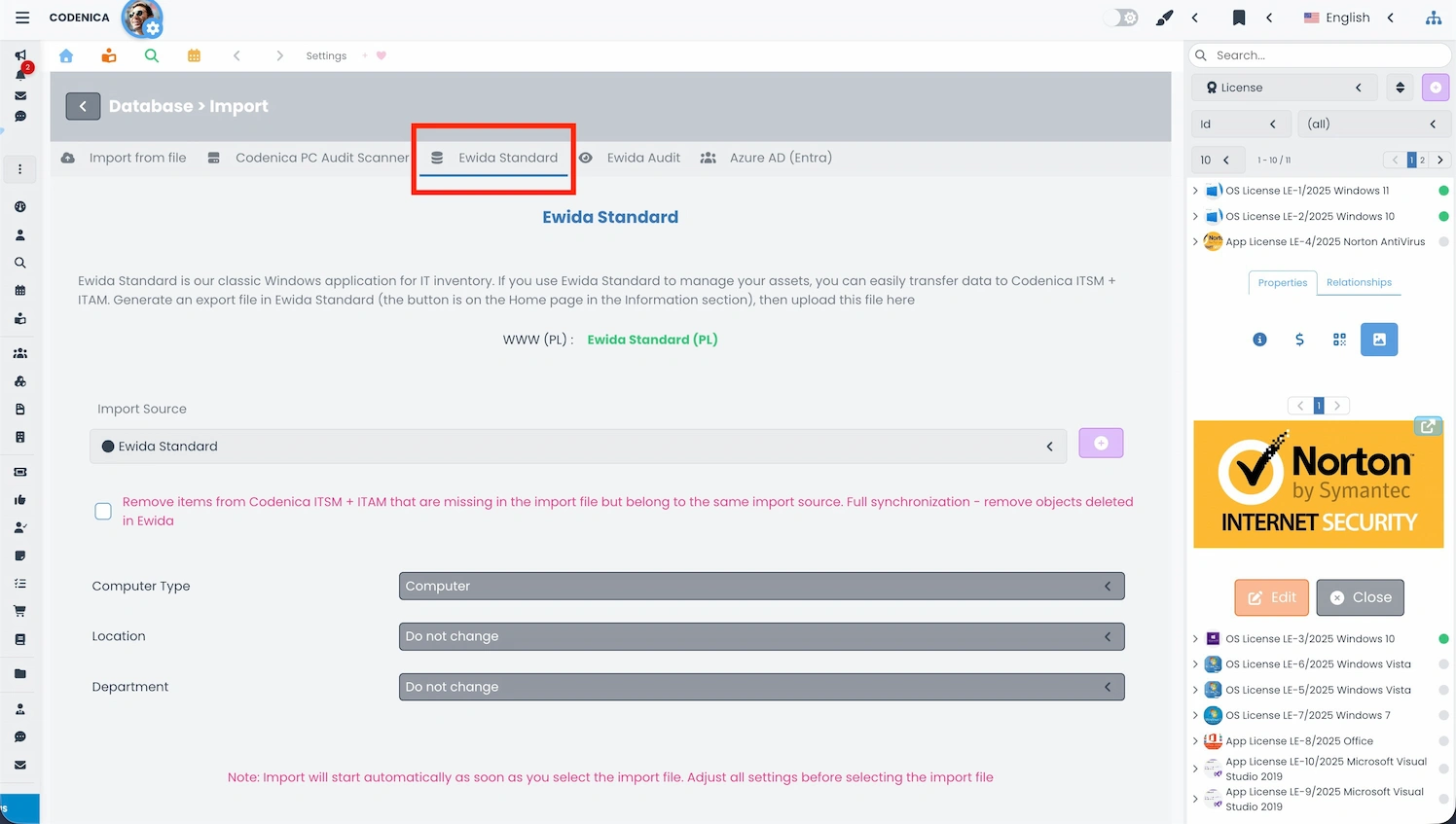
As shown in the screens below, each import type shares a set of common configuration options. Below is an explanation of these settings.
- Import source name - a critical setting when synchronizing inventory data cyclically from multiple organizations. Assign clear names such as Company ABC, Company XYZ, etc., to ensure correct data identification and updates.
- Dataset - defines the type of data being imported, such as assets (hardware, software), documents, employees/clients, or vendors.
- Item type - an internal classification of assets within the inventory (computer, device, license, etc.).
- Computer type - compatible with Ewida Standard (Codenica Inventory) terminology, where the term "Set" is used. In Codenica, this can be retained or replaced with the "Computer" type.
- Location, Department, Section, Room number - key fields used to physically and organizationally locate assets. These are essential for separating inventory across companies, branches, and internal locations.
Importing Data from XML, JSON, and CSV Files
Importing data from XML, JSON, and CSV files is one of the most versatile ways to bring information into Codenica. Organizations often store data in spreadsheets or export it from other IT asset management systems, making direct import essential.
CSV format is particularly popular in IT inventory processes, as it allows easy data editing in Excel, enabling quick corrections and preparation of datasets for import.
JSON format supports more complex data structures, such as software lists, devices, or hardware configurations, making it ideal for accurately representing IT environments.
XML format is still widely used in enterprise systems and works well for structured data exchange between applications.
Codenica processes these files intelligently, creating objects such as computers, licenses, users, and locations. As a result, building an IT inventory is fast and free from typical manual-entry errors. File imports also support cyclical data updates, which is particularly important for organizations performing regular IT inventories. Administrators can run full, partial, or update imports depending on their needs. This approach provides a consistent and practical way to work with organizational data.
Importing Data from Codenica PC Audit Scanner
Codenica PC Audit Scanner is a core tool for fast and automated inventory of company computers. The scanner reads hardware configuration, detected applications, and key system information without installing anything on the scanned computer. Results are saved as files that can be imported into Codenica, significantly accelerating the creation of an IT inventory. The scanner can be run from a USB drive, over the network, or via automation scripts. This makes it suitable for both internal and external audits. Importing scanner results creates computer objects, associated devices, and detected software, enabling immediate license and hardware analysis. It is one of the most important tools when initially deploying an ITAM system in an organization. The scanner is completely free and allows a full IT inventory even in large enterprises. Learn more about the IT audit process.
Importing Data from Ewida Standard (Codenica Inventory)
Ewida Standard (also known as Codenica Inventory) is a classic desktop application that has been used for over 20 years by thousands of organizations in Poland to manage IT asset inventories. Many companies maintain extensive historical data in this system, including computers, licenses, software, documents, and locations. Codenica enables full migration of this data while preserving all relationships and links. The import process provides a smooth transition from the desktop system to Codenica without losing historical information. After the import, you can use Codenica Cloud or install Codenica On-Premise inside your company. Relationships such as computer-to-user, license-to-software, and document-to-asset are fully recreated. This solution is ideal for organizations that want to modernize IT asset management while retaining complete documentation. Many customers migrate to Codenica because they need organized records and support for multi-department operations, while Cloud and On-Premise let them choose how the system is deployed. Importing from Ewida Standard (Codenica Inventory) allows immediate continuation of work in the new system without manual data re-entry.
In the import settings, a checkbox is available that enforces full synchronization between Ewida Standard (Codenica Inventory) and Codenica. Use this option with caution (!) - enabling it will also remove items from Codenica that are not present in the Ewida Standard (Codenica Inventory) export file.
Importing Data from Ewida Audit (Codenica Audit)
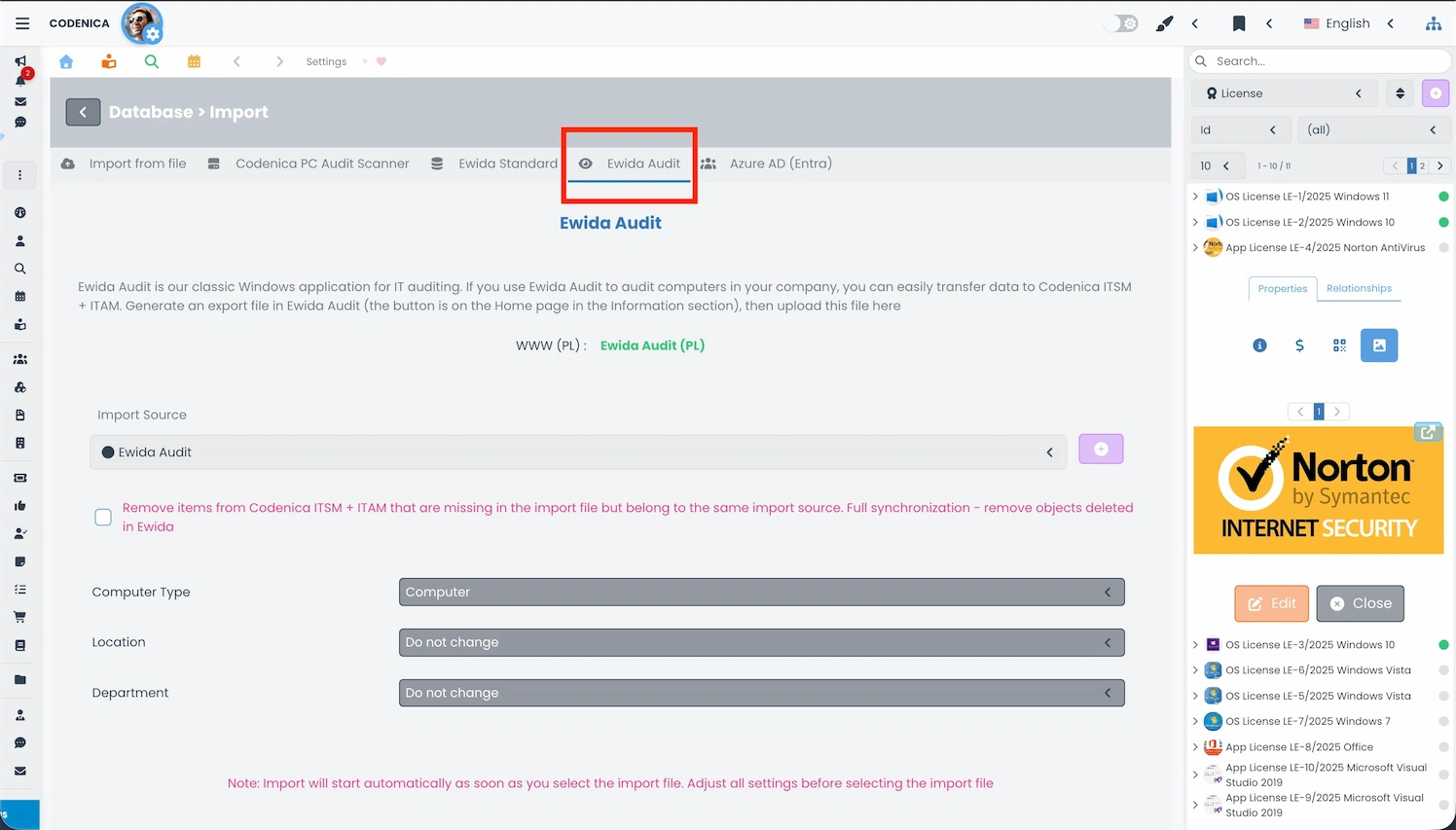
Ewida Audit (also known as Codenica Audit) is a professional tool for IT audits and monitoring employee computers. The system collects detailed data on hardware, software, user activity, and system configuration. Codenica fully supports importing audit results generated by Ewida Audit (Codenica Audit), allowing detailed desktop scan data to be combined with a centralized IT inventory. The import process creates computer, application, device, and user objects and restores all related connections. This solution is ideal for auditing companies serving multiple clients who require centralized data management. Importing from Ewida Audit (Codenica Audit) enables reporting, license review, and IT investment planning in one system. Thanks to the integration, both tools can be used within a single audit workflow - Ewida Audit (Codenica Audit) as the field tool and Codenica as the analytical platform. This significantly improves the efficiency of both auditors and IT administrators.
As with Ewida Standard (Codenica Inventory) imports, a full synchronization option is available. Use caution (!) - enabling it will remove objects from Codenica that are not included in the Ewida Audit (Codenica Audit) export file.
Importing Users from Azure Entra ID
Integration with Azure Entra ID enables automatic retrieval of user lists into Codenica. This is crucial in IT asset management, as it allows computers, licenses, and software to be immediately assigned to the correct employees. Entra ID imports ensure that the user inventory remains up to date and that HR changes are automatically reflected in the ITAM system. Organizations using Microsoft 365 can maintain full consistency between organizational structure and IT asset records. This is especially important in medium and large organizations where employee roles and counts change dynamically. Integration eliminates manual user entry, reduces error risk, and accelerates inventory processes. By linking user structures with assets, organizations gain improved control over licensing, hardware allocation, and IT security.
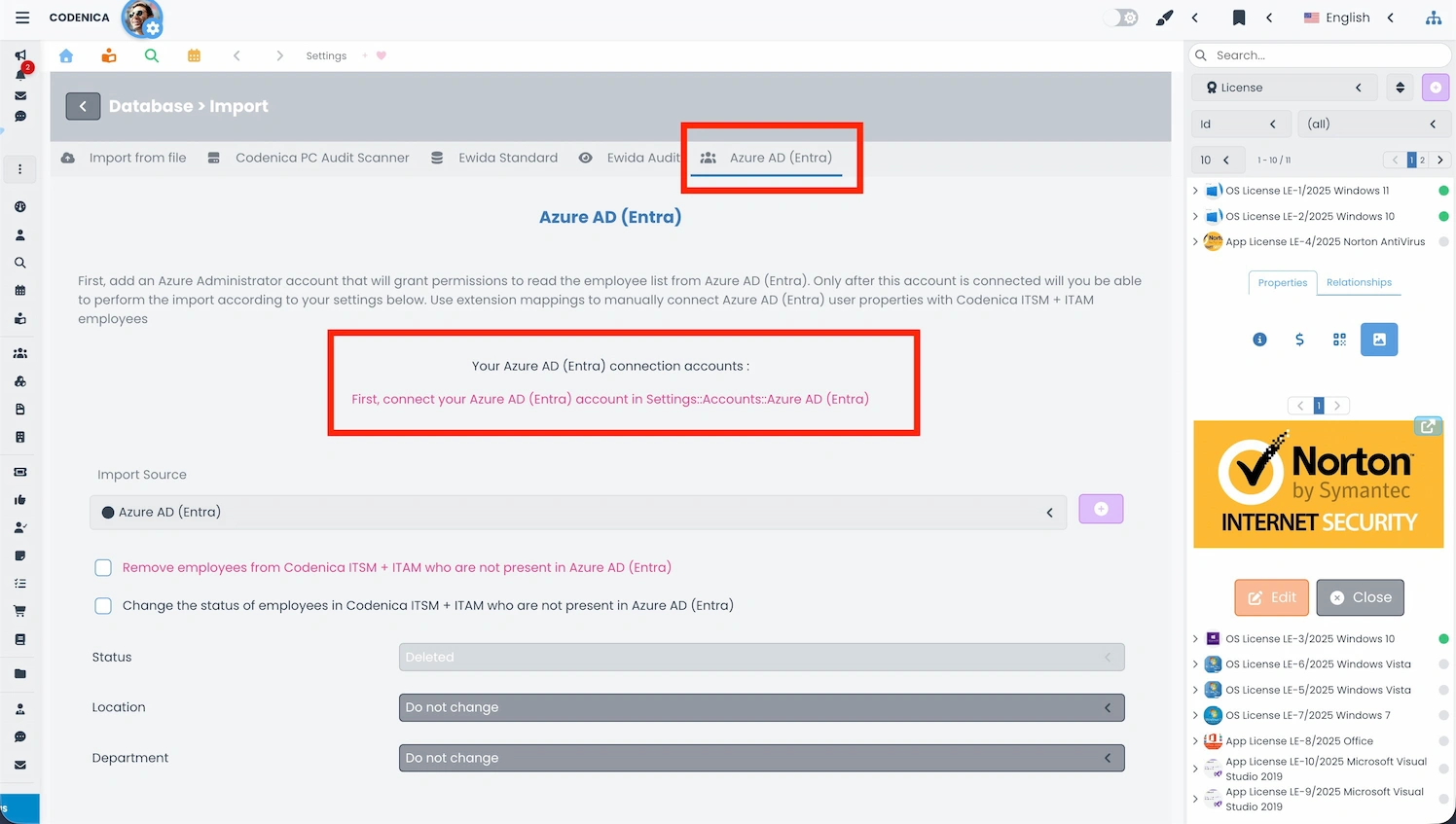
Azure Entra ID Integration - Configuration and User Import
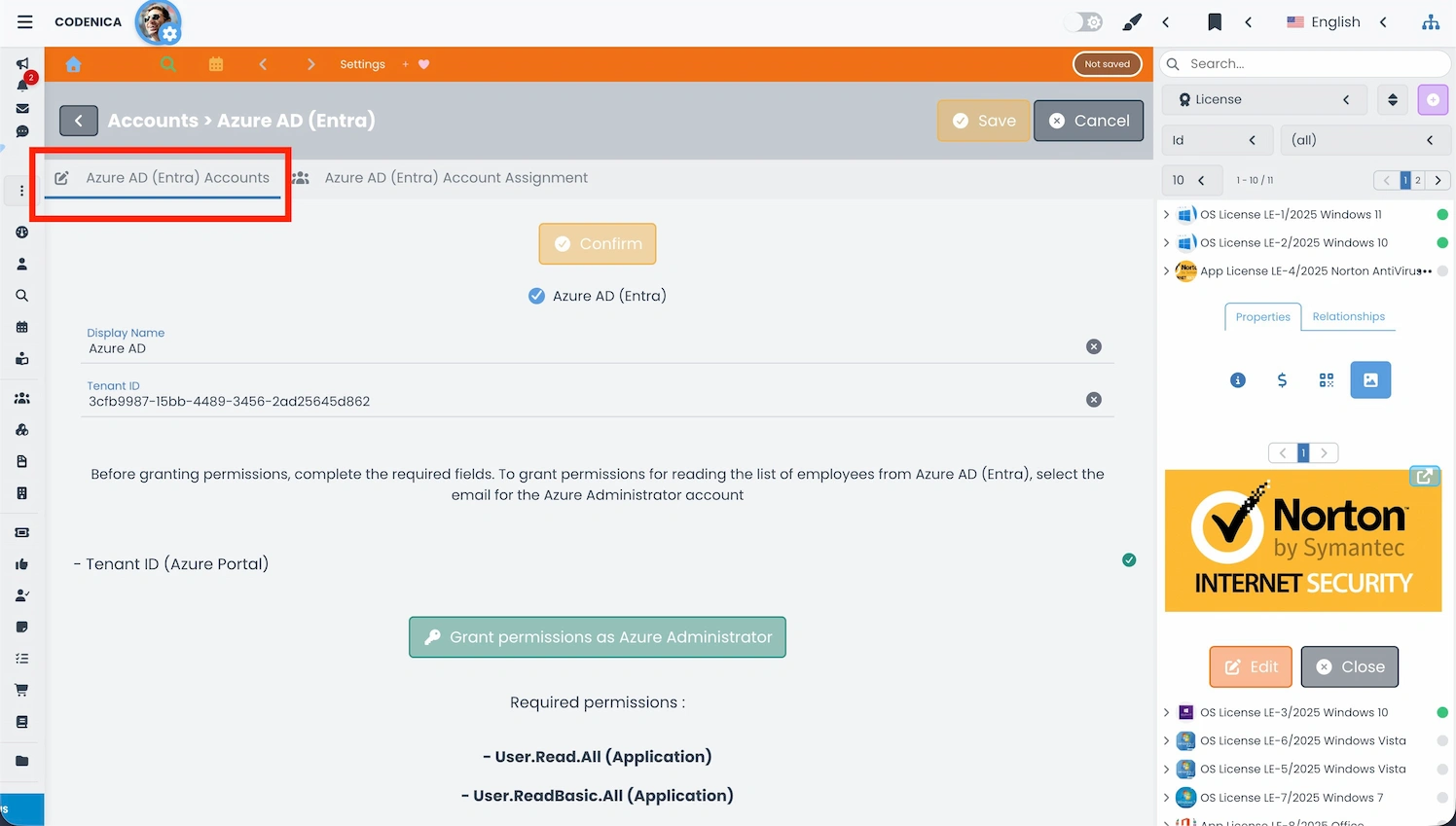
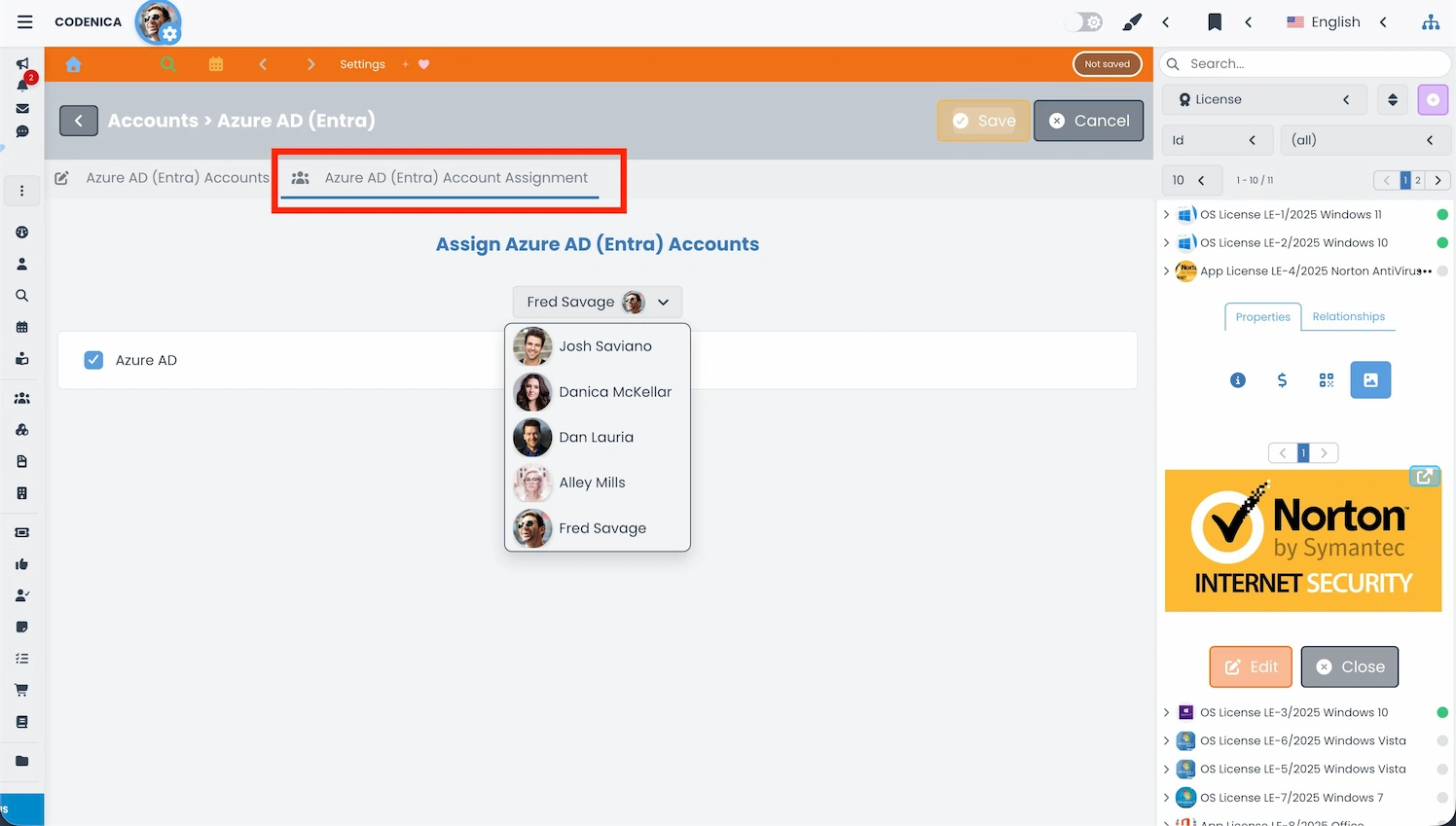
User import from Azure Entra ID consists of several stages: configuring a secure OAuth2 connection, granting the required permissions in Entra ID, and assigning the configuration to a specific Codenica user. Only after completing these steps can the actual import be executed. This approach ensures full control over access to HR data and meets security requirements in medium and large organizations.
Summary
Codenica provides a structured data import system that enables rapid creation of a complete IT asset inventory. Regardless of whether data originates from files, audit tools, desktop applications, or directory services such as Azure Entra ID, the entire process remains consistent and controlled. Data import forms the foundation for further ITAM and ITSM activities, including audits, license management, asset assignments, and reporting. As a result, organizations can ensure that their data is accurate, well-structured, and ready for further analysis.