

In a well-designed ticketing system, teams play an important role in organizing help desk and service desk operations. In practice, it is rare for all agents to handle the same tickets in the same way. First-line support teams have different competencies than system administrators, and other specialists may focus on specific areas or customers. That is why Codenica introduces the concept of teams, which allows users to be logically grouped, tickets to be assigned accordingly, and support processes to be structured within the system.
Teams are more than just a list of users. They are used in automation rules, access control, ticket escalation, and reporting. In this article, we explain what teams are in a ticketing system, how they work in practice, and how they help organize ticket handling in a help desk and service desk environment.
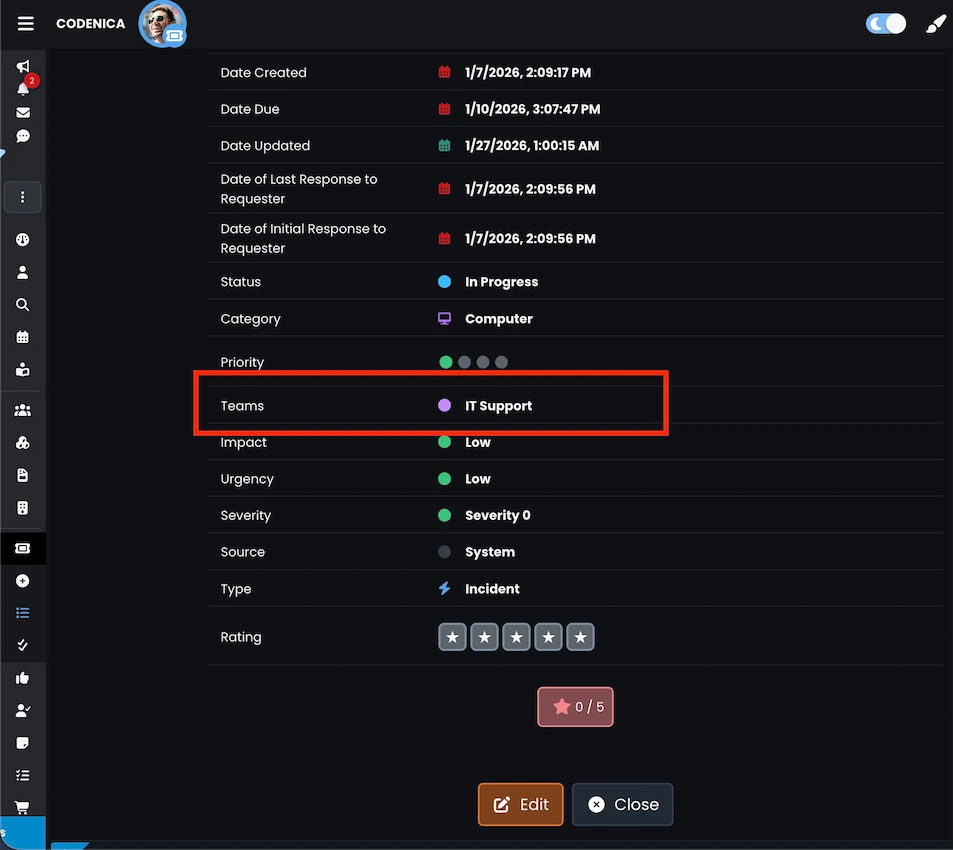
Creating teams and assigning users in the ticketing system
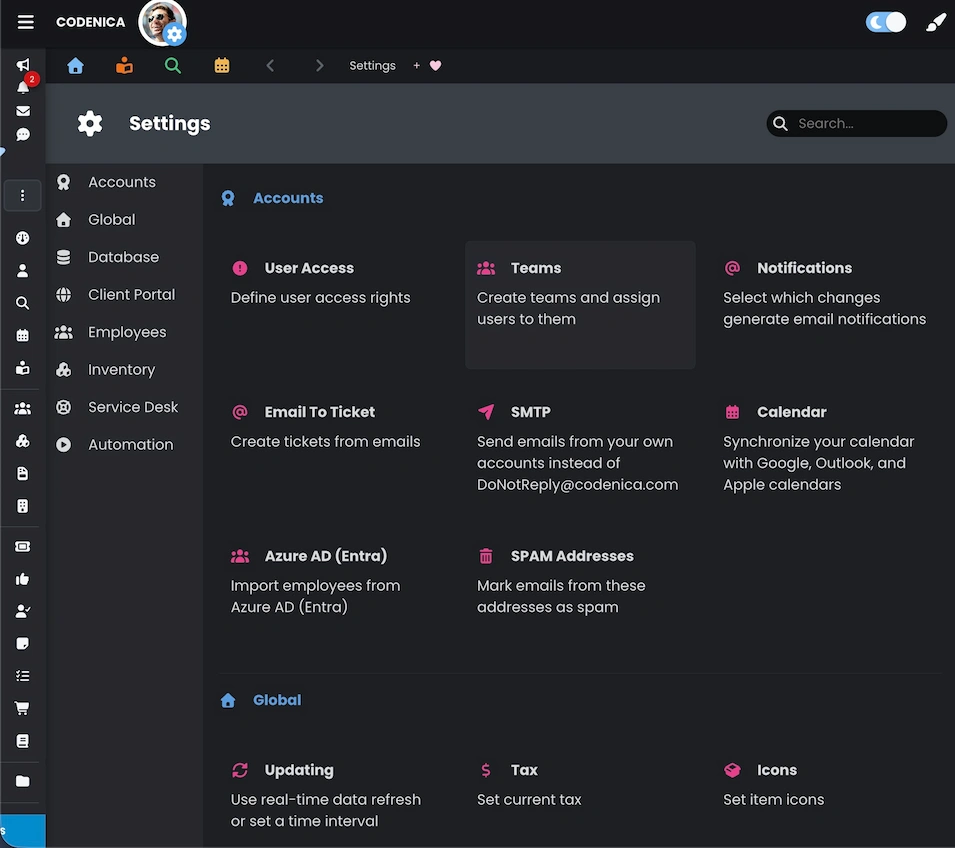
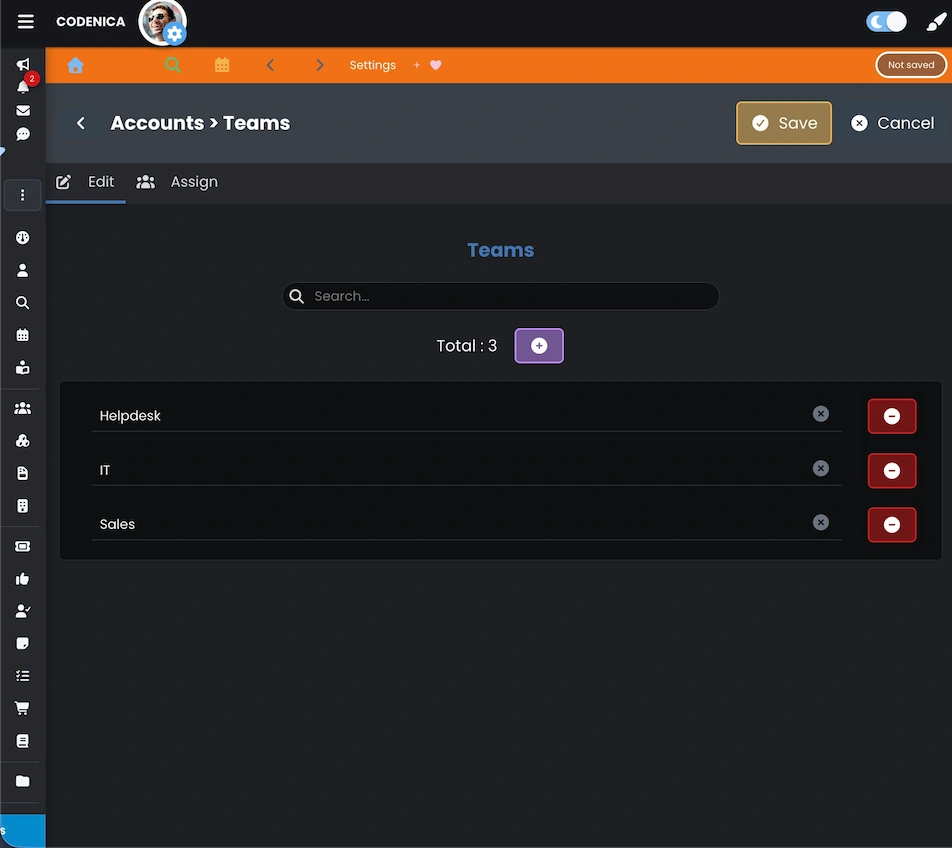
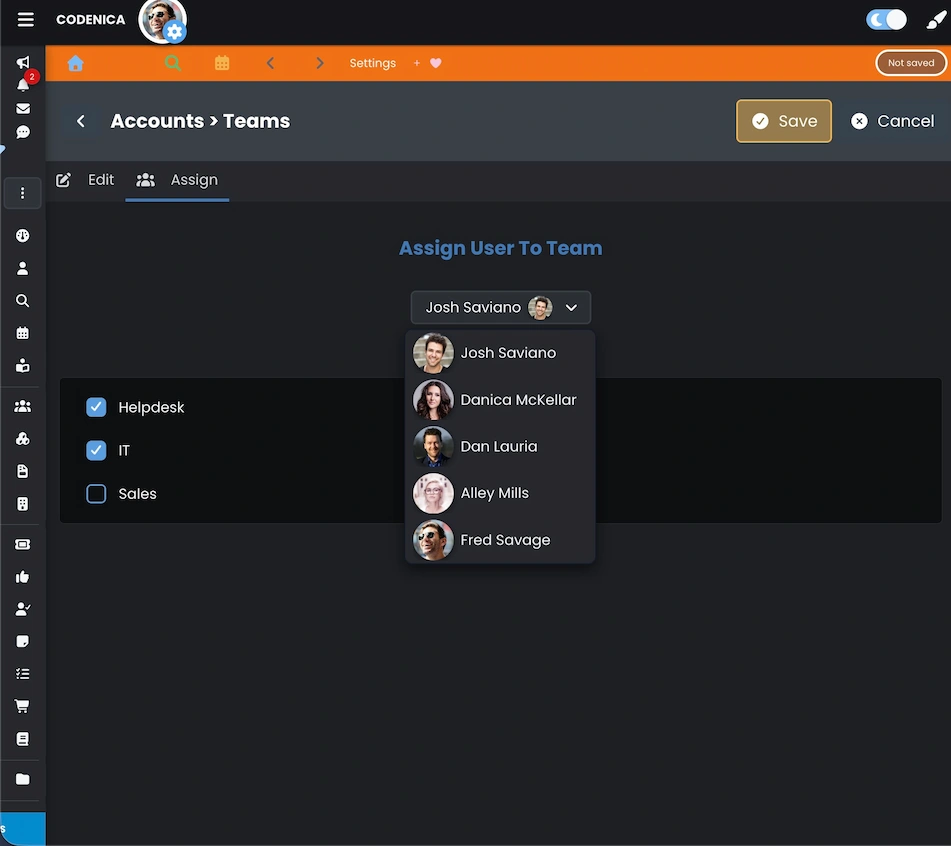
In a ticketing system, teams help organize help desk and service desk work. They allow users to be grouped based on competencies, responsibilities, supported customers, or business processes. Thanks to teams, tickets are routed to the people responsible for a given area instead of being visible to everyone. In Codenica, teams are flexible and do not have a fixed structure. You can create technical teams, project teams, customer-dedicated teams, first-line and second-line support teams, or any other teams that reflect how your organization operates.
The number of teams is unlimited, and creating them does not generate additional licensing costs. This makes it possible to expand the team structure as the organization grows.
Better ticketing system automation with teams
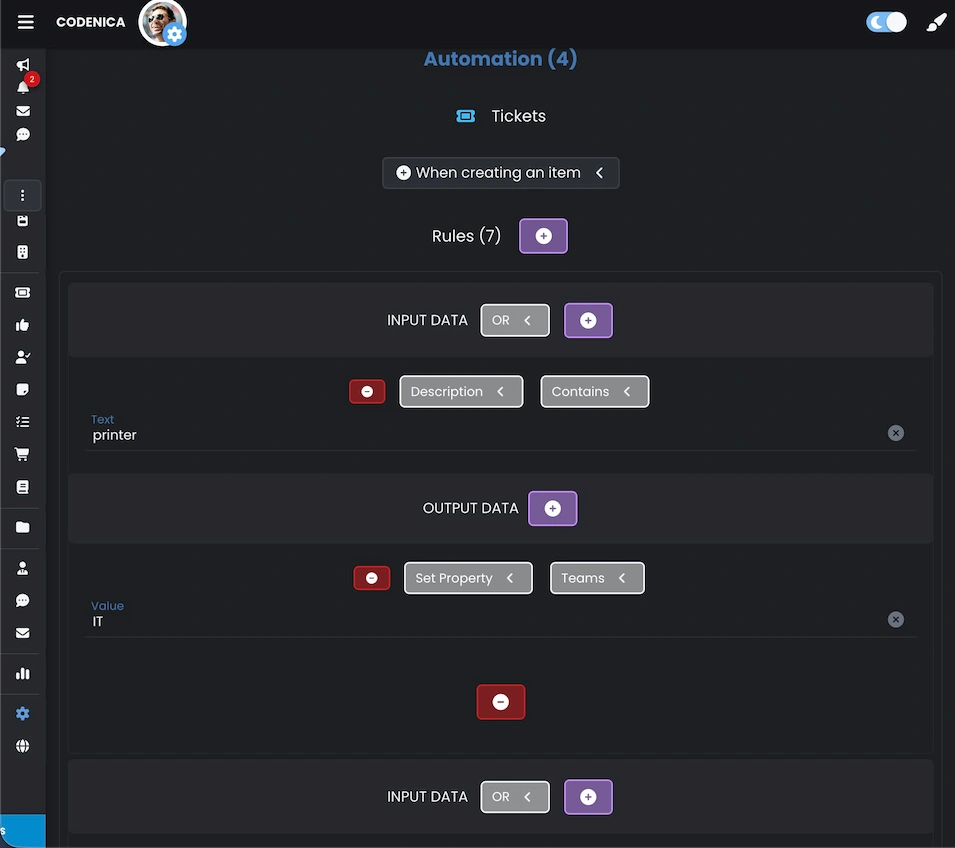
One of the biggest advantages of using teams in a ticketing system is the ability to build advanced yet very clear automation rules. Instead of manually assigning each request, the system can decide on its own which team should handle it, already at the moment the ticket is created. In Codenica, teams are a natural part of automation rules. Thanks to this, requests are routed directly to the correct department without delays and without the need for manual intervention by a help desk or service desk coordinator.
Automatic ticket assignment to teams can be based on many different attributes, including:
- content (for example the presence of specific words or phrases),
- subject,
- sender email address or email domain,
- a specific requester or a group of users,
- the form from which the ticket was created,
- category or type,
- priority,
- location, department, or another descriptive property,
- channel (email, portal, API).
With such rules in place, the ticketing system can automatically distribute requests between teams, eliminating chaos and significantly reducing response times. Automations run in the background, are fully configurable, and can be freely extended as the organization grows.
Summary
Teams in a ticketing system help structure work and define responsibility areas. In Codenica, they are used for organizing tickets, building automation rules, and controlling visibility.
The ability to create an unlimited number of teams without additional licensing costs, assign users to multiple teams, and use teams in automation rules makes it possible to reflect the real structure of an organization.
Teams support:
- automatic ticket assignment,
- escalation and responsibility control,
- filtering and visibility,
- workload and performance reporting,
- automation scenarios.
As a result, the ticketing system becomes easier to manage and better aligned with daily operations.