
If you use Google Calendar, Outlook or iCloud, you can view those events in Codenica. Connect the external account and assign it to the people who need it. You can also keep events in Codenica’s own calendar.
How do I connect Google Calendar or Outlook?
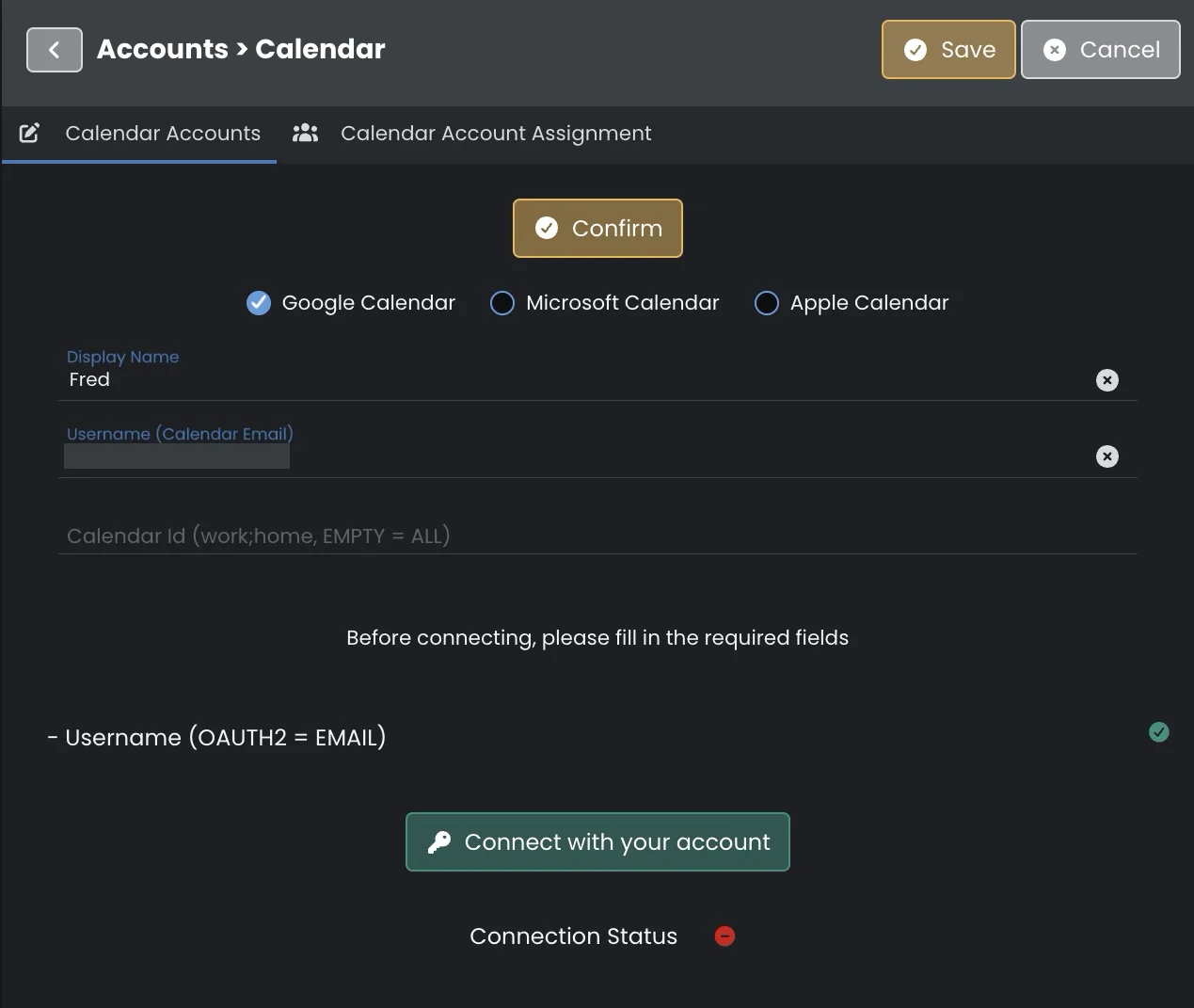
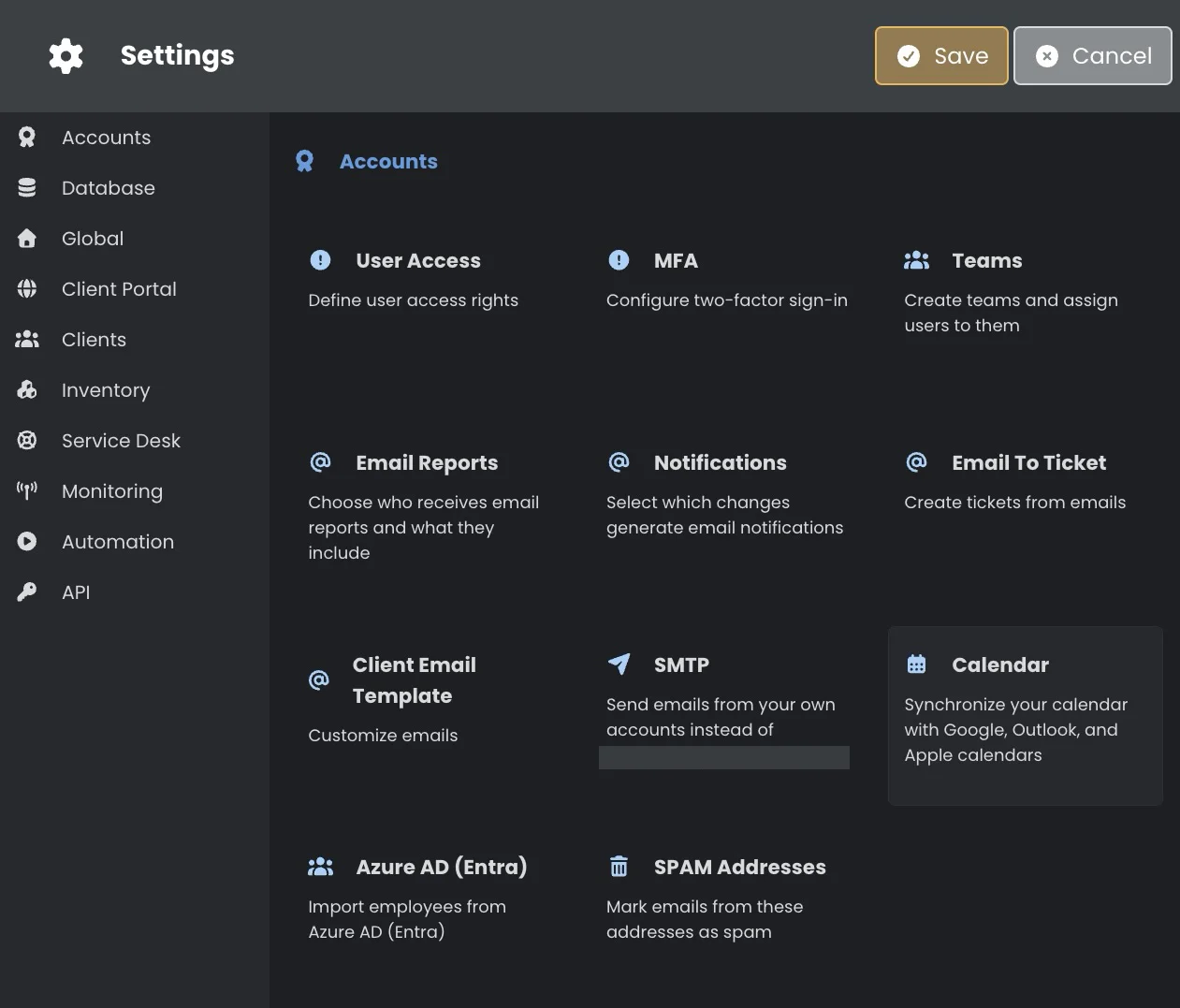
- Go to Settings → Accounts → Calendar. On Calendar Accounts, click +.
- Choose Google Calendar or Microsoft Calendar. Give the account a name you will recognize and enter the provider account’s email in Username (Calendar Email).
- Click Connect with your account. Sign in to the account you want to connect and grant access. Back in Codenica, check Connection Status.
- Click Confirm, then Save at the top of Settings.
To specify particular calendars, enter their provider IDs in Calendar Id, separated by semicolons in the field. An ID may differ from the display name. Check which calendars appear in the source list after setup. For Google, if there is no saved ID, Codenica may use the account address as the calendar ID.
How do I connect Apple Calendar?
Add a Calendar Accounts entry and select Apple Calendar. Enter your Apple ID and the app-specific password you created in your Apple account for Codenica. Click Confirm, then Save.
When you reopen a saved Apple account, the password field is blank. You can leave it blank when changing the name. Codenica keeps the saved password. To replace it, type the new password and save.
How do I assign an account to a user?
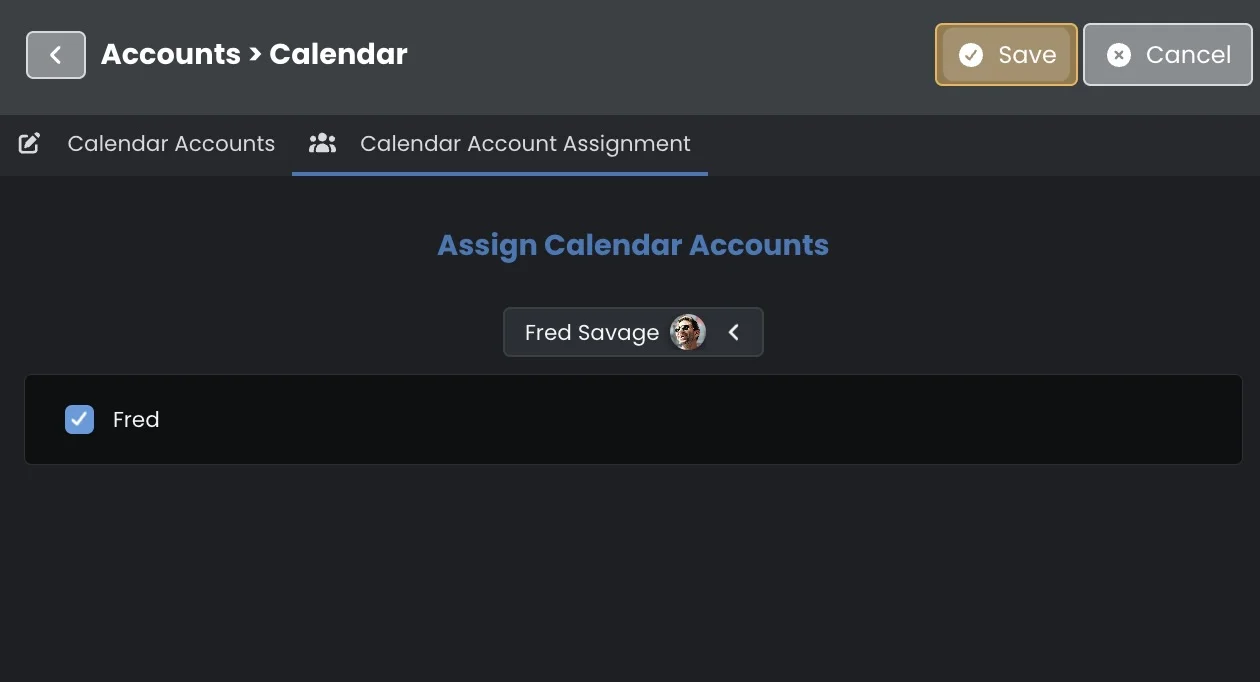
Open Calendar Account Assignment, select a user, tick the accounts they should use, and click Save. A user can have more than one account. For a shared calendar, select the people who need to see its events.
How do I check that events appear?
Open the calendar as a user with the account assigned. Select the external source and go to the week with a known event. To test the connection end to end, create a test event at the provider and refresh the calendar in Codenica.
If the event is missing, check the assignment, source and date range. Check Connection Status for Google or Microsoft, or the app-specific password for Apple. If you entered a calendar ID, verify it with the provider.
Google, Microsoft and Apple require access to the provider’s service, including in Codenica On-Premise. If those services are unavailable, you can use Codenica’s own calendar.
See also
- Email reports - Choose who gets email reports and whether to include the calendar section.